


Ready-made business apps: buy once and change them your way
Complete systems, with screens, database, rules and sample data to try out. The purchase becomes a project of your own in MadBuilder: you adjust it in the Studio and deploy anywhere.
Available apps
-
Delivery and restaurants
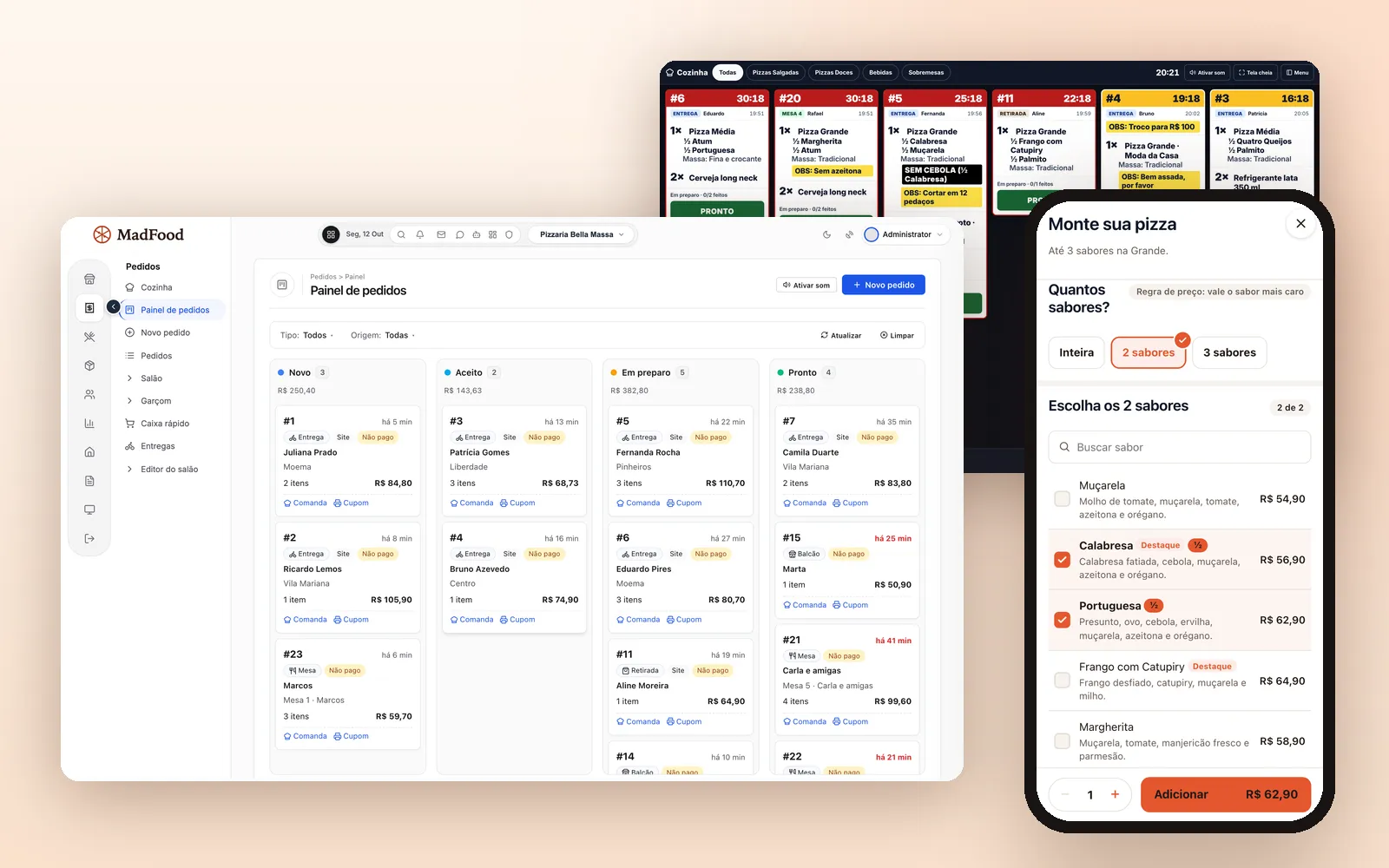
MadFood
Online menu, kitchen, tables and inventory in one system, with no commission.
Pizzerias, burger joints, sit-down restaurants and multi-store chains.
- Half-and-half pizza
- Pix copy-and-paste
- Kitchen screen
- Tables and tabs
- Recipe cards and costing
- Multiple stores
$— one-time payment
-
Services and contracts
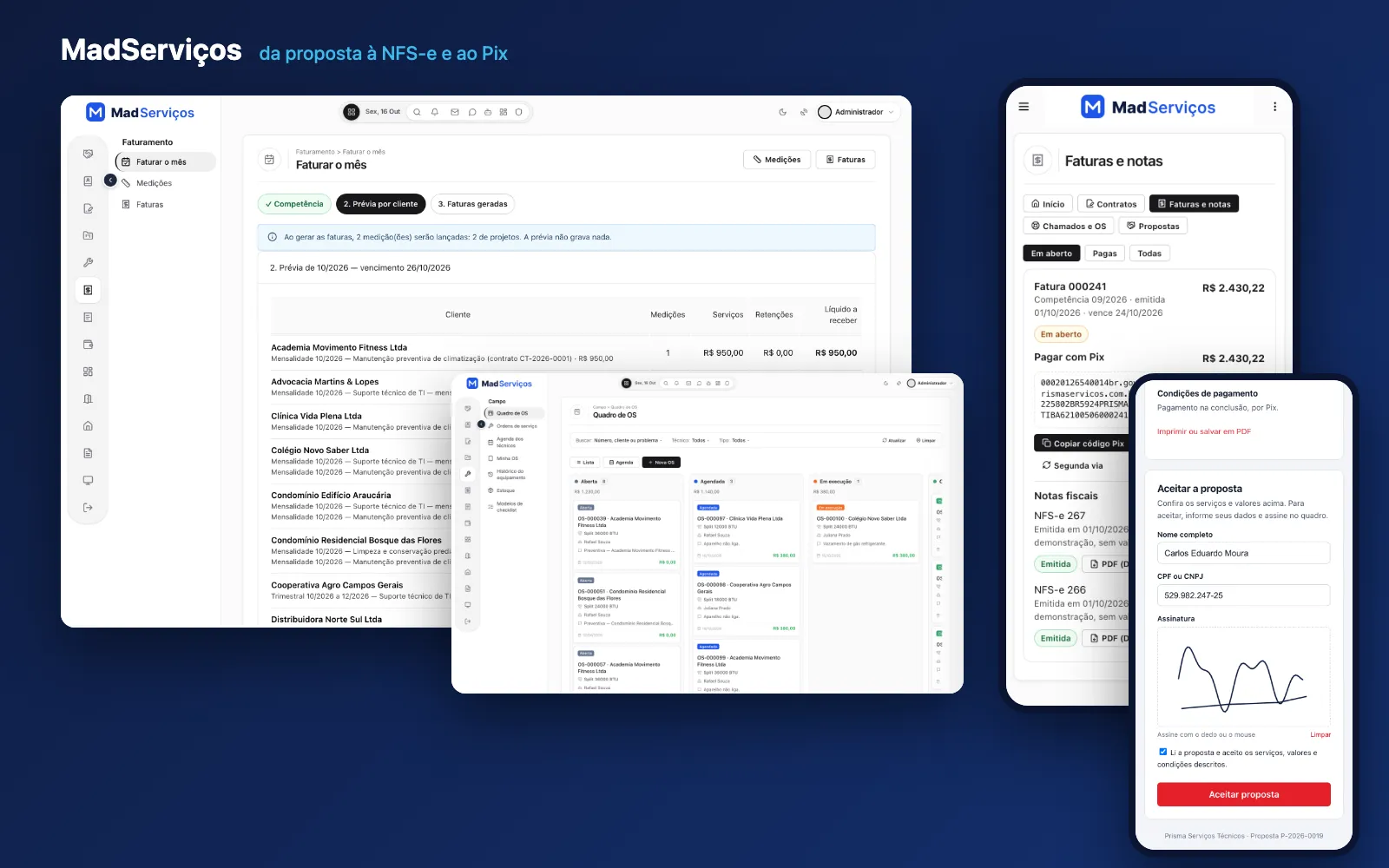
MadServiços
Recurring contracts, work orders and projects, with national NFS-e invoicing, Pix and a customer portal.
Maintenance, IT, HVAC, engineering and consulting companies that live on contracts, work orders and projects.
- Recurring contracts
- Field work orders
- Monthly billing run
- National NFS-e
- Pix copy-and-paste
- Customer portal
$— one-time payment
What a ready-made app is
It is a complete MadBuilder project that you buy in the Manager store. Instead of starting from scratch, you start from a system that already works and change whatever is different in your business.
One-time payment
You pay once, through the MadBuilder store. There is no monthly fee for the system and no commission on what it sells.
A copy that is yours
The system becomes a project in your account. Changes to the original do not affect yours, and the Laravel source code is yours too.
Change everything in the Studio
Screens, tables, fields, rules, menu, permissions and theme, in the MadBuilder visual editor.
Deploy anywhere
On MadBuilder Hosting (MadCloud) or on your own server.
To use it, you need a MadBuilder account. The app comes in as a project and counts toward the project limit of your plan; hosting is separate. Want a system that is not here yet? Check out custom development.
Ready-made or custom?
Ready-made app
Choose a ready-made app when your process looks like its own and time is short. You try the demo, pay once, create the project in your account and change in the Studio only what is different in your business: an extra field, a pricing rule, the names of the stages, your brand colors. You start from screens that already work.
Custom development
Choose custom development when the workflow is yours alone and no ready-made app comes close. Then MAD Solutions builds the system with you, with a fixed price in the proposal and the Laravel code in your company's repository from day one. See how custom business app development works.
Questions about ready-made apps
Is the project mine?
Yes. The purchase creates an independent copy in your MadBuilder account: changes to the original system do not affect yours.
Can I change screens, fields and rules?
Yes, all in the Studio: screens, tables, fields, rules, menu, permissions and theme. The generated code is yours too.
Where do I publish it?
On MadBuilder Hosting (MadCloud) or on your own server. The project limit of your plan still applies.
How does payment work?
One-time, per account, through the Manager store (Mercado Pago). Once approved, your account can create as many projects from it as you like, and the purchase shows up under My purchases.
Prefer to build from scratch? Build your first screen today.
MadBuilder is the same editor the ready-made apps were built in. Ask the AI, adjust on screen and download a Laravel project that is yours.
- Create an accountOpen beta, no credit card.
- Build a screenVisually, in code, or by asking the AI.
- Download the .zipA Laravel project that runs wherever you want.
