Where your AI app builder shines
The landing page, the first prototype, the demo you show investors, the experiment you want today.
 MadBuilder
 Which version do you want to log in to?
 Version 5 New The current version, with the AI agent and Laravel projects. manager.madbuilder.dev
  Version 4 Classic The classic version, for people who were already using MadBuilder. manager.madbuilder.com.br
 Not sure which one is yours? See how to find out or message us on WhatsApp.
For vibe coders
MadBuilder is an AI agent and a visual editor made for management systems: back-office, ERP, CRM, internal operations. You ask in plain English, and what comes out is a real Laravel project that is yours.
Free plan in open beta. No credit card.
What a prompt alone struggles to hold
The first screen is the easy part. The system that runs a company also needs the boring parts to be right, and MadBuilder ships them as features instead of leaving them to the next prompt.
Who can view, create, edit, delete and export, screen by screen.
Tick the actions per screen and per profile. The app refuses the action on the server, not only by hiding the button. You can even create a profile that only receives approvals.
One system serving several companies or branches without mixing data.
Pick single client, pool (one database, separation per row) or dedicated (one database per company), plus branch-level separation. The same person can have a different profile in each branch.
Requests that need a manager’s yes before they move on.
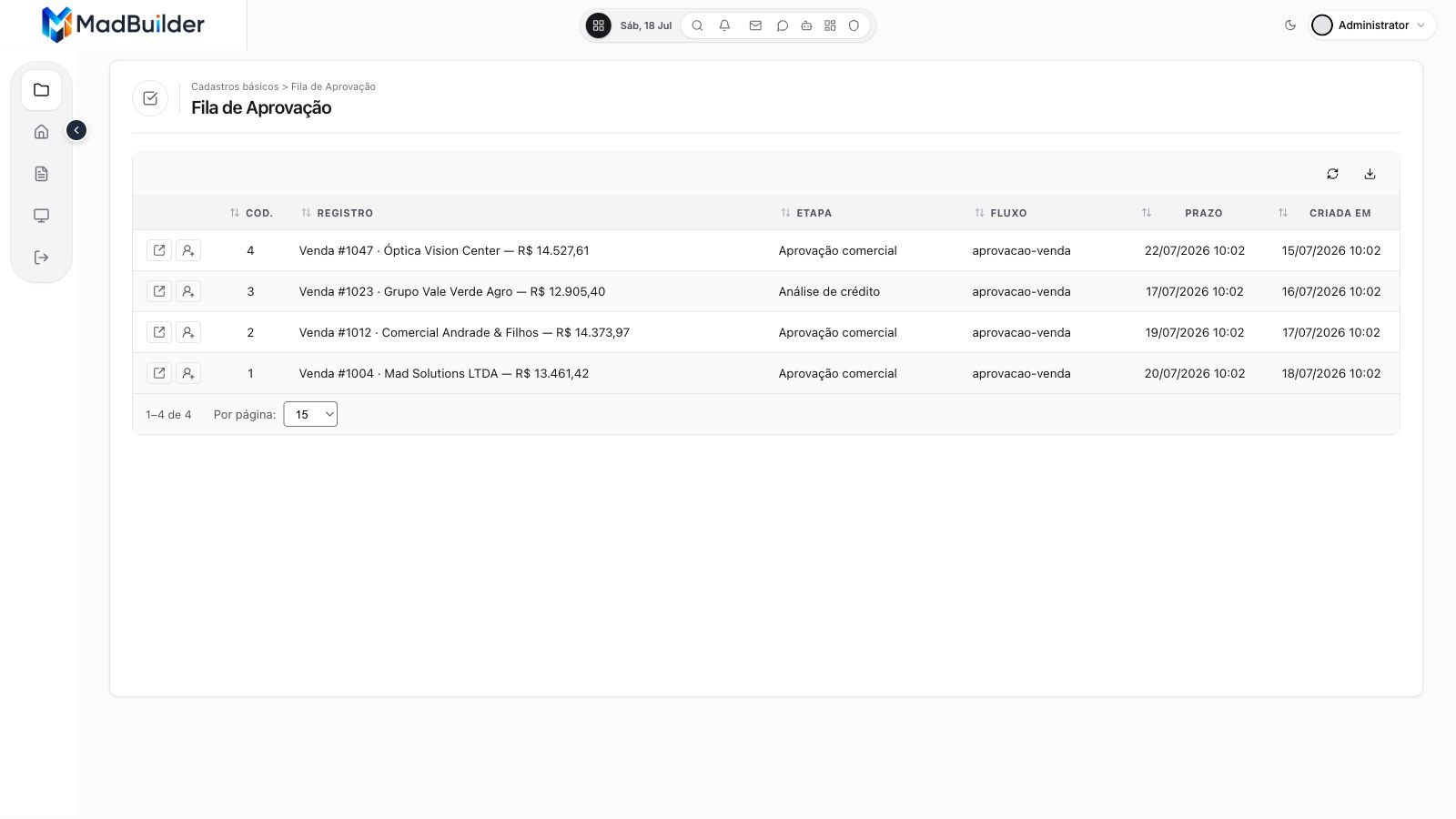
Draw the flow on a canvas with steps, conditions, parallel branches, quorum and deadlines. Approvers get a queue with only their own pending items, where they open, decide or delegate.
Thousands of rows, with filters, totals and exports.
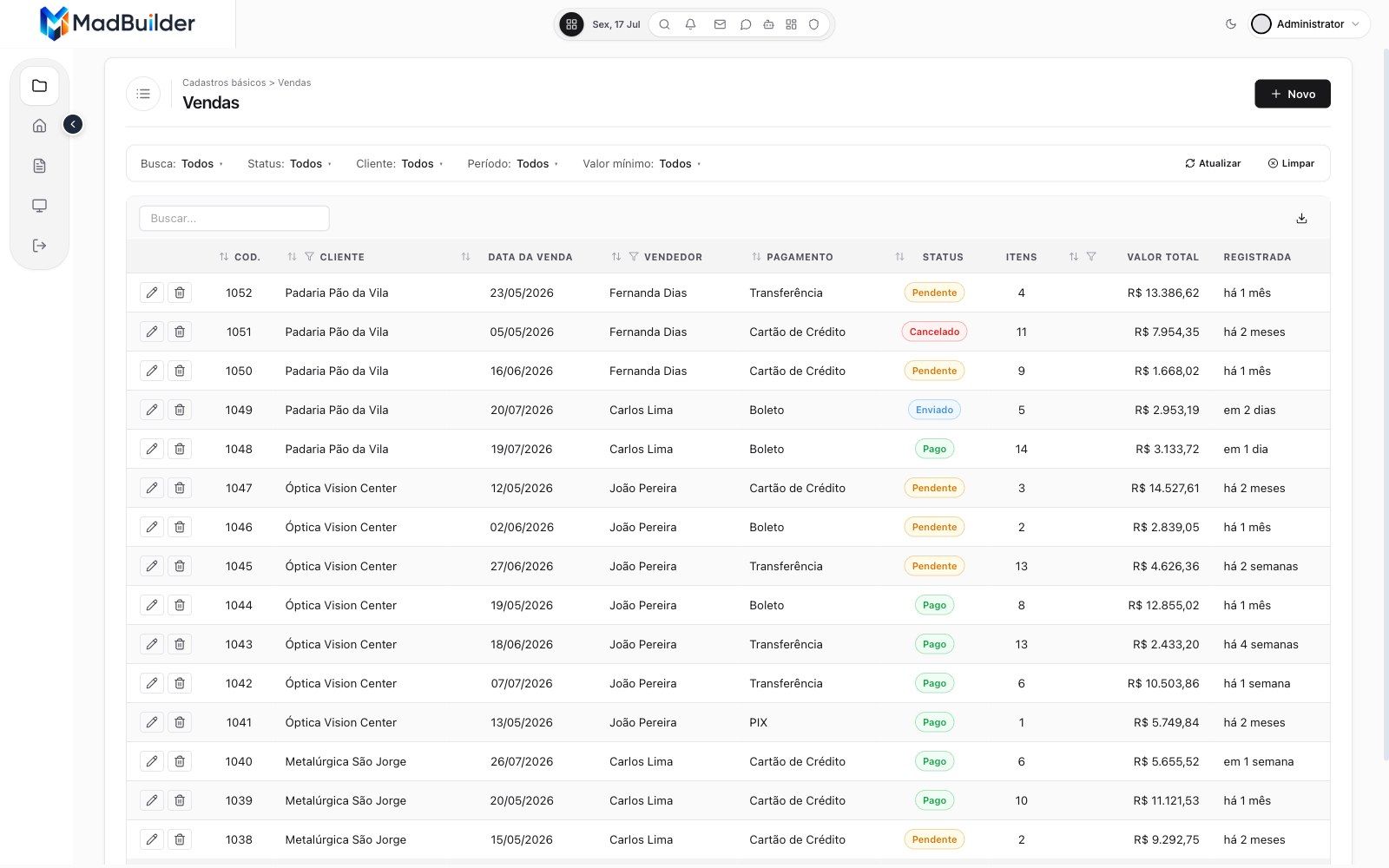
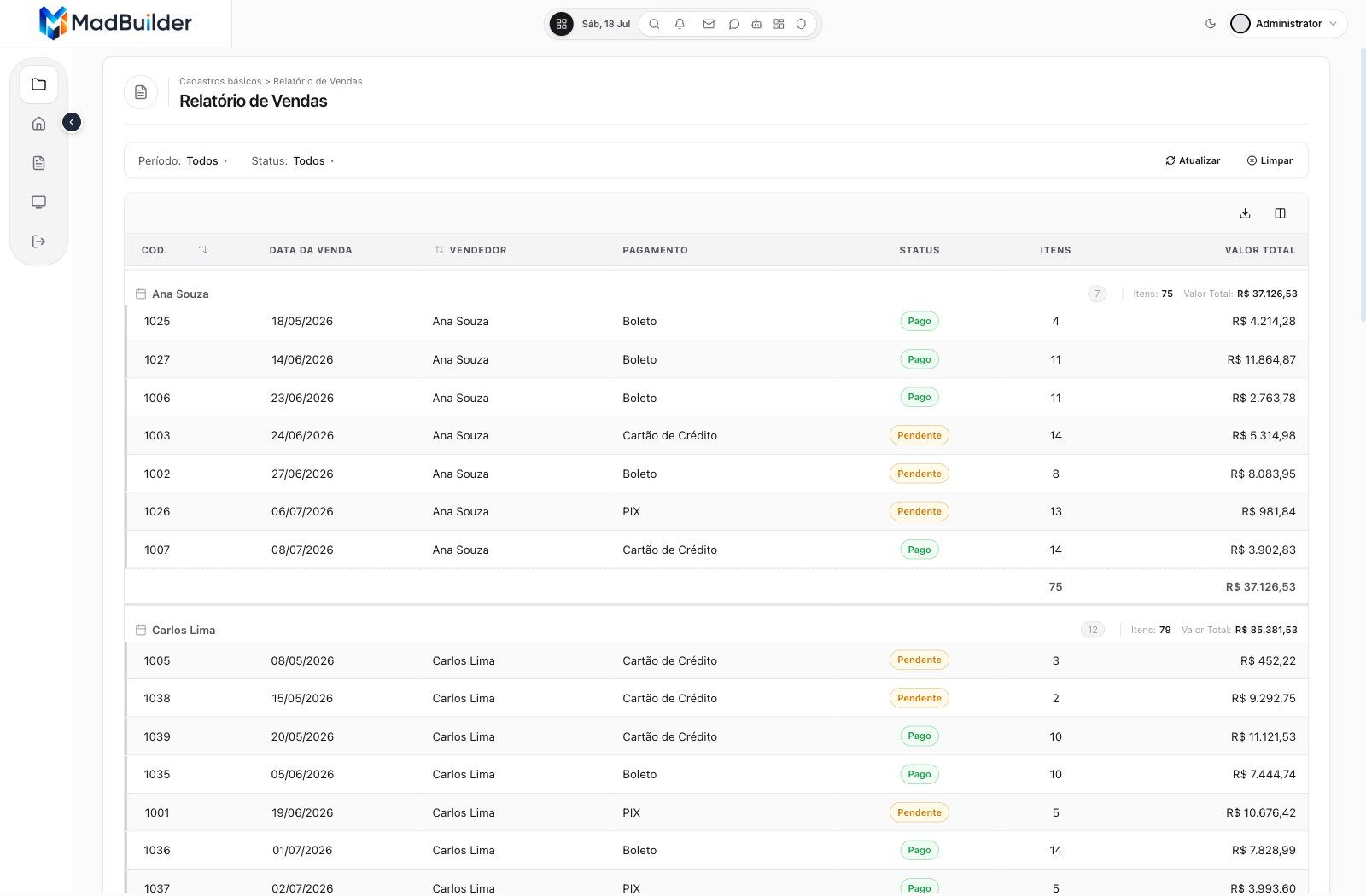
List views with search, column filters and sorting, and reports with subtotals. Export what you see to Excel, CSV or PDF, with filters, chosen columns, groups and totals.
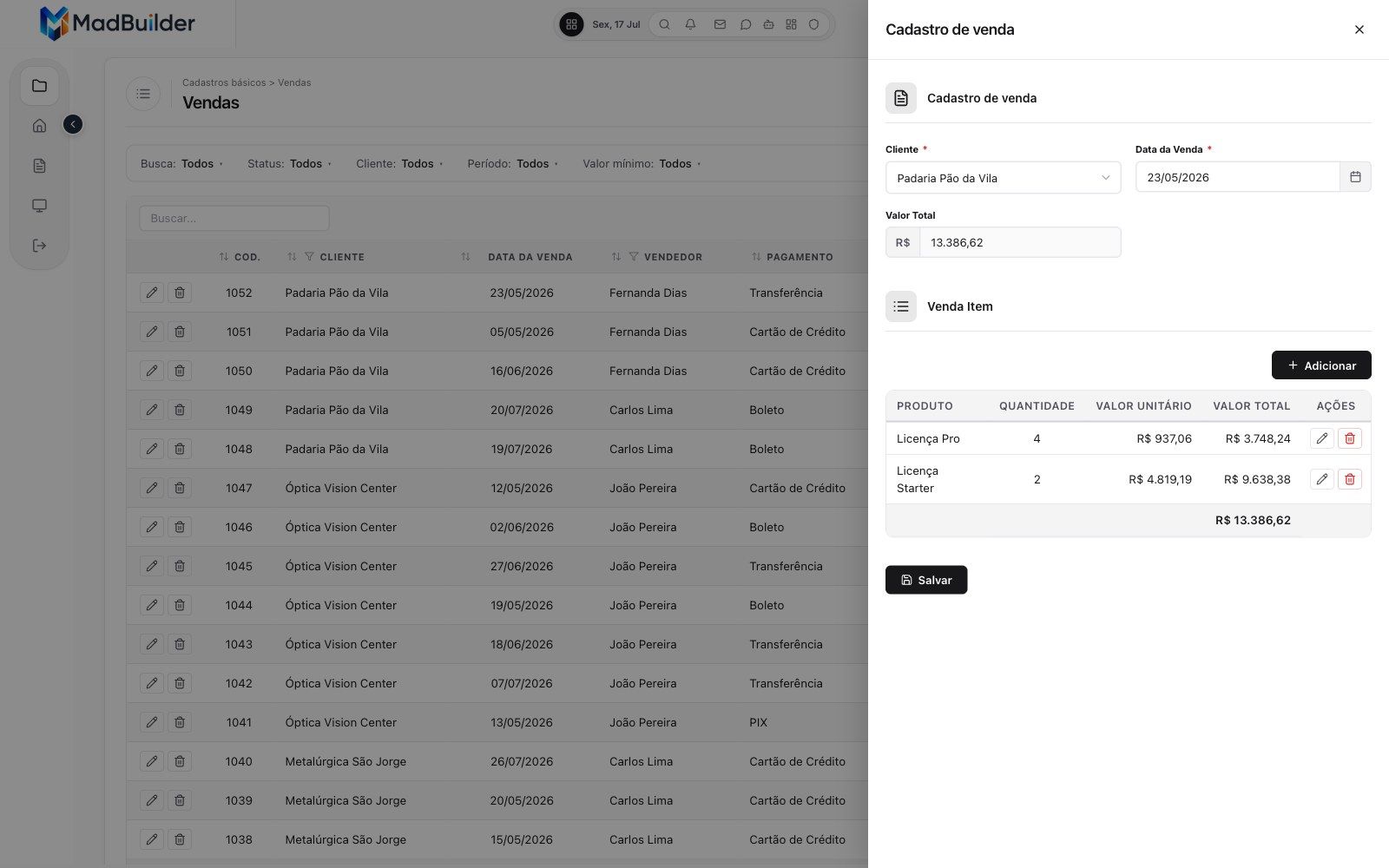
An order and its items on the same screen, saved together.
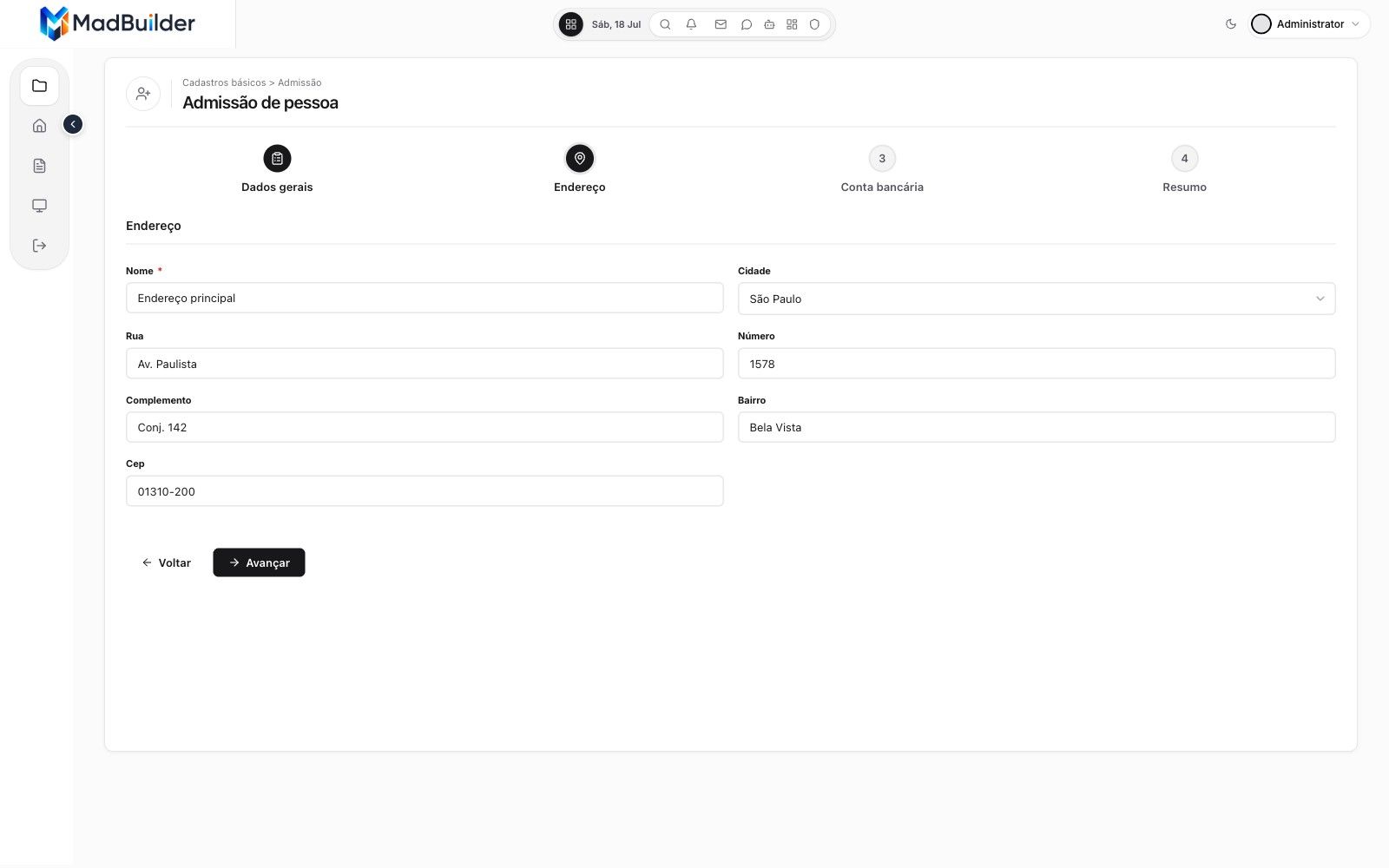
Master-detail forms with items inline, in a drawer or in a modal, in sections or tabs. Multi-step wizards save at each step or only at the end.
Who changed what, and when.
Switch it on per table and every create, edit and delete stores the old and new value, column by column. Passwords and tokens are masked. Access logs show who signed in and from where.
A database that already exists and has to keep working.
Paste its CREATE TABLE statements and the data diagram draws itself. An Analyze button flags missing relations, unknown types and keys without auto-increment before you import.
From prompt to system
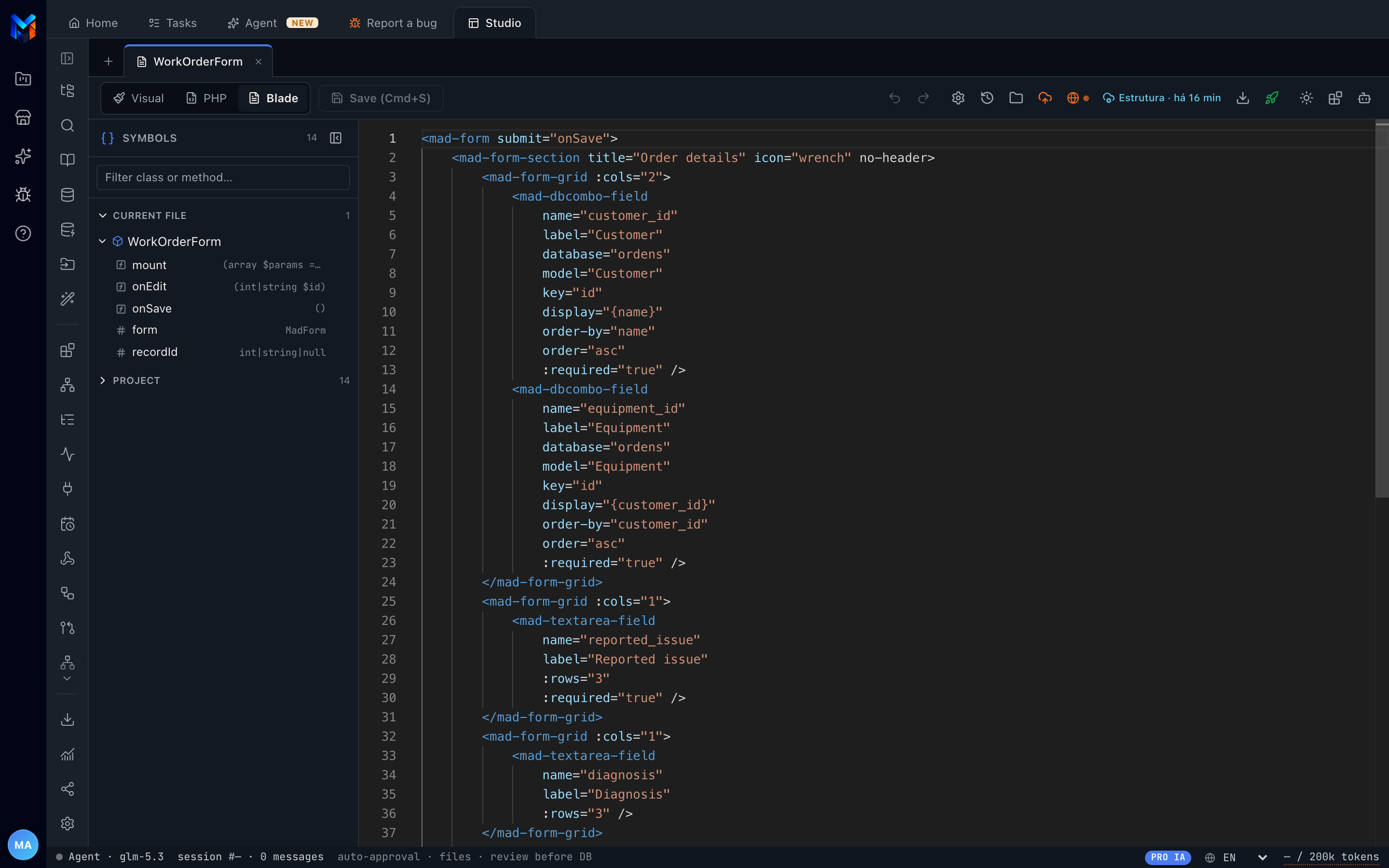
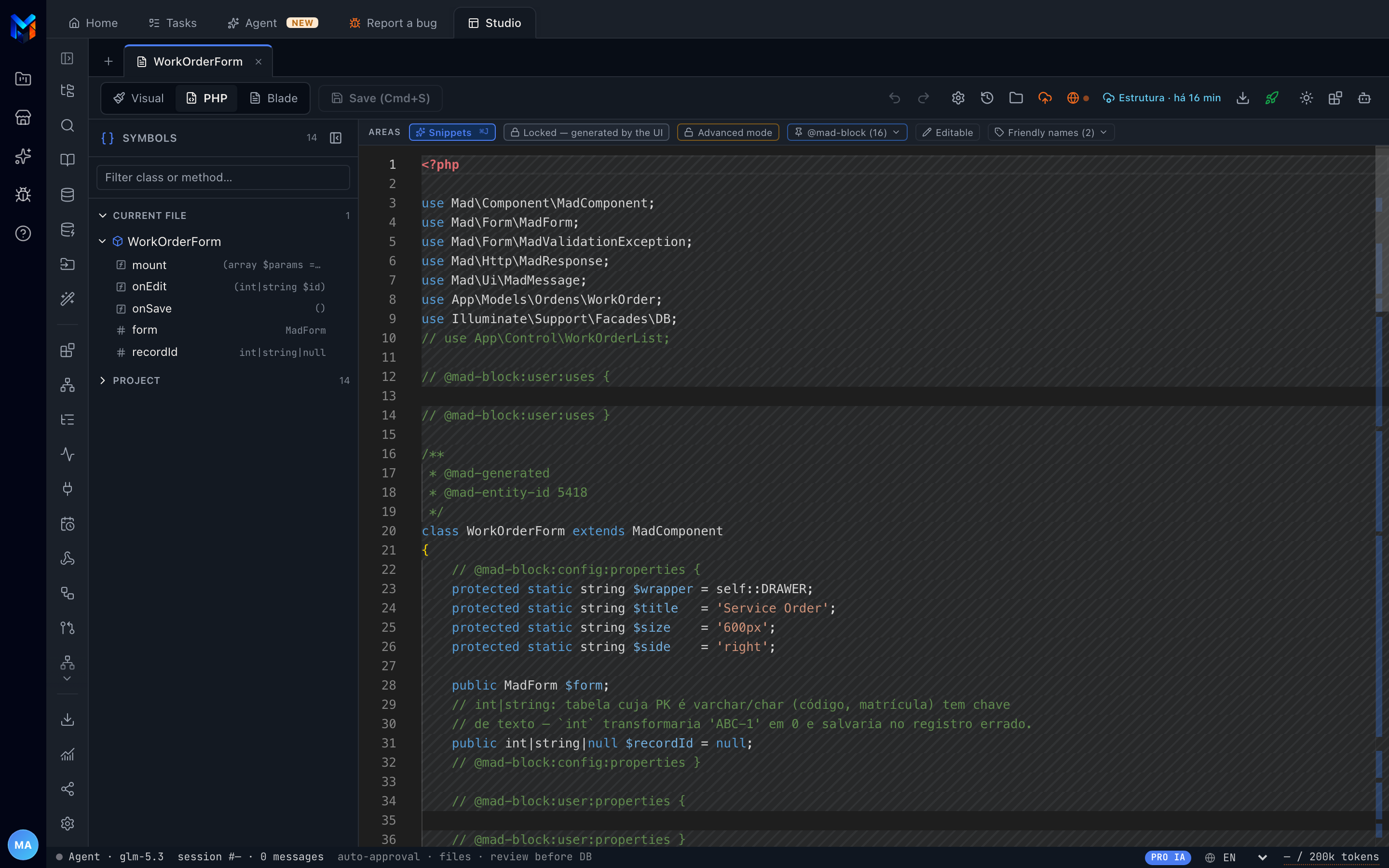
The agent, the visual editor and the code all work on the same project files. This is a real session of the agent on the sample project.
Ask the AI agent in plain English. It reads your data, and it is blocked from inventing what does not exist. It builds the system in phases that you approve.
Tables and relationships show up in a diagram. Every change becomes an incremental migration, so nothing is recreated and no data is lost.
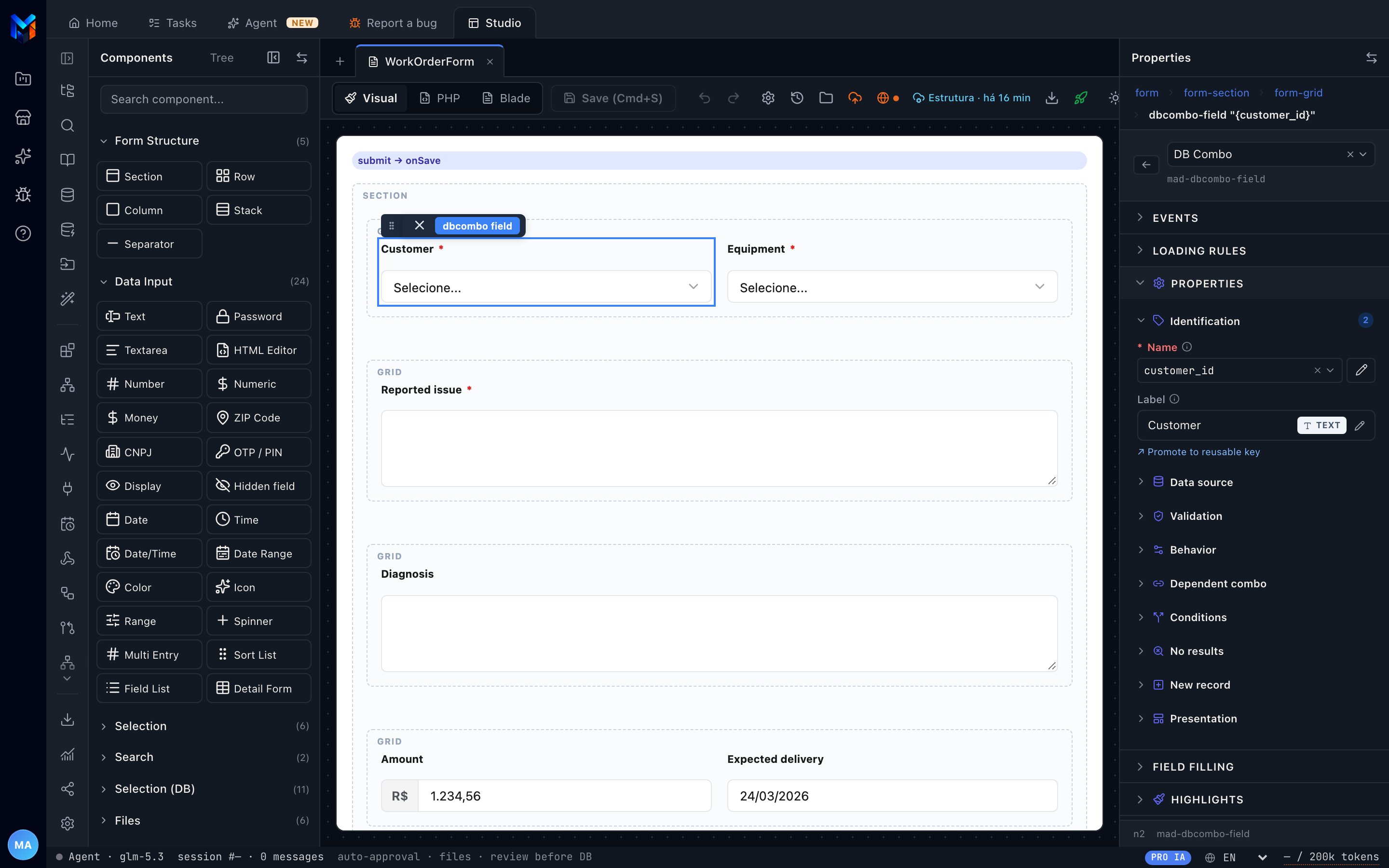
Drag fields and components, or edit the code. Visual, PHP and Blade are three views of the same screen and always move together.
One click starts the running system in its own environment, with the database and PHP version you choose. The agent also tests the screens it made.
Deploy over SSH with a backup first, push to your Git repository, download the ZIP, or use MadCloud, our managed hosting.
You 14:05
Create a sales CRUD with items (master-detail): a sale has a customer, date and total amount; each item has a product, quantity and unit price. Generate the list view and the form.
Agent 14:08
mad_db_inspect list_tables17 tables in the model, none for salesmad_db_table create produtonome, preco_venda, unidade, ativo and the Produto modelmad_db_table create vendacliente_id, data_venda, valor_total and the Venda modelmad_db_table create venda_itemvenda_id, produto_id, quantidade, valor_unitario, valor_total and the VendaItem modelskill mad-frameworkskill loadedcrud_generate venda + detalhe venda_item2 screens created: VendaList and VendaForm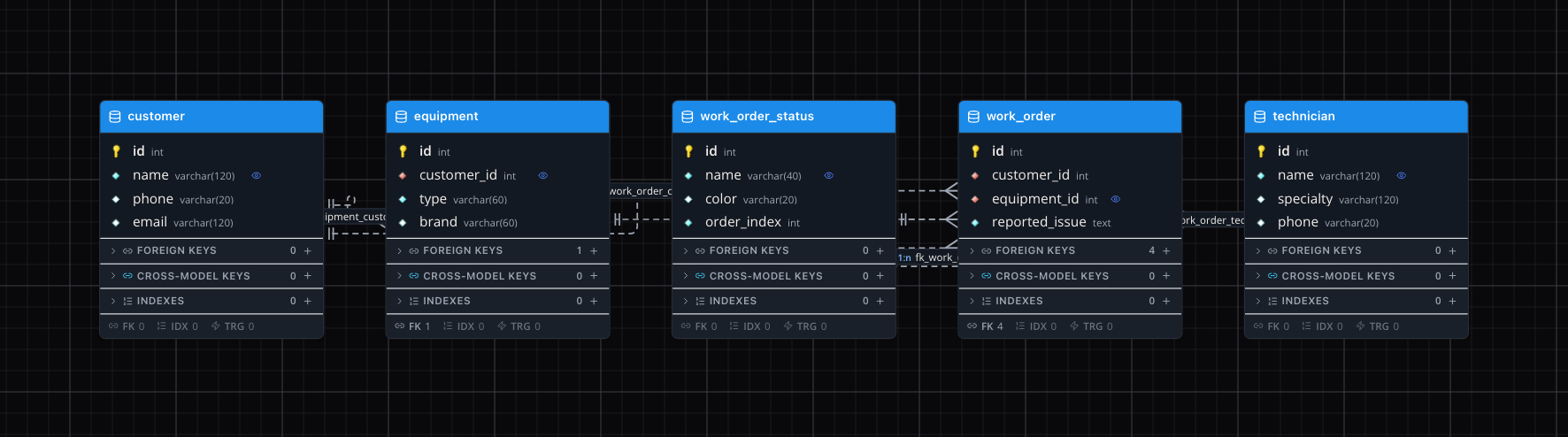
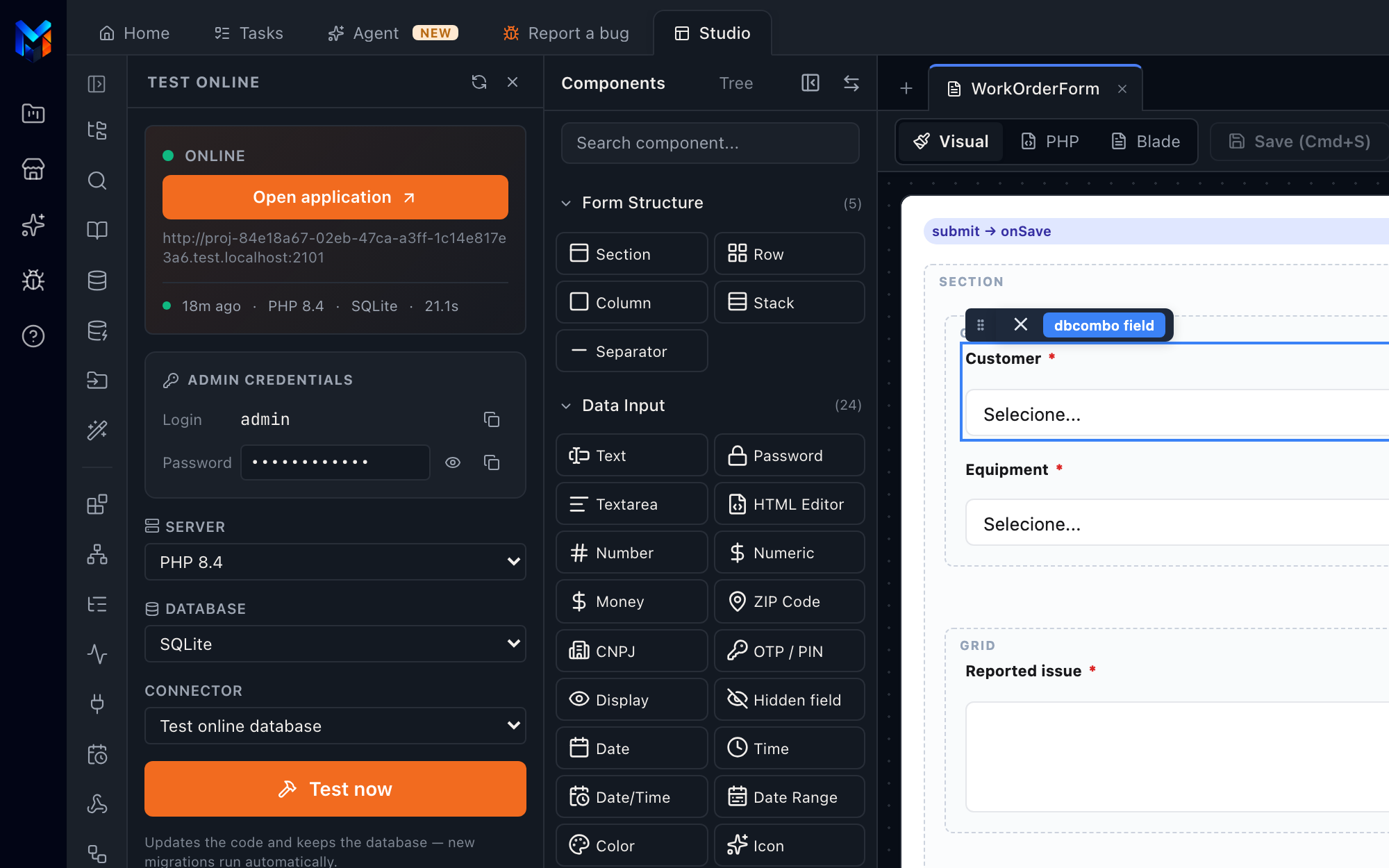
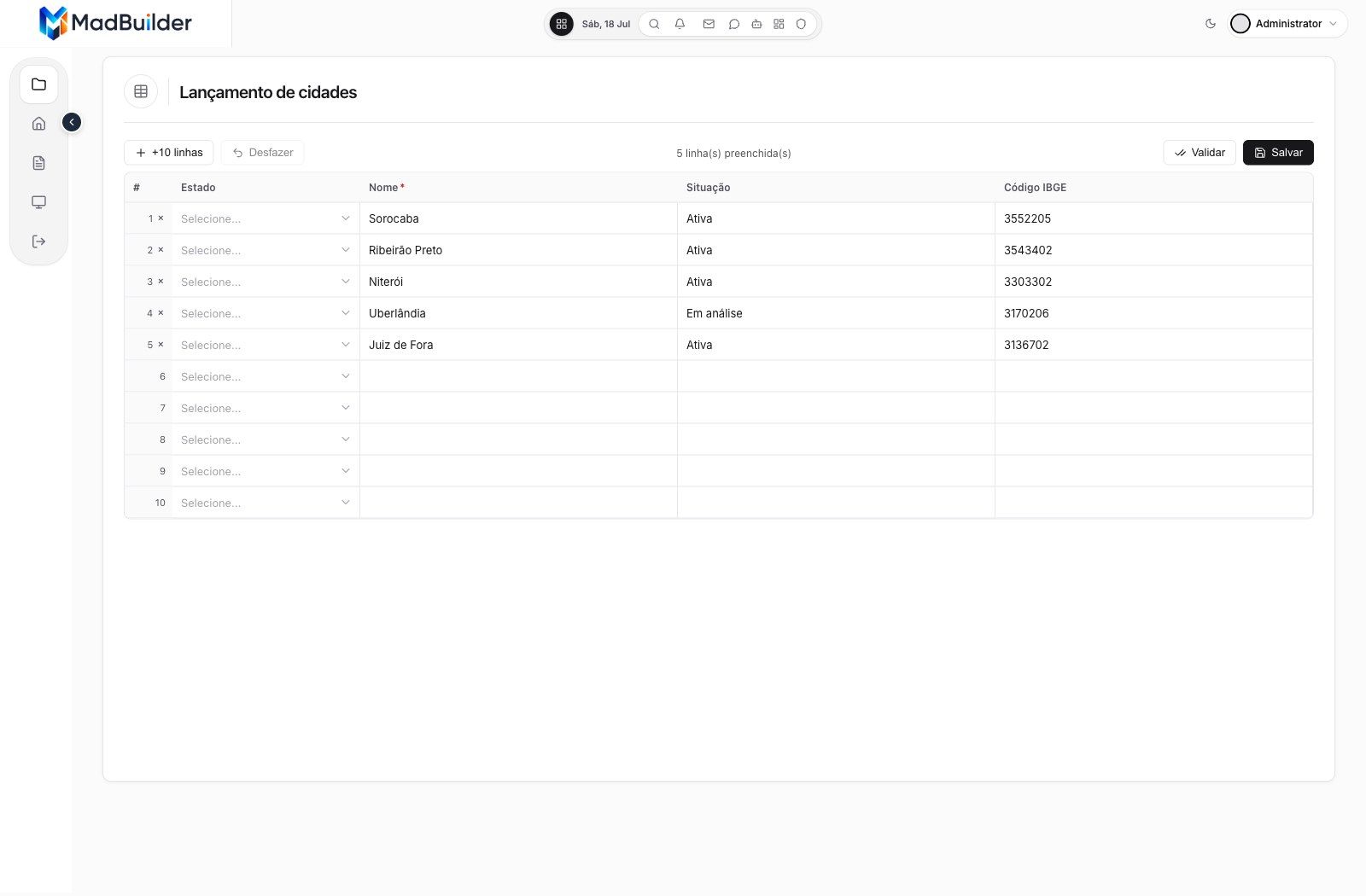
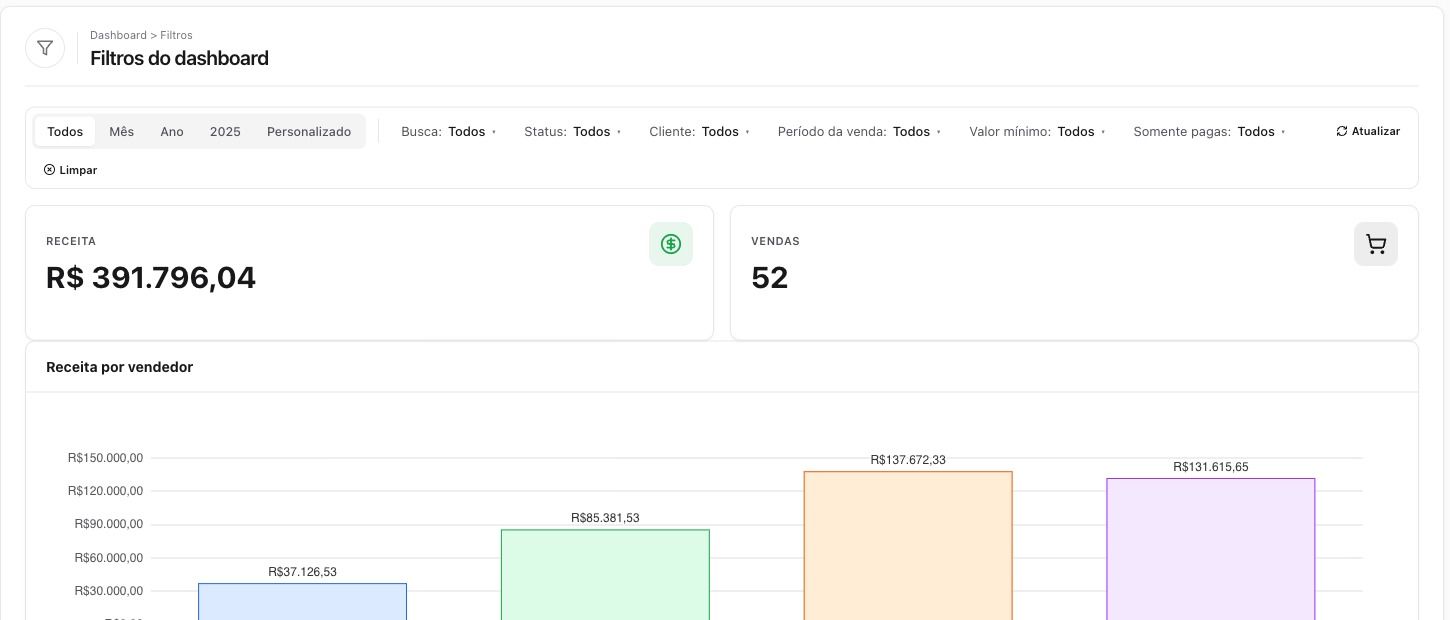
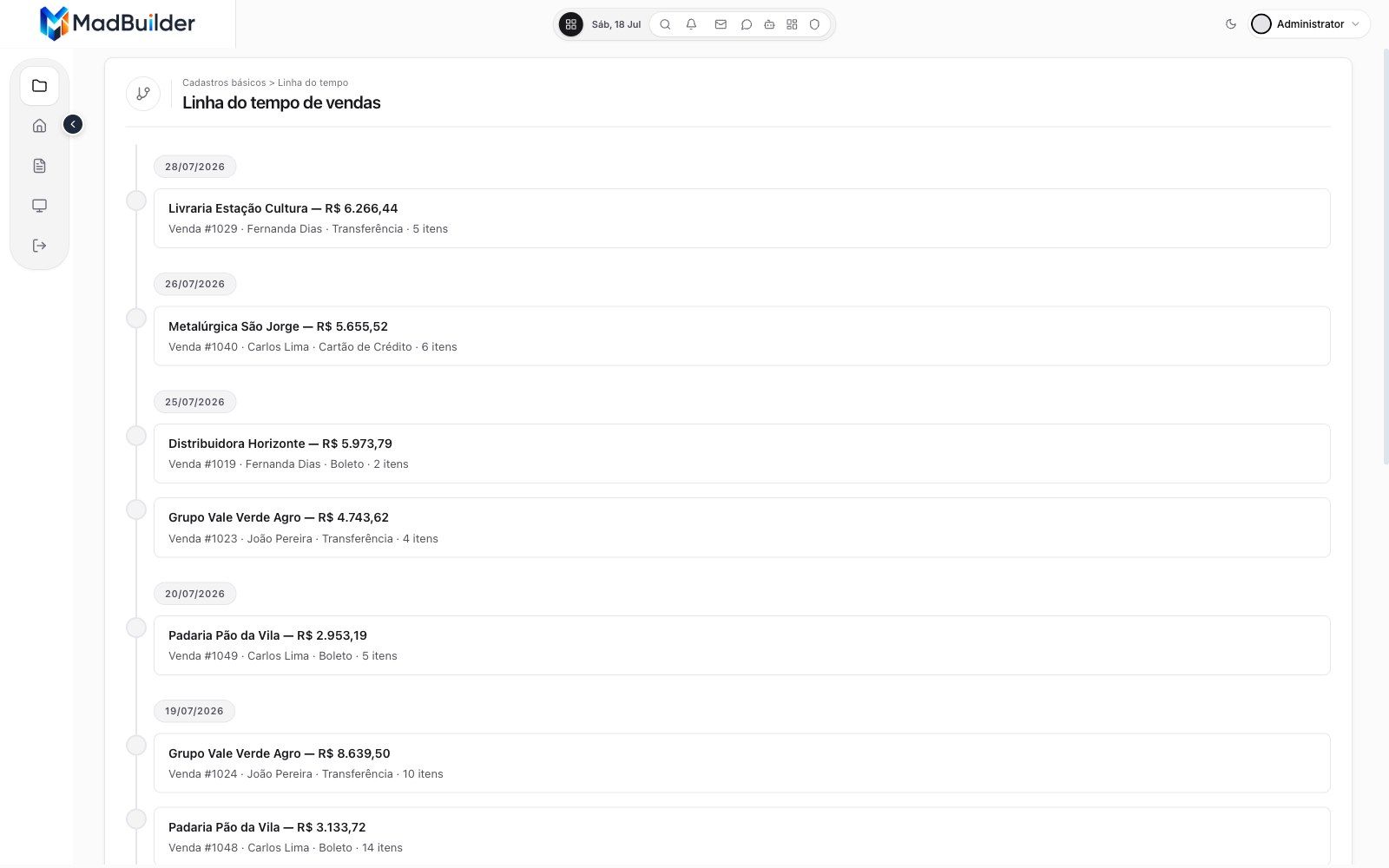
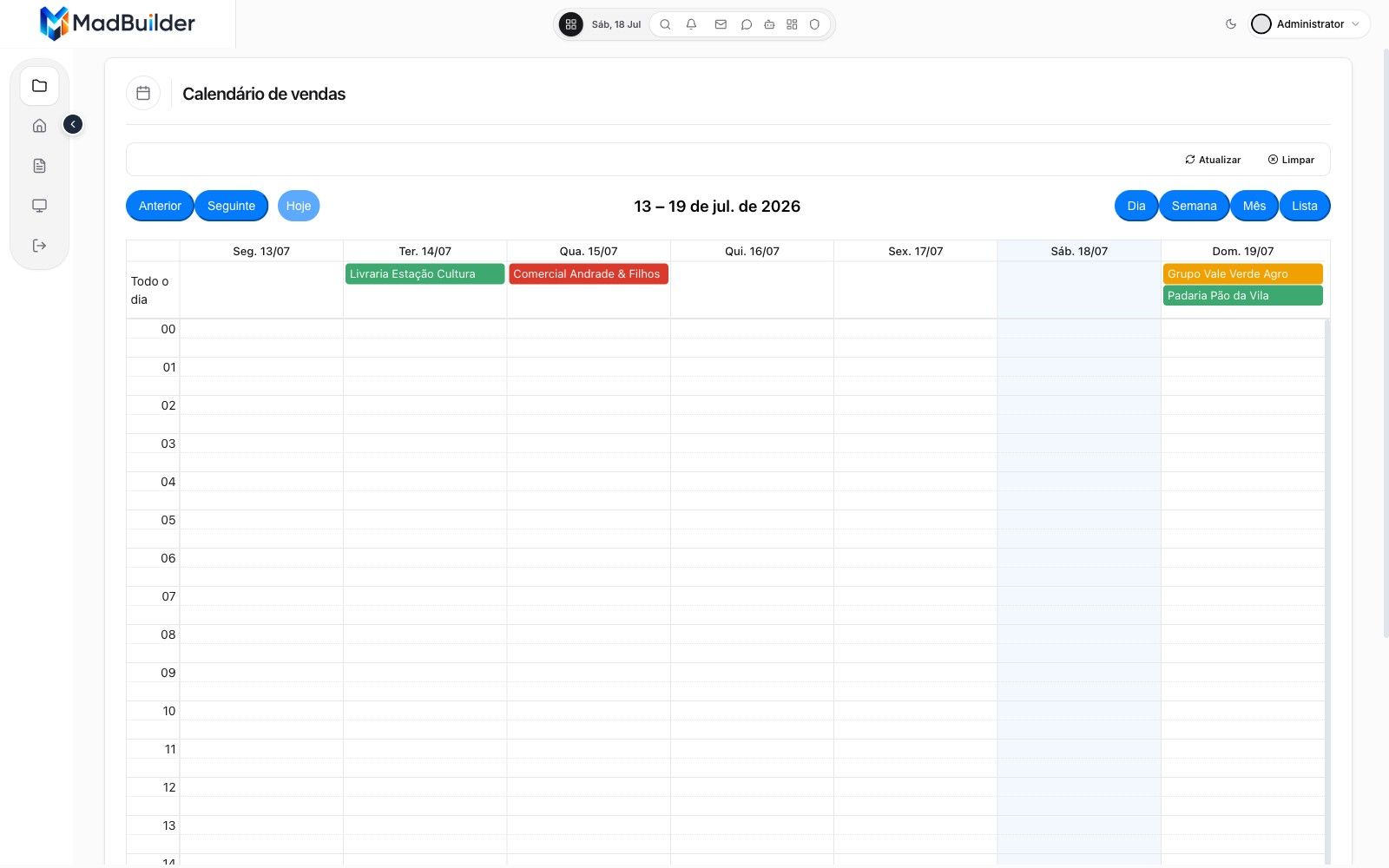
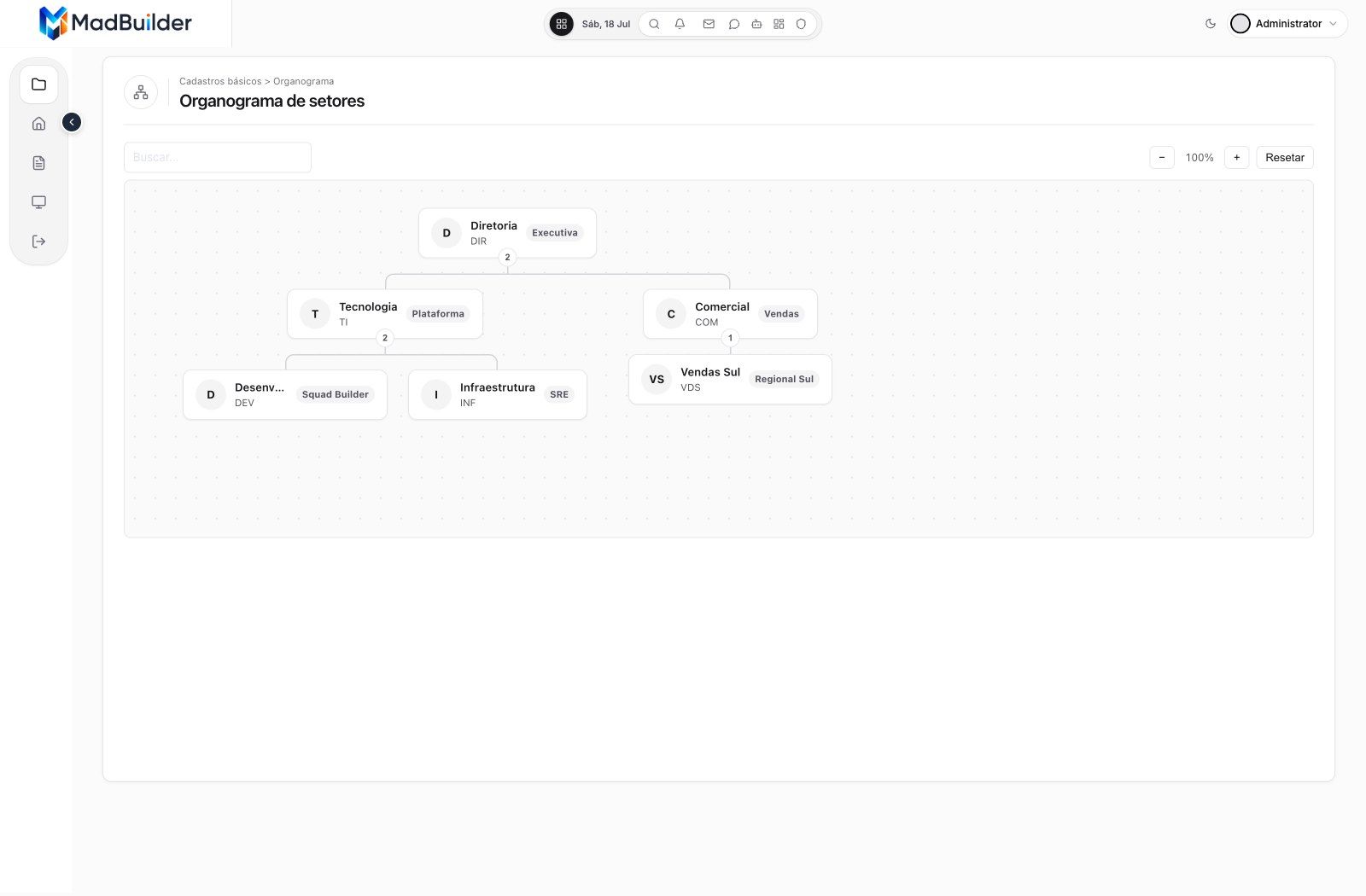
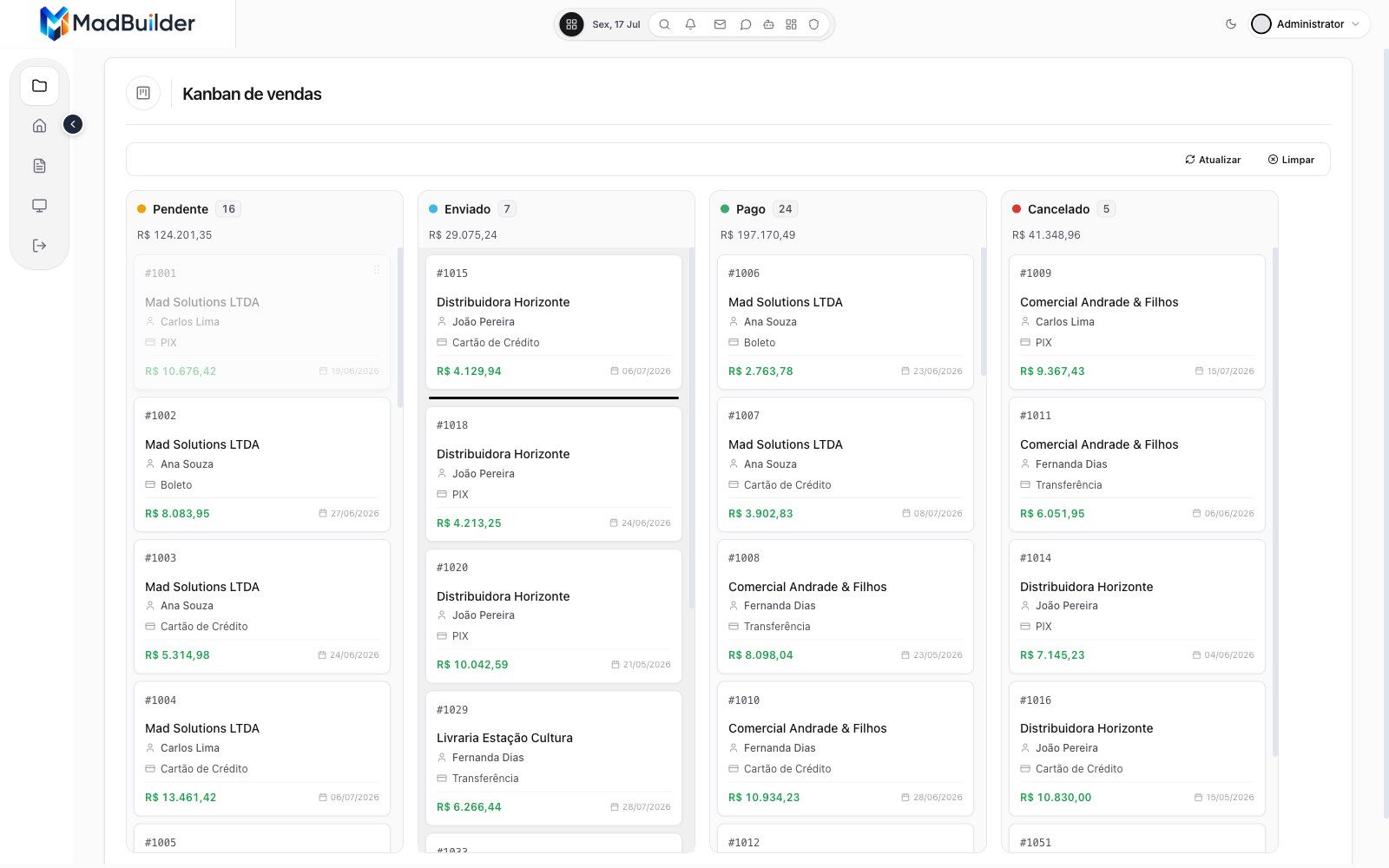
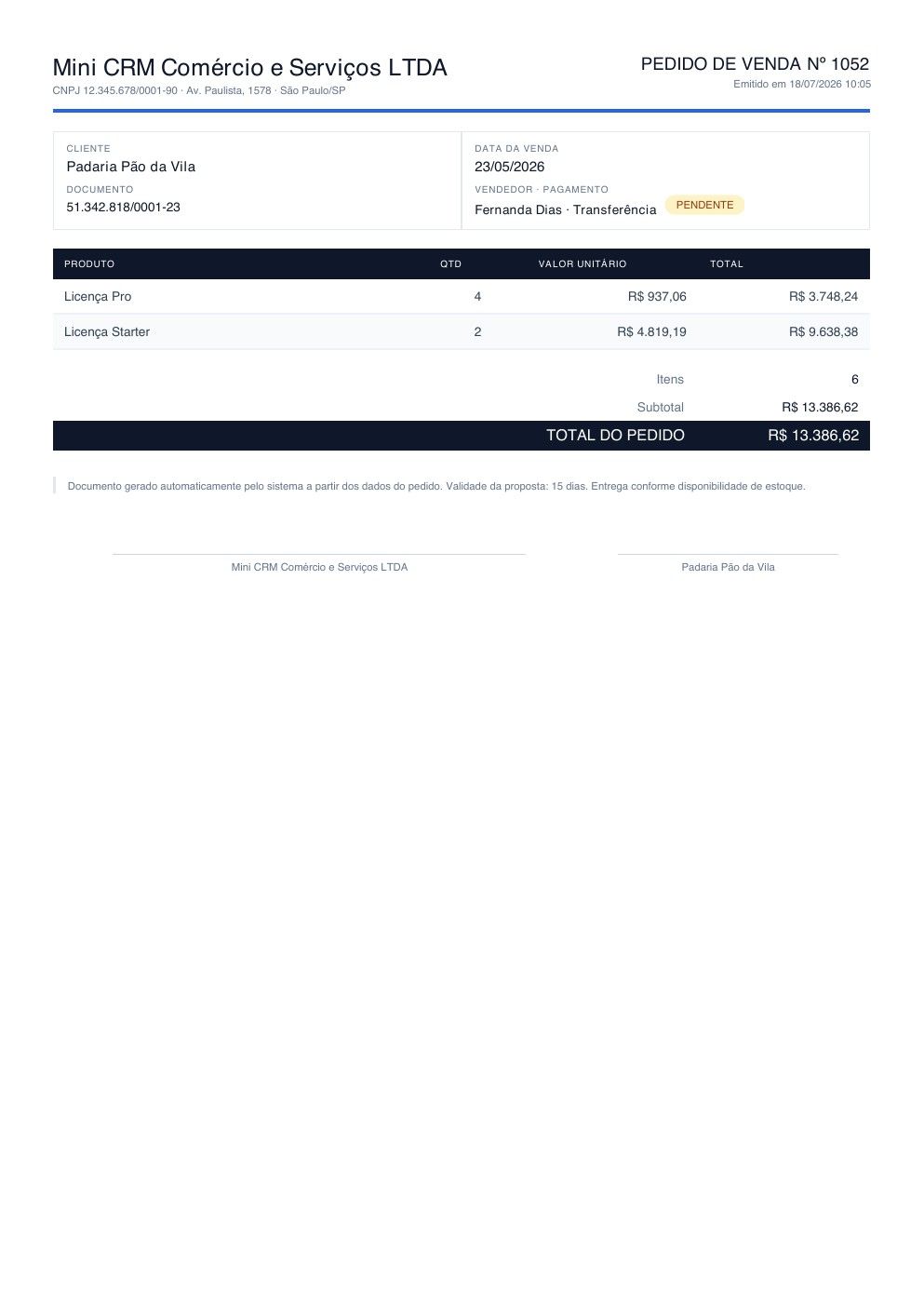
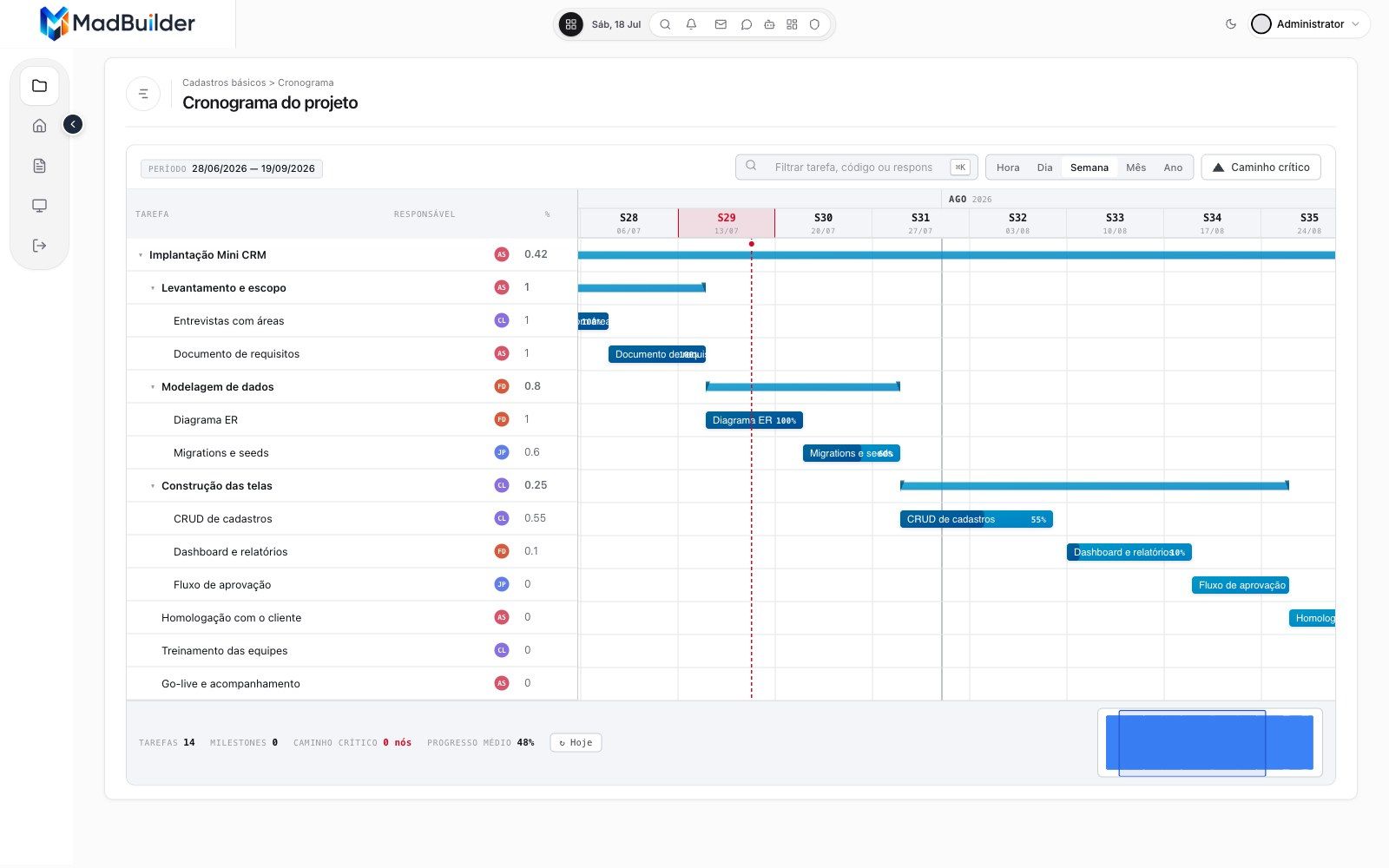
Screen types
You do not describe a table from scratch every time. You pick the type of screen, and the agent or the editor fills it with your data. These are screens from a sample app running in Online Test.
The code is yours
Everything you build becomes a readable, versionable Laravel project that any team can maintain, with or without MadBuilder. Preview, ZIP, Online Test, SSH and Git all receive the same files.
Plans: code download, SSH deploy and Git push start at the Starter plan. Multi-company starts at Advanced, and the MCP Gateway is in Pro AI. The free plan has 1 project and 20 tables so you can try it. See pricing
<?phpuse Mad\Component\MadComponent;use Mad\Form\MadForm;use Mad\Form\MadValidationException;use Mad\Http\MadResponse;use Mad\Ui\MadMessage;use App\Models\App\Venda;use Illuminate\Support\Facades\DB;// use App\Control\VendaList;// @mad-block:user:uses {// @mad-block:user:uses }/*** @mad-generated* @mad-entity-id 693*/class VendaForm extends MadComponent{// @mad-block:config:properties {protected static string $wrapper = self::DRAWER;protected static string $title = 'Cadastro de Venda';protected static string $size = '600px';protected static string $side = 'right';public MadForm $form;// de texto — `int` transformaria 'ABC-1' em 0 e salvaria no registro errado.public int|string|null $recordId = null;// @mad-block:config:properties }// @mad-block:user:properties {// @mad-block:user:properties }// @mad-block:lifecycle:mount {public function mount(array $params = []): void{$this->form = new MadForm('form');if (! empty($params['id'])) {$this->onEdit($params['id']);}}// @mad-block:lifecycle:mount }// @mad-block:lifecycle:onEdit {public function onEdit(int|string $id): void{// @mad-block:locked:onEdit:master {$venda = Venda::findOrFail($id);$this->recordId = $venda->getKey();// @mad-block:locked:onEdit:master }// @mad-block:detail-load-hooks {// @mad-block:detail-load-hooks }$this->form->fill($venda);}// @mad-block:lifecycle:onEdit }// @mad-block:lifecycle:onSave {public function onSave(): MadResponse{try {$this->form->validate(Venda::rules($this->recordId));$venda = DB::connection('app')->transaction(function () {// @mad-block:locked:onSave:master {$venda = Venda::findOrNew($this->recordId);// @mad-block:locked:onSave:master }// @mad-block:detail-save-hooks {// @mad-block:detail-save-hooks }$this->form->save($venda);$this->recordId = $venda->getKey();return $venda;});// @mad-block:combo-origin {// Tela aberta por um combo ("Sem resultados → Cadastrar novo"):// devolve a option nova selecionada e fecha o overlay. Fora desse// caso returnToCombo() responde null e o fluxo normal segue.if (($__combo = $this->returnToCombo($this->recordId)) !== null) {return $__combo;}// @mad-block:combo-origin }// @mad-block:after-save {return (new MadResponse())->toast('Registro salvo com sucesso!', 'success')->closeDrawer()->manageRow($this->recordId, VendaList::class);// @mad-block:after-save }} catch (MadValidationException $e) {return $e->asInline();} catch (\Throwable $e) {return MadMessage::error('Erro ao salvar', $e->getMessage());}}// @mad-block:lifecycle:onSave }// Caminho da view gerado pela plataforma a partir da PASTA DO MÓDULO.// @mad-block:locked:view-name {protected function viewName(): string{return 'venda-form';}// @mad-block:locked:view-name }// @mad-block:lifecycle:view {protected function view(): string|array{$replaces = [];return [$this->viewName(), $replaces];}// @mad-block:lifecycle:view }// @mad-block:user:functions {// @mad-block:user:functions }}A project that any Laravel developer can open, review and keep.
MySQL or MariaDB, PostgreSQL, SQLite, Oracle, SQL Server and Firebird.
Claude Code, Cursor or any MCP client builds screens and models data, with one revocable token per project and an audit of every call.
Use both
Lovable, Base44, Bolt and Replit are great places to get an idea on screen fast. When the idea becomes a company that needs roles, approvals and reports, give the operation its own home.
The landing page, the first prototype, the demo you show investors, the experiment you want today.
The system your team opens every morning: orders, customers, approvals, reports, and the people who are allowed to see them.
Already have a database behind the prototype? Paste its table definitions into the data diagram and start from there.
Compared by category
Looking for a Lovable alternative for business apps? The difference is the focus: general-purpose builders aim at any kind of app, and MadBuilder aims at one kind.
| Compared by category | General-purpose AI app builders | MadBuilder |
|---|---|---|
| Built for | Any kind of app or site | Business management systems |
| Roles and permissions | Varies by tool | Per screen and per action, enforced on the server |
| Multi-company | Varies by tool | Single client, pool or one database per company, plus branches |
| Approval flows | Varies by tool | Flow canvas and an approval queue screen |
| Audit history | Varies by tool | Old and new value per column, per record |
| Screens | Varies by tool | 13 ready screen types |
| Databases | Varies by tool | Six engines, with a migration per dialect |
| The code you get | Varies by tool | A standard Laravel project, with no proprietary runtime |
We compare by category, not by product. Tools change quickly, so check what each one does today.
No. Keep using them for the landing page and the prototype. MadBuilder is for the management system behind it, and the two can live side by side.
No. You ask the AI agent in plain English or build in the visual editor. The result is a standard Laravel project, so any Laravel developer can maintain it later.
Yes, on the paid plans, which start at Starter: download the ZIP, push to your Git or deploy over SSH. The free plan, with 1 project and 20 tables, is for trying it out.
You can import its structure: paste the CREATE TABLE statements and the diagram draws itself. MadBuilder works with MySQL or MariaDB, PostgreSQL, SQLite, Oracle, SQL Server and Firebird.
Yes, through MCP. Claude Code, Cursor or any MCP client can create screens, model data and publish in your project, with a token per project and permissions per tool. The MCP Gateway is in the Pro AI plan.
There is a free plan in the open beta, with no credit card. Paid plans add the code download, SSH deploy and more. See the pricing page for the details.
We are a Brazilian company. The editor and the AI agent work in English, Spanish and Portuguese, and some demo videos are still narrated in Portuguese.
Create an account, describe what the company needs, and see the agent build and test it. Free plan in open beta.
No credit card. No scheduled demo.
Lovable, Base44, Bolt and Replit are trademarks of their respective owners. MadBuilder is not affiliated with them.
