


MadCloud
From builder to live, no server setup.
The Hosting tab deploys your app with one click: own address, HTTPS, managed database and staging. And it is still the same Laravel project you can download and take with you.

Self-hosted or on MadCloud.
On one side, the checklist of building and maintaining your own server. On the other, the Deploy button and everything that comes with it.
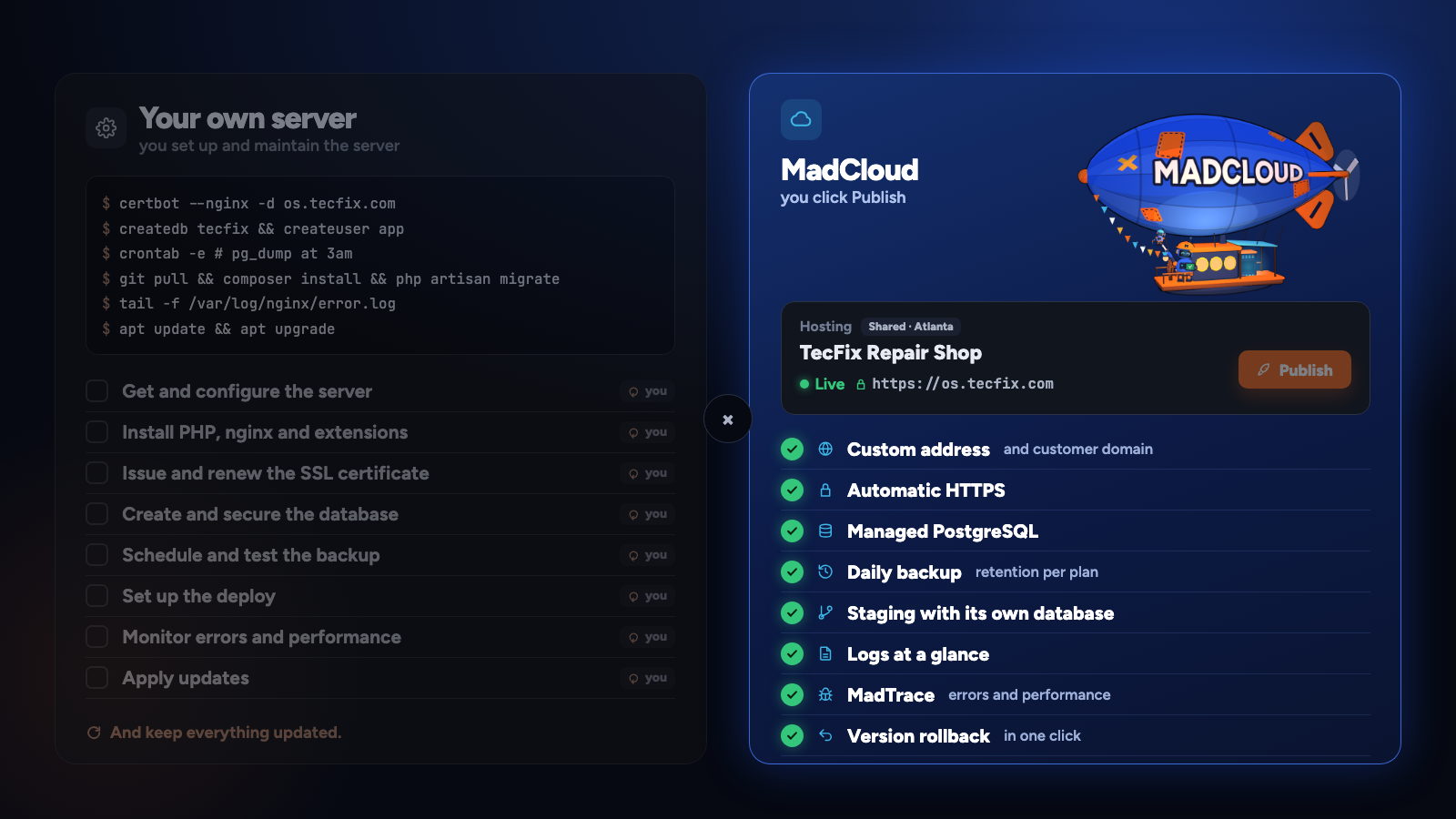
What comes with it.
- One-click deploy that creates the database, puts the address live with HTTPS and generates the admin login
- Own address and custom domain with automatic HTTPS
- Managed database PostgreSQL, with automatic daily backup and 7 to 60 days of retention depending on the plan, including the whole app
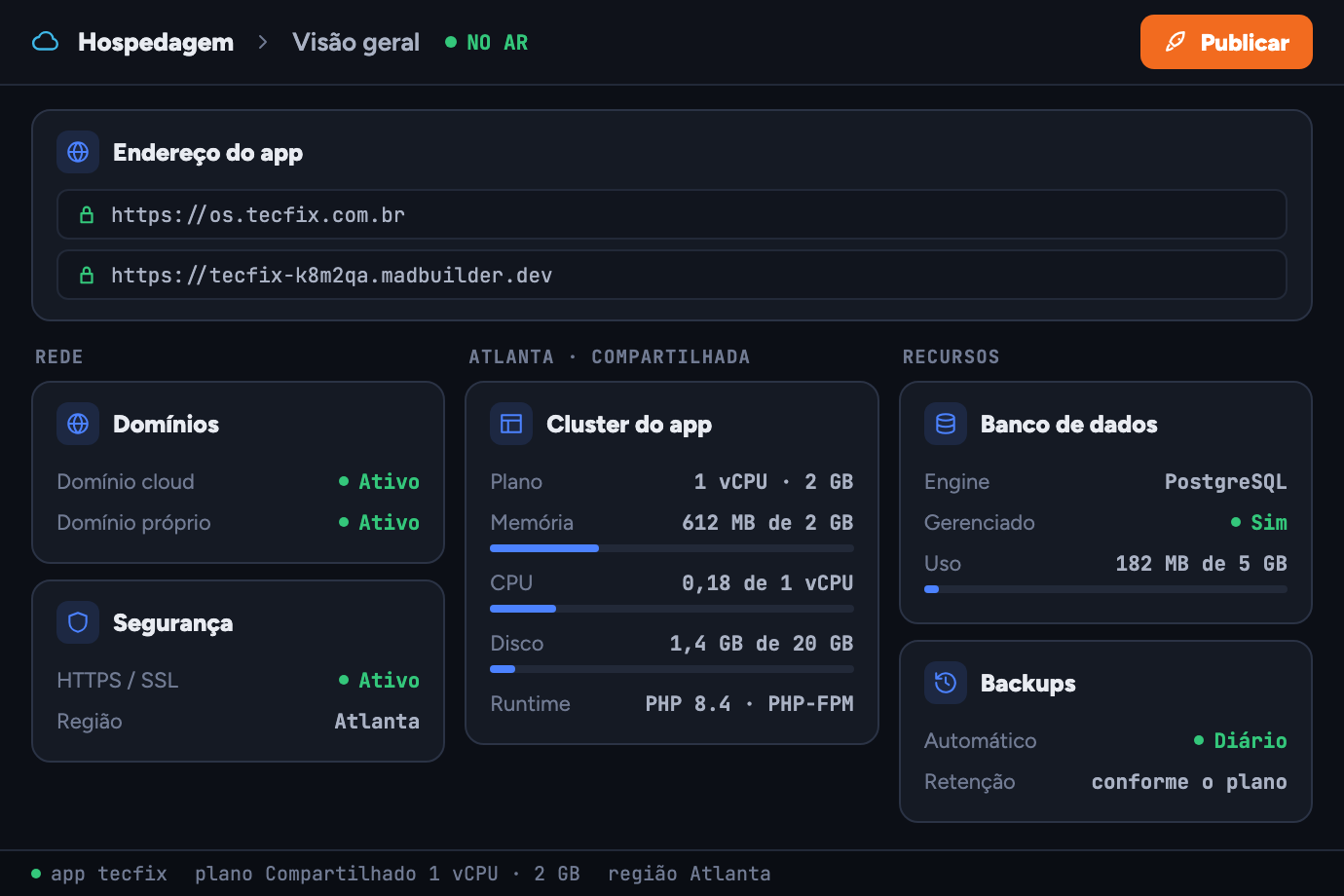
- Atlanta or São Paulo shared hosting in Atlanta, or a private server of your own in São Paulo or Atlanta, with the plan's memory, vCPU and disk visible right in the tab
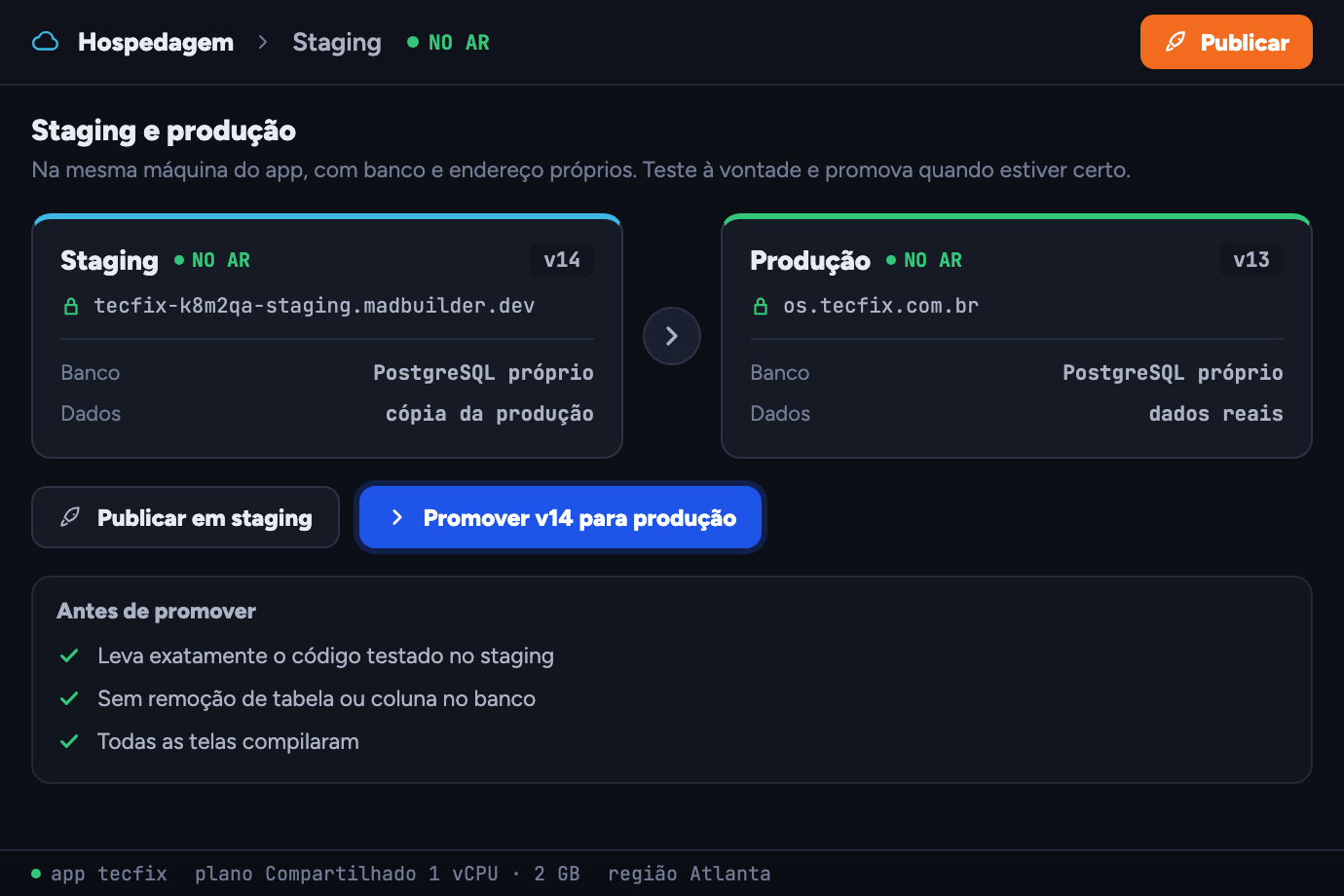
Real staging, before production.
An environment on the same machine, with its own database and address, empty or with a copy of the production data. Deploy, test freely and promote when everything looks right: exactly the code you tested goes to production.
Questions about hosting
Can I leave MadCloud later?
Yes. The hosted app is the same Laravel project as the download, Git and SSH deploy. You take it wherever you want.
Can I use my own domain?
Yes. The app gets its own address and accepts a custom domain, with automatic HTTPS.
Where is the data stored?
Shared hosting is in Atlanta, in the US. If the data needs to stay in Brazil, get a private server in São Paulo. The database is managed PostgreSQL, with daily backup and 7 to 60 days of retention, depending on the plan.
What if I prefer my own server?
Use SSH deploy or Git Deploy. MadCloud is an option, not an obligation.
Create an account, build a screen, download the project.
No scheduled demo, no discovery call. If the Laravel that comes out doesn’t pass your team’s review, you lost an afternoon.
- Create an accountOpen beta, no credit card.
- Build a screenVisually, in code, or by asking the AI.
- Download the .zipA Laravel project that runs wherever you want.
