Product

Everything a business management system needs, in one Laravel project.

Eleven things MadBuilder does differently, the stack of what it delivers and the features that matter most.

Build

Build visually, in code or by asking. Laravel comes out.

The system is yours, no lock-in

Everything you build becomes a readable, versionable Laravel project that any team can maintain with or without MadBuilder. There is no proprietary engine running behind the scenes.

And what you test is what you publish: the same files feed every destination.

One source of filesyour Laravel project
  • Preview in the editor
  • Online Test
  • ZIP download
  • SSH deploy
  • Git push
  • MadCloud

Visual and code, always together

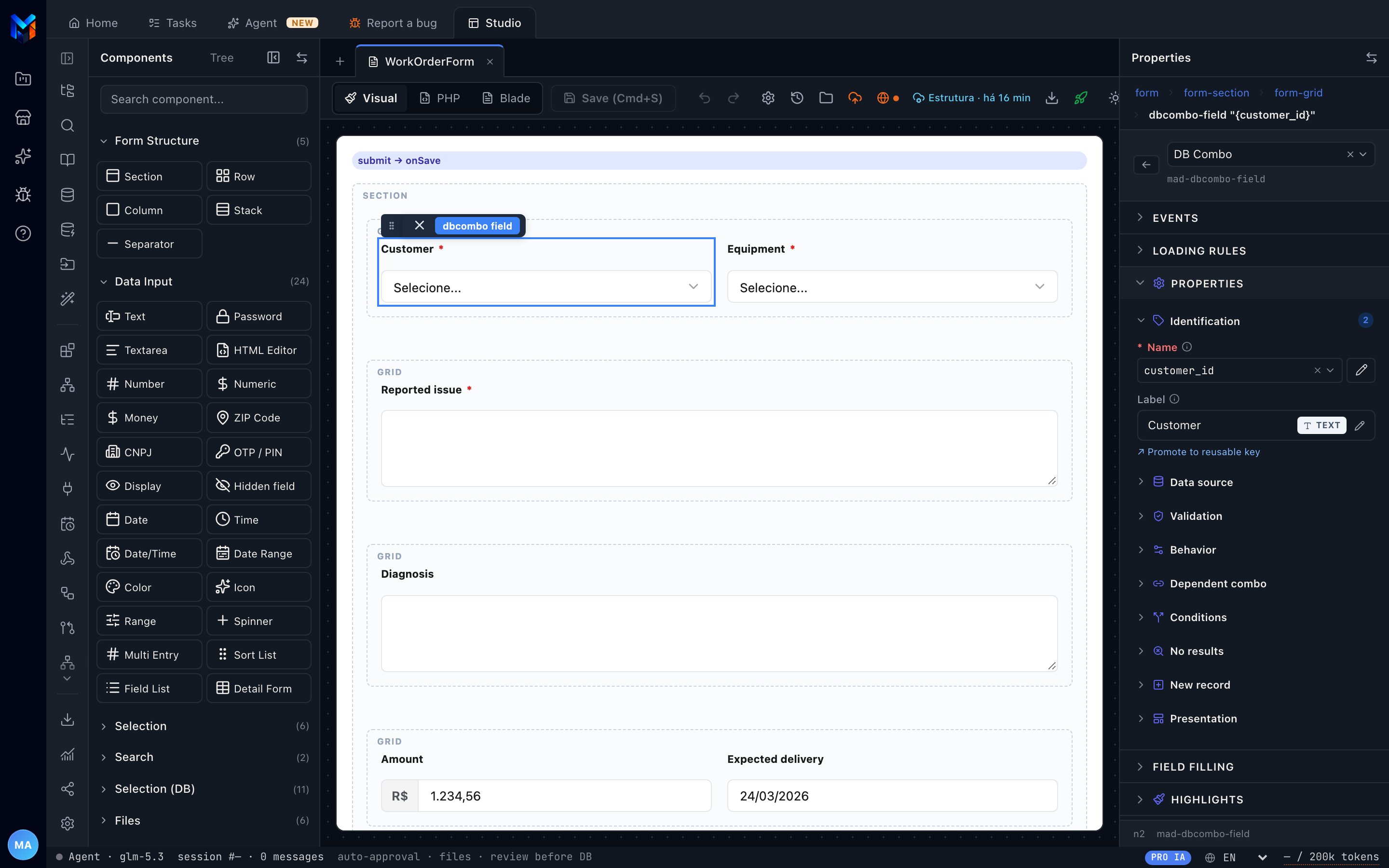
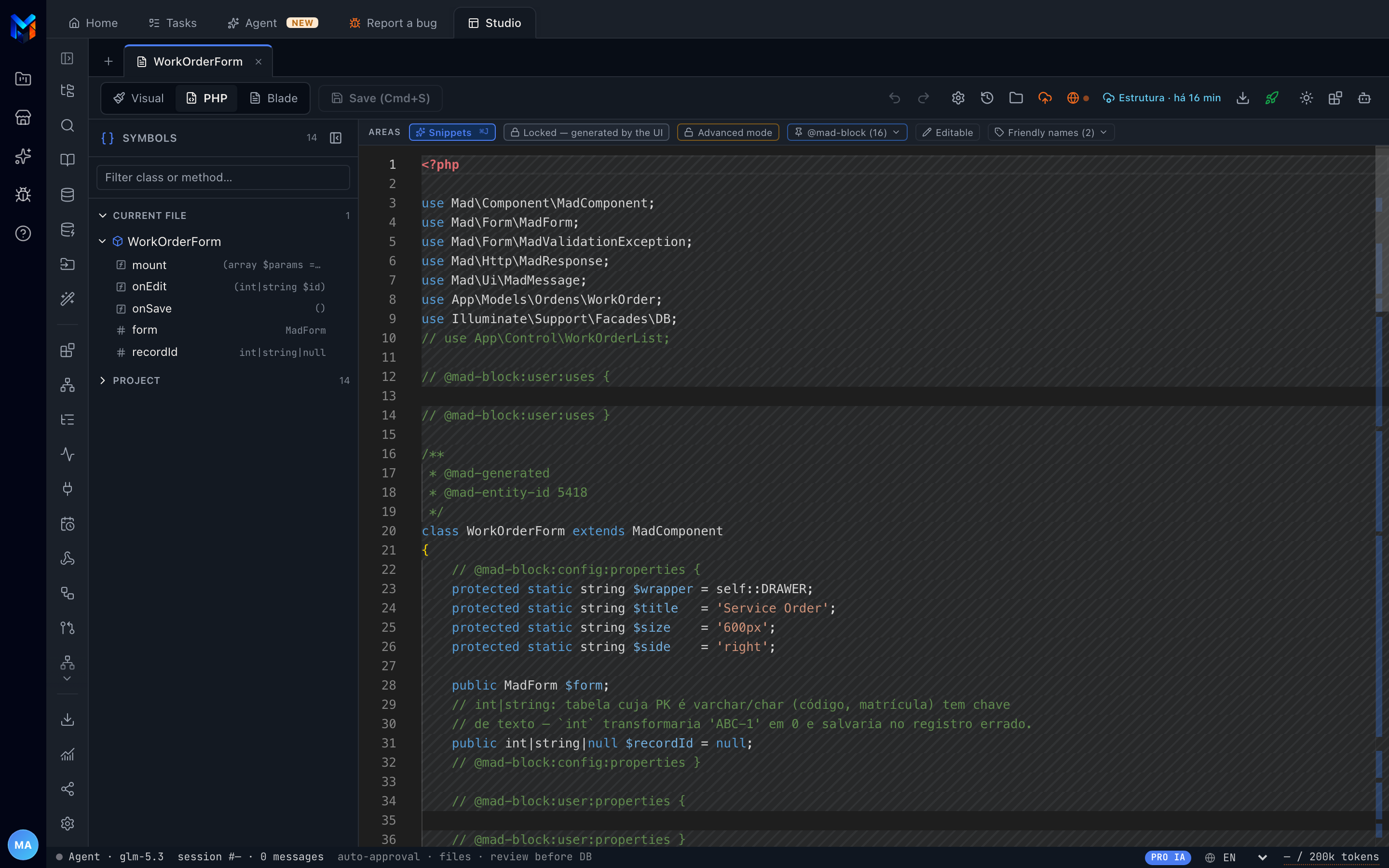
If you prefer visual, you build by dragging. If you prefer code, you write it directly. Visual, PHP and Blade are three views of the same screen and move together.

The round trip between visual and code is covered by automated tests.

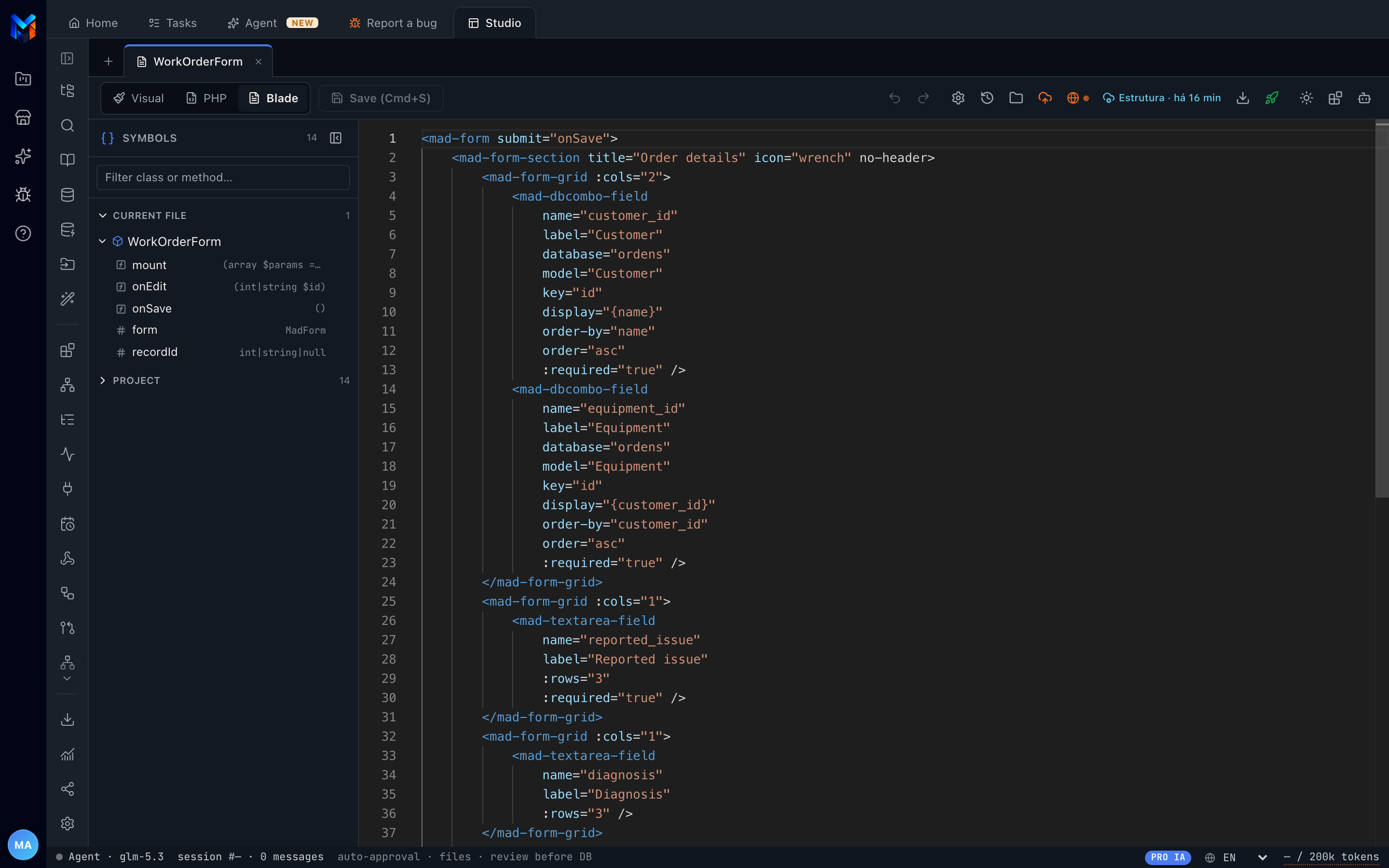
resources/views/venda-form.blade.php
The same form in the generated Blade: mad-form, mad-dbcombo-field, mad-date-field

Evolve the database without breaking production

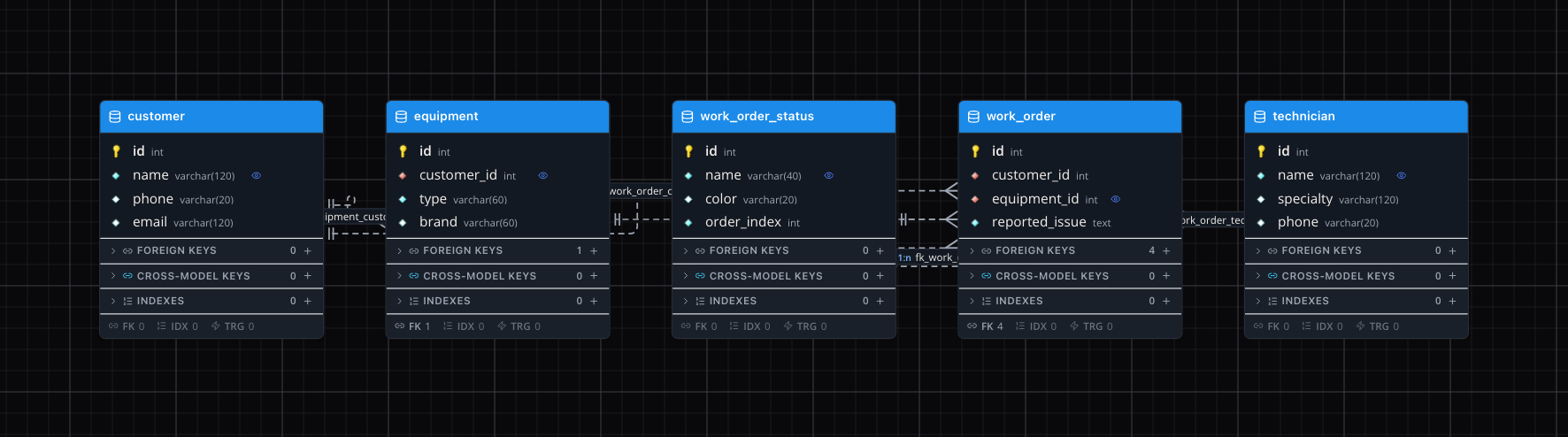
Draw tables and relationships in a diagram. Every change becomes an incremental database update, with nothing recreated and no data lost.

Every version is recorded with history and comparison, and destructive changes ask for confirmation.

Data models
Diagram with the product, sale, sale_item and person tables

AI

An AI that builds the system, not one that just gives tips.

Ask in English. The agent builds, tests and fixes.

It knows your data and is prevented from inventing what does not exist. It creates the database, generates the screens, deploys to Online Test and tests. Because it assembles screens from ready-made components instead of writing everything from scratch, it spends 65% to 75% fewer tokens, and the cost of every call is logged.

Use your own key (Anthropic, OpenRouter, xAI, Z.AI or Ark) or the Mad Coding Plan, with AI included.

Real recording in MadBuilder, sped up while the agent is working. Sample data. Narration and captions are in Portuguese.
Read the transcript (in Portuguese)

What if you could describe your company's system in plain words, and watch it running in minutes? Here, the owner of a repair shop asks the MadBuilder agent for a complete system: customers, technicians, equipment and service orders, with a dashboard and the service order as a PDF. First, it builds a roadmap with phases and tasks, and asks for approval before starting.

Then it creates the database tables and generates each screen: forms, list views and the dashboard. All of it real Laravel code, without you writing a single line.

Afterwards, it launches the system in the Online Test itself, logs in as the admin user and checks the screens it created. And you're not stuck with what the AI did. Everything opens in the visual editor. Here, the technician field becomes a list with the team's names, in a few clicks.

Every change becomes code right away, in your project's Blade and PHP. In the service order document, each field is linked to the customer and equipment data, right in the panel.

Done. This is the system running, with two hundred and twenty-nine service orders registered. The list view has search, filters and pagination, ready for the team's day-to-day. The form shows the equipment and the technician by name, with amounts and dates in the right format.

In the dashboard: revenue, orders by status, each technician's workload and revenue by brand.

And the service order comes out as a PDF, ready to print and hand to the customer.

From the request to a running system, with Laravel code that is yours. Try it now at madbuilder dot dev.

Connect the agents your company already uses

MadBuilder opens up to external agents through MCP. Claude Code, Cursor or your team's assistant creates screens, models data and publishes, directly.

  • A dedicated token per project, revocable instantly
  • Permissions set tool by tool
  • Audit trail for every call
$ claude mcp add madbuilder \
    --token mgw_•••••••• \
    --project 1042

A copilot with your customer's branding

Embed in the delivered system a copilot with the customer's color, name and theme. It answers with charts and reports on their data, respecting permissions and the audit trail.

Branding
the customer's own, with no mention of MadBuilder
Visualizations
16 render tools
Saved report
refreshes in ~0.25 s, no tokens
Writes
only with human confirmation

Deliver

Test for real. Publish wherever you want.

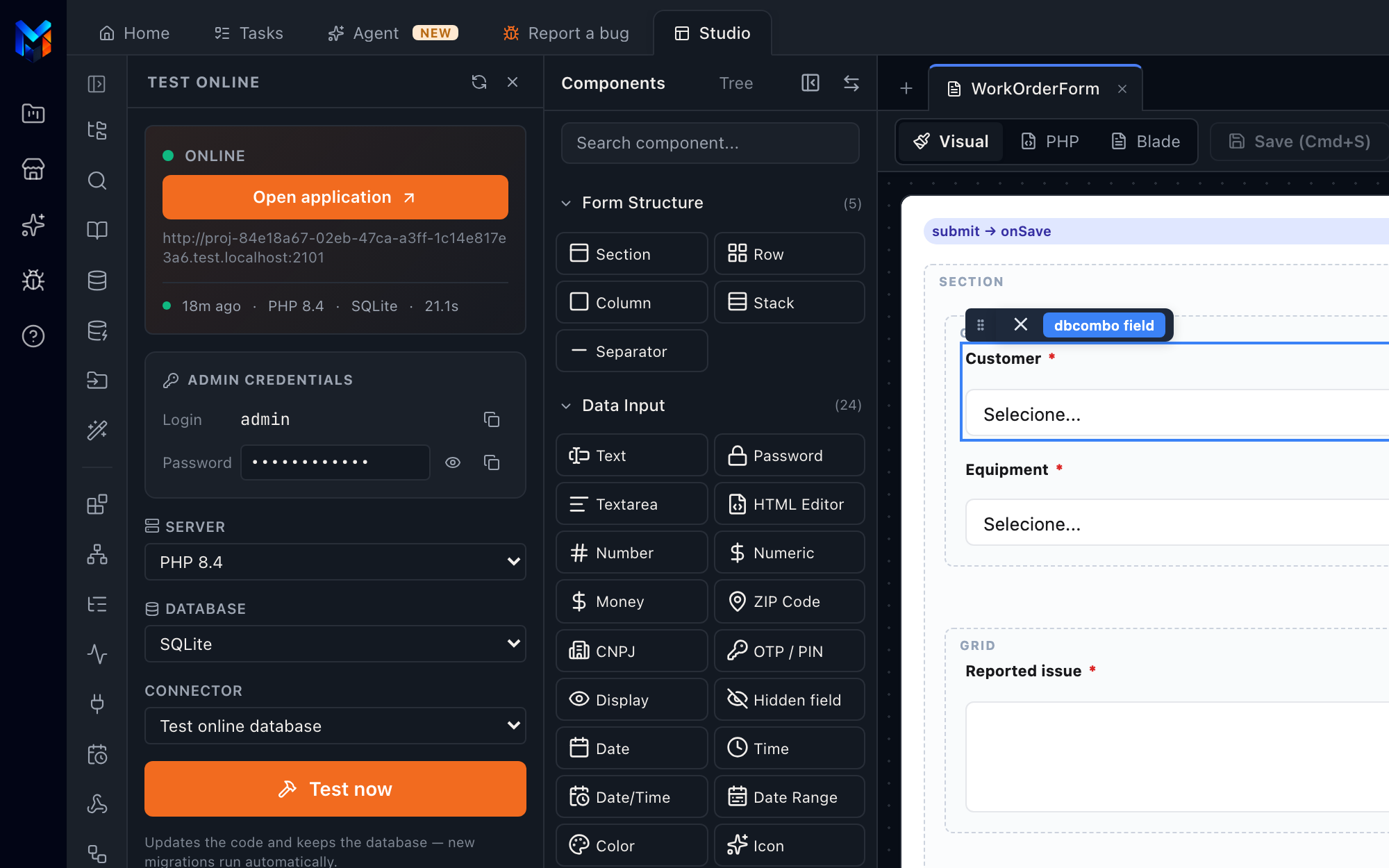
Online Test: the real system, in seconds

It is not a simulator inside the builder. One click spins the system up in an environment with its own address, with the database and PHP version you choose and real-time features working.

Save and it updates: every change shows up in seconds, without wiping the test data.

Online Test
Online Test panel with the environment live

On your server, in your Git or as a ZIP

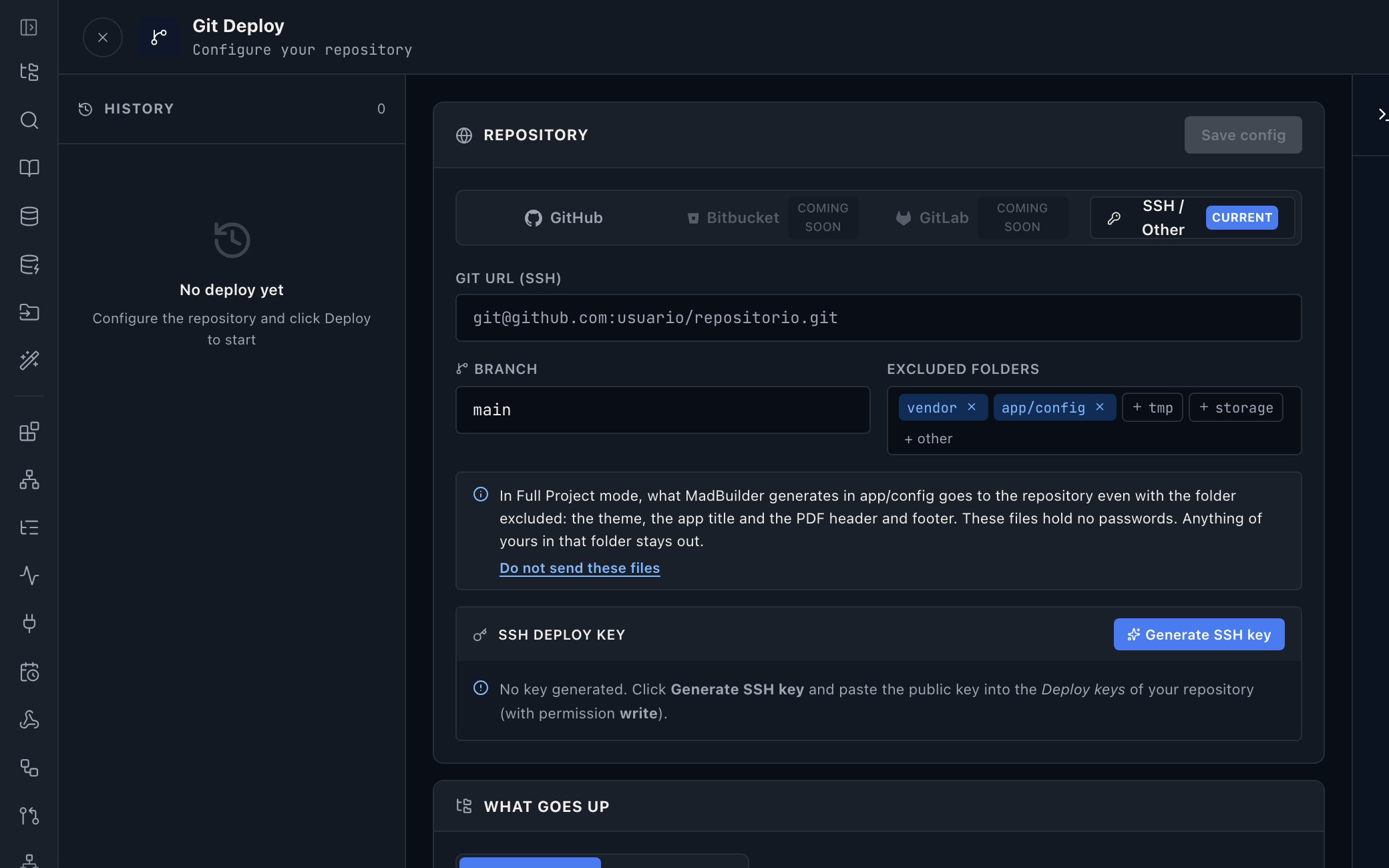
Three paths from the same system: SSH deploy with a backup first and the option to roll back, push to your repository, or the full project to download.

Once published, the system stays up to date, and every critical action in production asks for a backup and confirmation.

Git Deploy
Git Deploy with GitHub, Bitbucket and GitLab

Operate

Monitoring, governance and security come built in.

Errors and performance, with nothing extra to buy

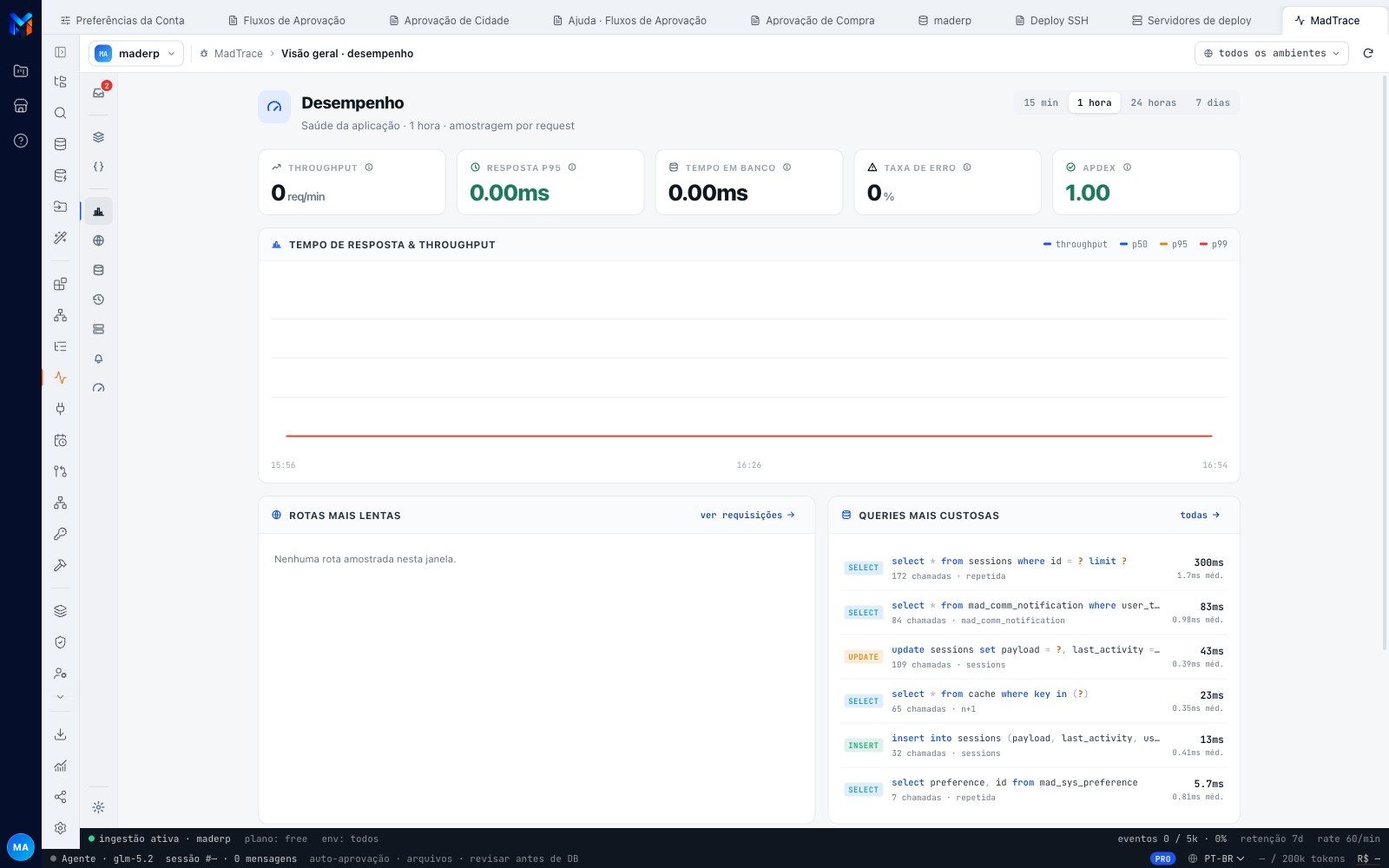
Every published system can turn on MadTrace: errors, response time and the slowest queries, with fix suggestions. It switches on in one setting and shows up as a tab of the platform.

MadTrace
MadTrace performance screen with throughput, response time and the most expensive queries

Governance by design

Roles and permissions ready from the first login, separation by customer and by branch configured visually, two-step login and audited administrative access. It all becomes versioned code, with an audit trail, including what AI agents do.

A secure channel to the customer's database

The platform reaches the database behind the firewall through a channel signed in both directions, running inside the app itself, with no VPN and no exposed credentials. Read-only access is enforced by the database itself and sensitive data is masked.

Architecture

The stack of the system you receive.

It is not the stack of our tool. It is the stack of the project that comes out of it, for your technical team to evaluate.

resources/views

Blade e Alpine

Server-rendered HTML, with reactivity where it is needed. No heavy SPA to maintain.

app/

Laravel e Eloquent

Standard controllers, models and migrations, in the same structure as a hand-written project.

database/migrations

Six databases, native DDL

MySQL or MariaDB, PostgreSQL, SQLite, Oracle, SQL Server and Firebird, with per-dialect migrations.

Why you can trust what comes out

Idiomatic code
Eloquent, migrations and Blade where you expect them. Any Laravel dev can maintain it without the tool.
No proprietary runtime
Runs on any PHP hosting. There is no runtime license and no secret SDK.
The same files everywhere
Preview, ZIP, Online Test, SSH and Git get the same files. If it works in the editor, it works in the deploy.
Honest migrations
A rename does not turn into drop and recreate. Incremental migrations preserve your data.
Tested at scale
Diagram and generator validated with 12.7 thousand tables and 334 thousand columns.

Create an account, build a screen, download the project.

No scheduled demo, no discovery call. If the Laravel that comes out doesn’t pass your team’s review, you lost an afternoon.

  1. Create an accountOpen beta, no credit card.
  2. Build a screenVisually, in code, or by asking the AI.
  3. Download the .zipA Laravel project that runs wherever you want.