


In the Studio
AI agent and MCP: you ask, it builds and tests
Ask in plain English and the agent builds the database, screens and website, tests them in the Online Test and shows what passed. Or bring your own via MCP.
Screens built by chat
Describe the screen in plain English and the agent creates the page, writes the PHP and Blade, and uses the tables that actually exist in your project.
From the request in the chat to the finished screen in the preview
For:DevCTOManager and CEONo coding
Database built by chat
Ask "create the warranty table linked to the work order" and the agent creates the tables, columns and foreign keys before building the screens.
The request in the chat and the new table listed in the Model
For:No codingManager and CEODev

A whole system, in phases
Ask for an entire system and the agent splits it into phases on the Tasks board. You trim and rename before approving, then go phase by phase.
Roadmap in phases: you uncheck, rename and only then approve
For:CTOManager and CEO
An agent that tests its own work
The agent opens the app in the Online Test, fills in forms, saves and checks values and messages. You get which criteria passed and what to fix.
The agent fills in the app, saves, and only then hands it over verified
For:CTODev

A website built on request
Ask for a complete website and the agent builds the public pages with design direction, palette and fonts, respecting your brand color.
The request in the chat on the left and the site the agent delivered on the right
For:No codingManager and CEO

-
1 -
2

Bring your own agent through MCP Pro AI or Coding Plan
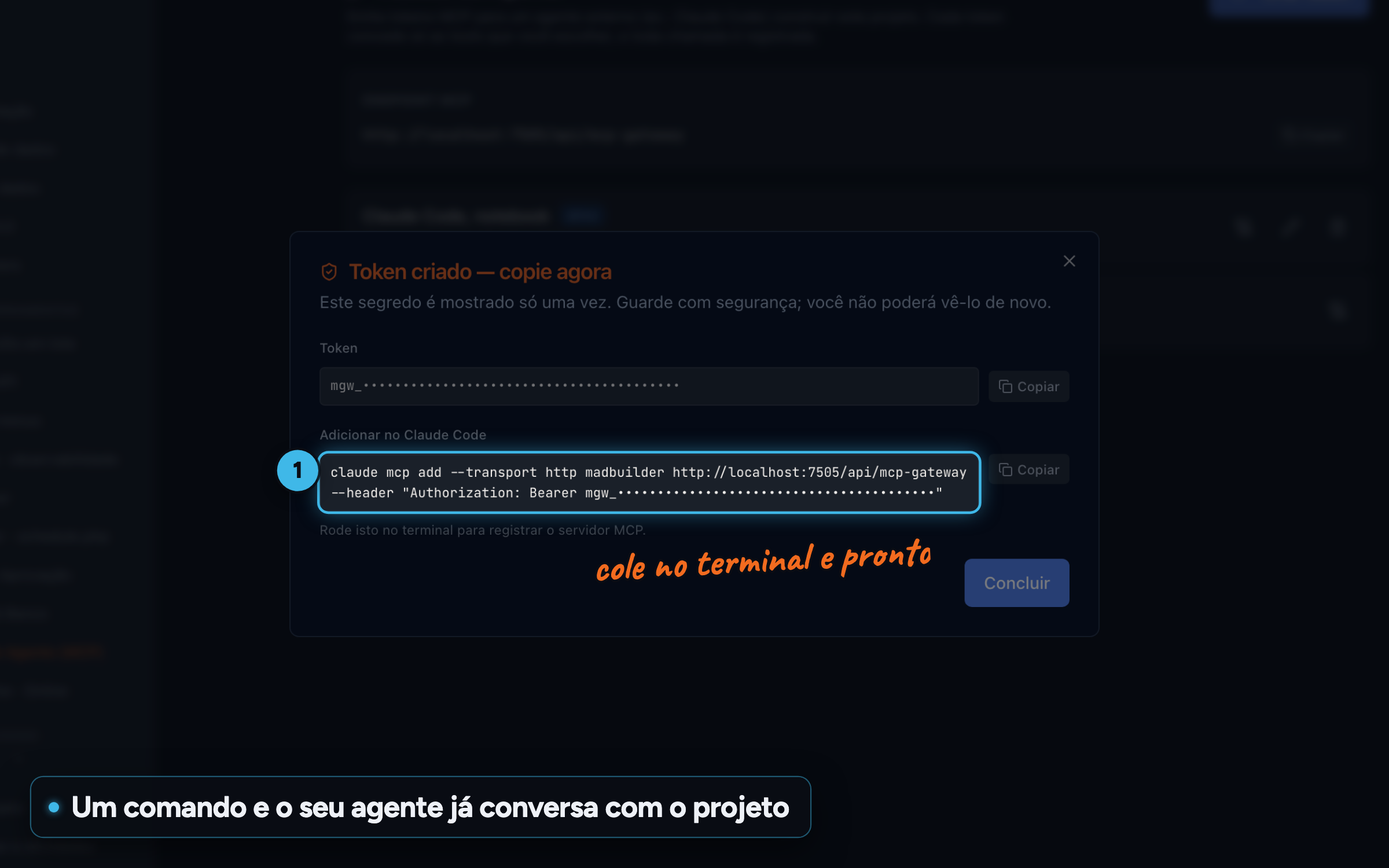
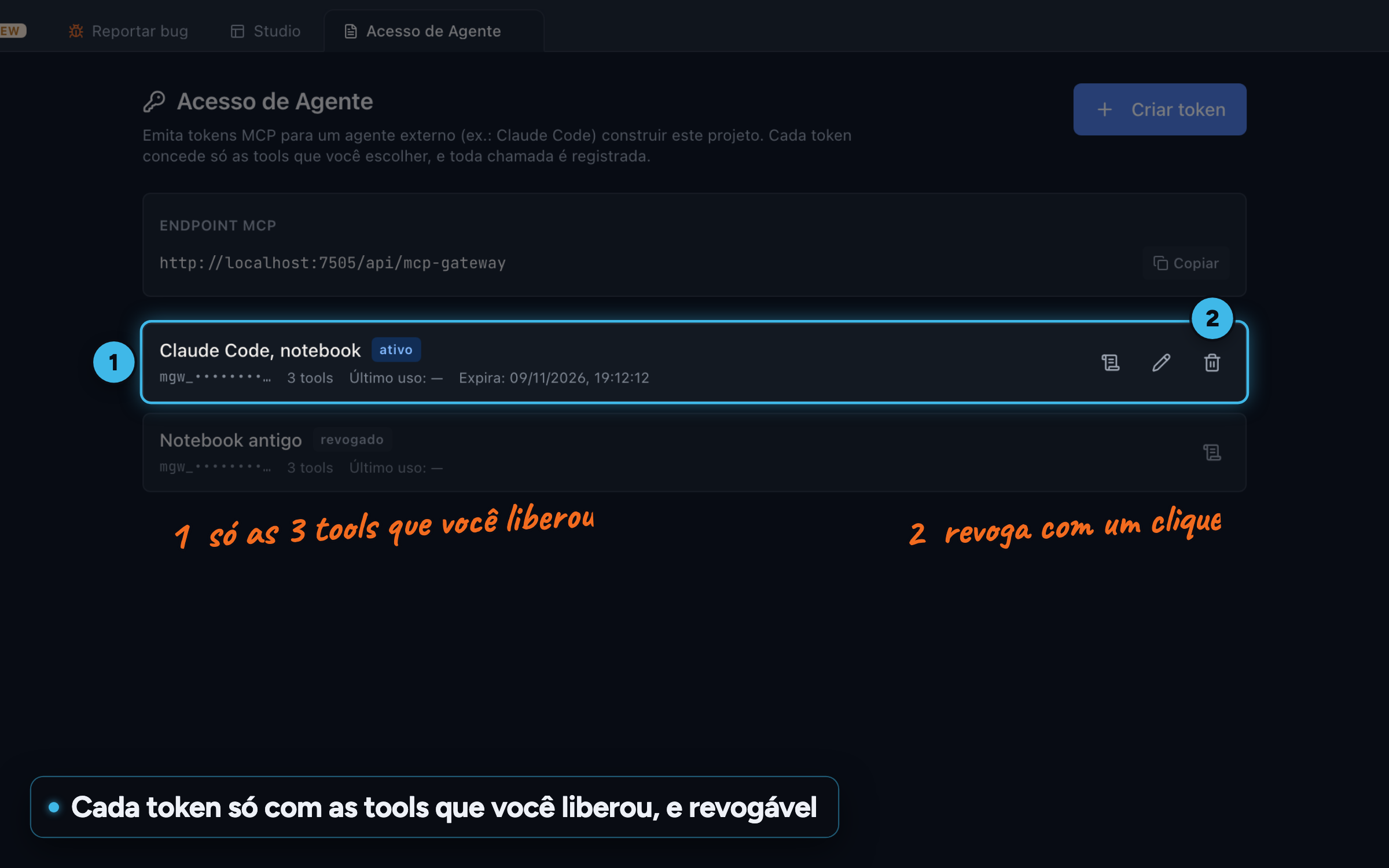
Connect Claude Code or another MCP client to the project and use the Studio agent's tools: screens, database, deploy and Online Test. Each token can only do what you allowed.
Token shown once, with the command ready for Claude Code
For:DevCTO

-
1 -
2 -
3


Your app's MCP server Pro AI or Coding Plan
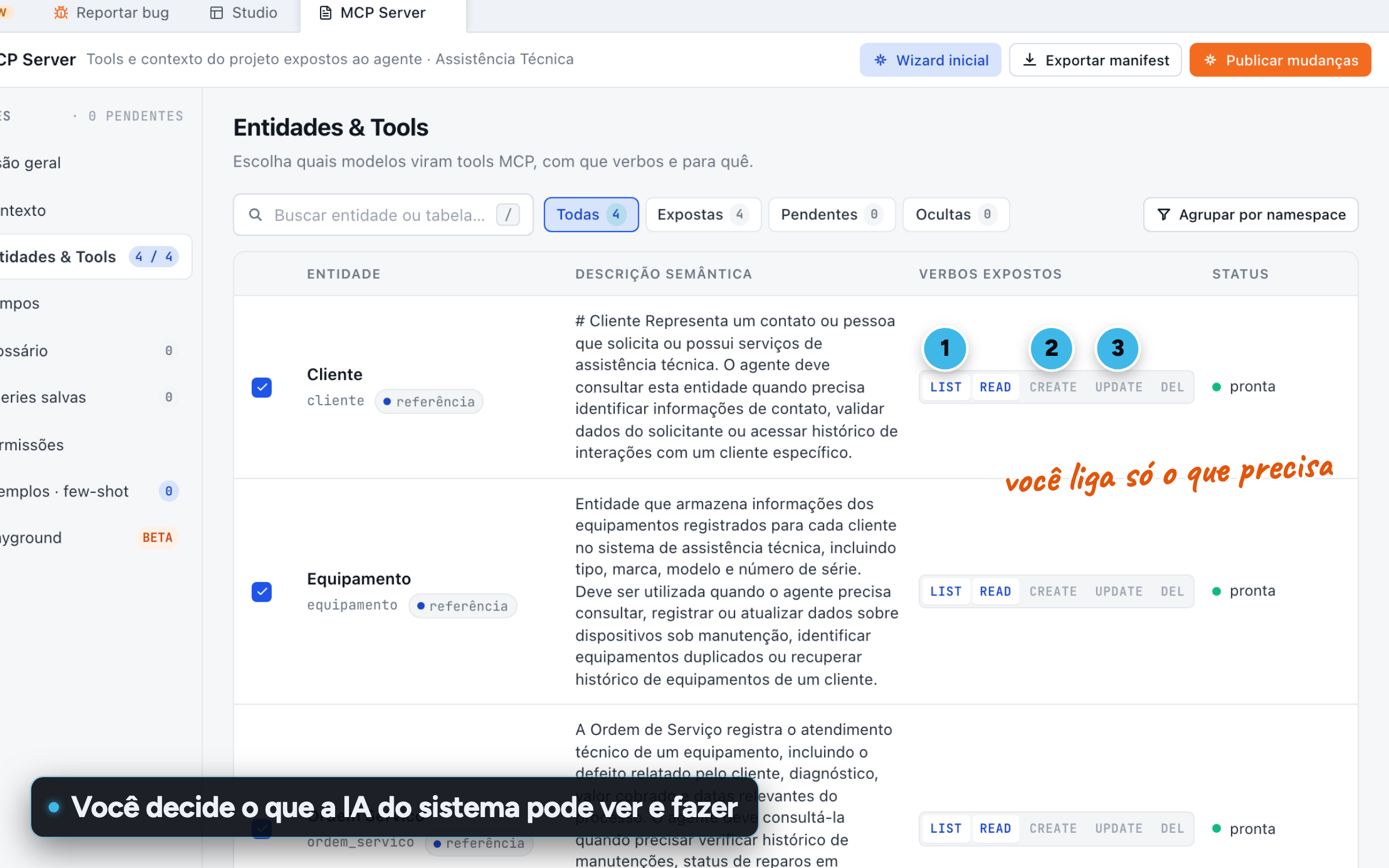
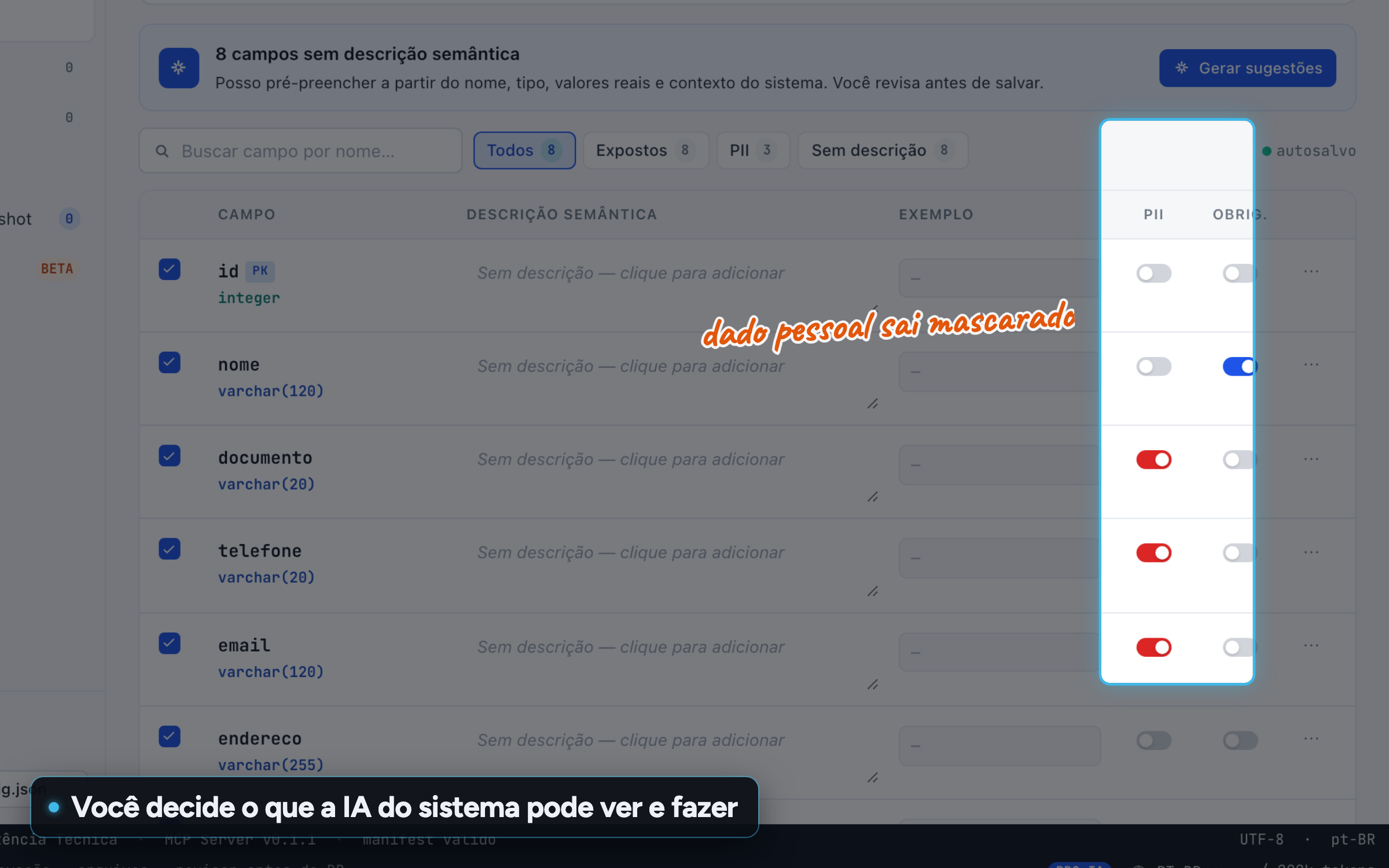
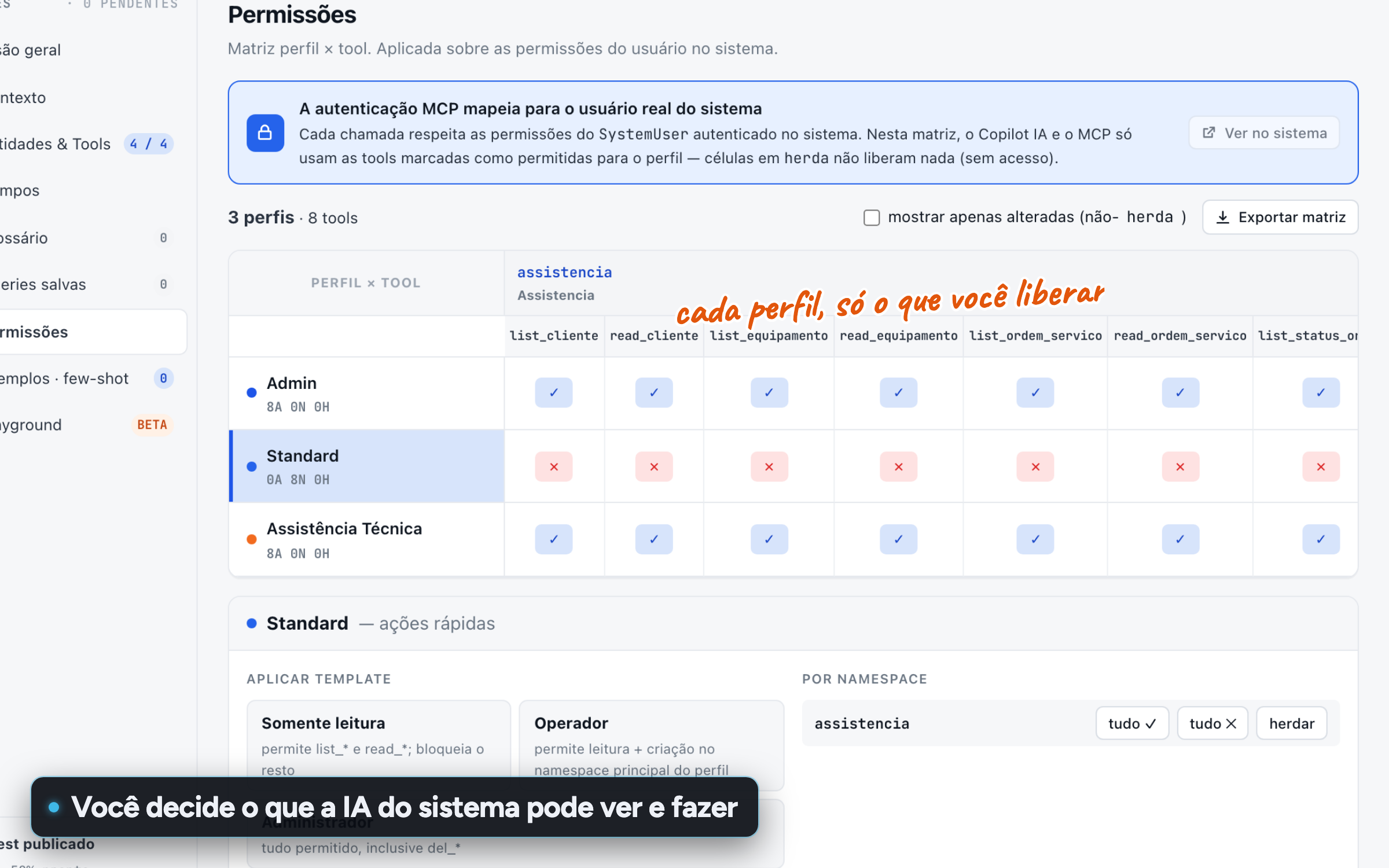
Decide what your system's Copilot and external agents can read and do, protect personal data field by field and set permissions per role.
Which tables the AI can see and with which verbs
For:CTODevManager and CEO
Other topics
In the Studio
In the system you deliver
Create an account, build a screen, download the project.
No scheduled demo, no discovery call. If the Laravel that comes out doesn’t pass your team’s review, you lost an afternoon.
- Create an accountOpen beta, no credit card.
- Build a screenVisually, in code, or by asking the AI.
- Download the .zipA Laravel project that runs wherever you want.
