Features
What MadBuilder does.
The 48 features that matter most, out of 823 in the product: in the Studio, where you build, and in the system you deliver to your client.
In the Studio
Where you model the database, build screens with the agent or the visual editor, test and publish.
-
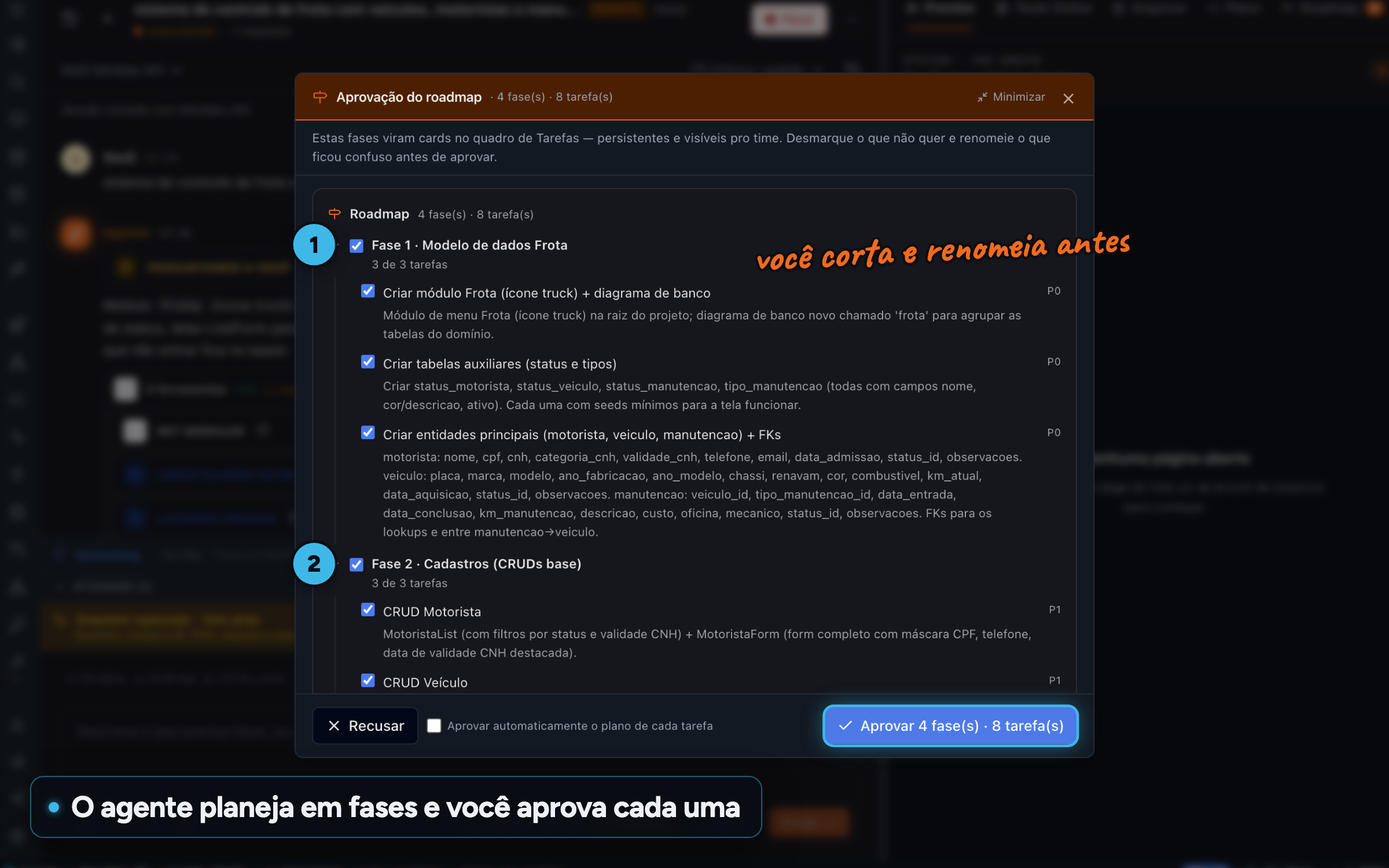
AI agent and MCP A whole system, in phases Ask for an entire system and the agent splits it into phases on the Tasks board. You trim and rename before approving, then go phase by phase. For:CTOManager and CEO
-
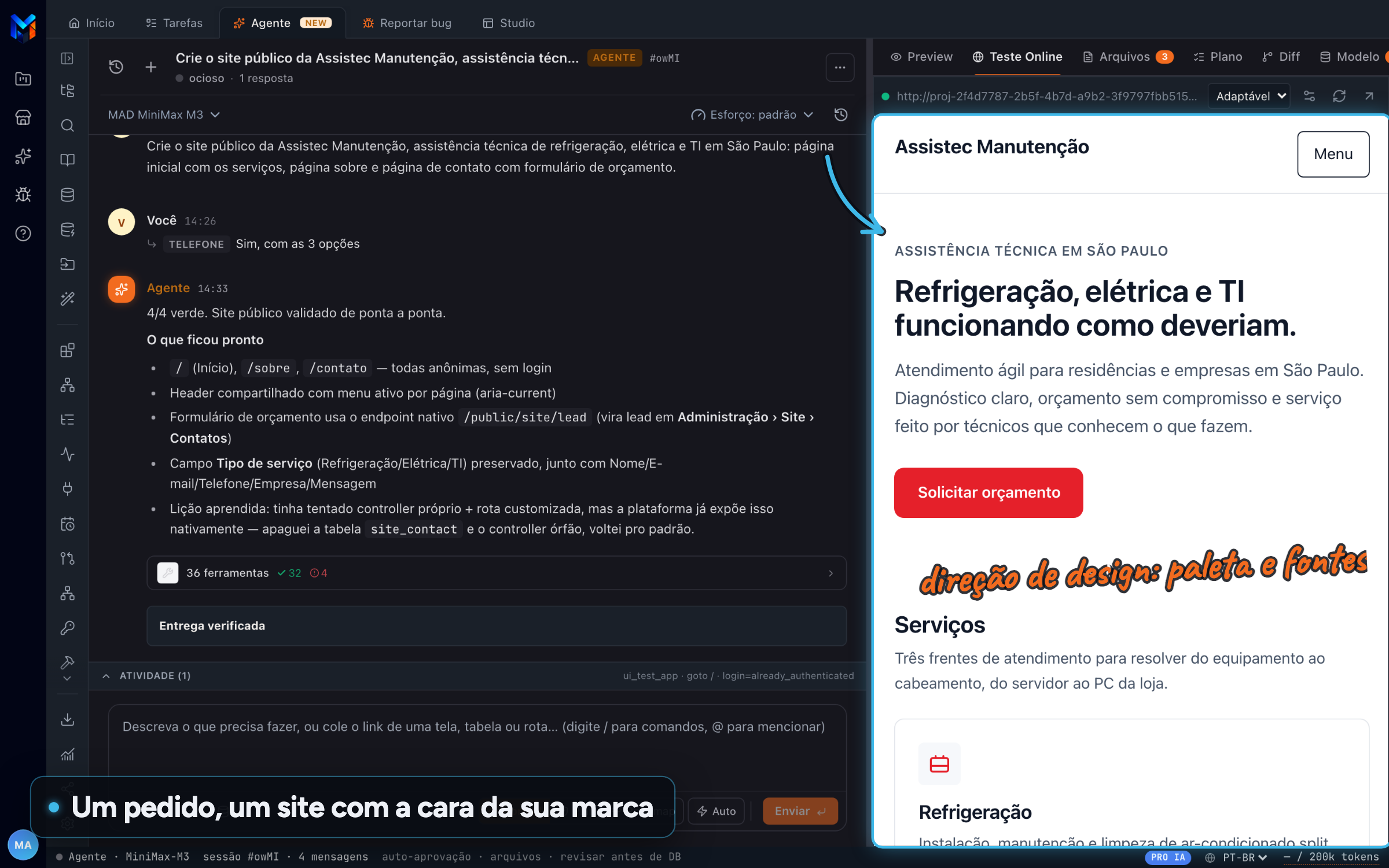
AI agent and MCP A website built on request Ask for a complete website and the agent builds the public pages with design direction, palette and fonts, respecting your brand color. For:No codingManager and CEO
-
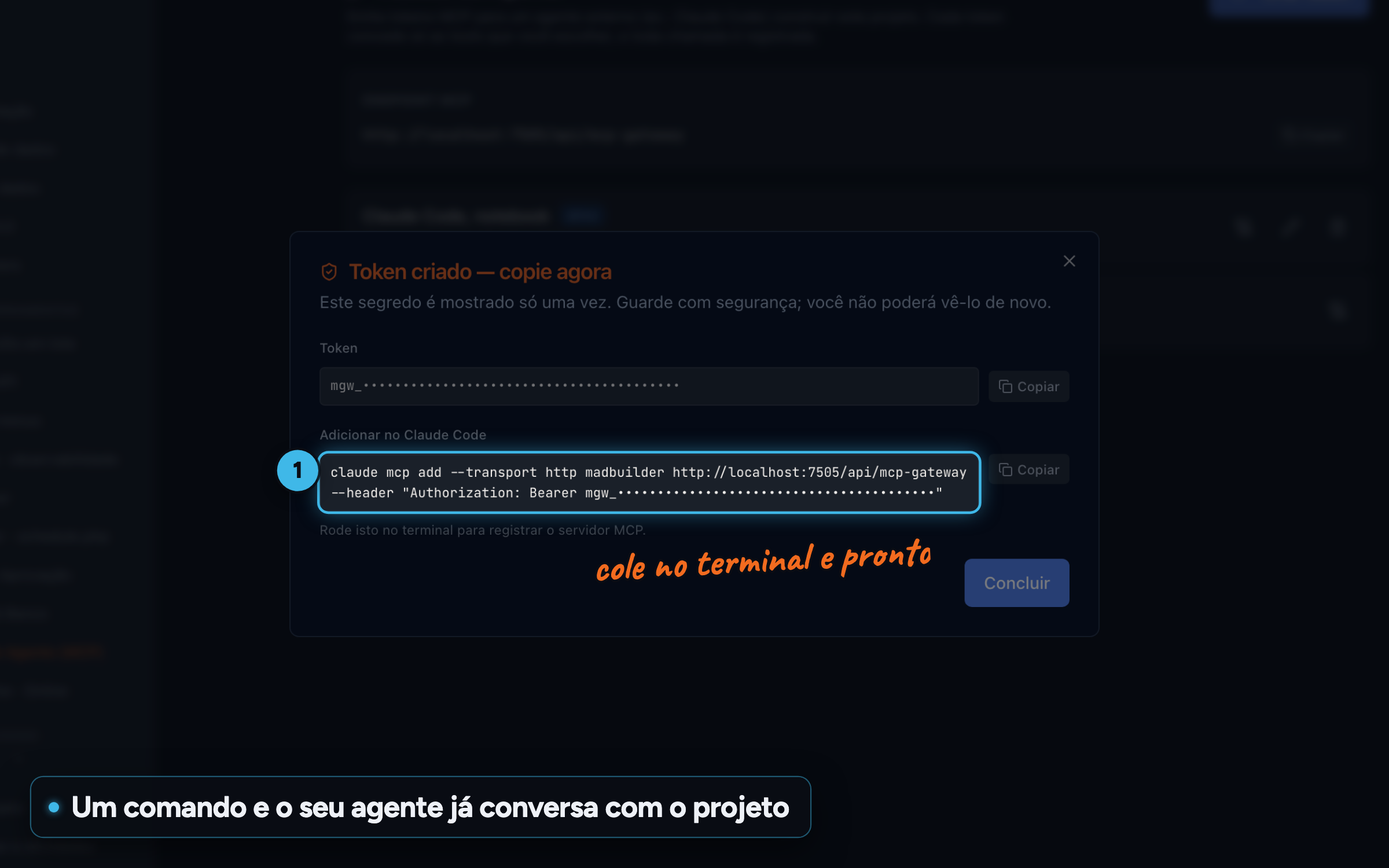
AI agent and MCP Bring your own agent through MCP Pro AI or Coding Plan Connect Claude Code or another MCP client to the project and use the Studio agent's tools: screens, database, deploy and Online Test. Each token can only do what you allowed. For:DevCTO
-
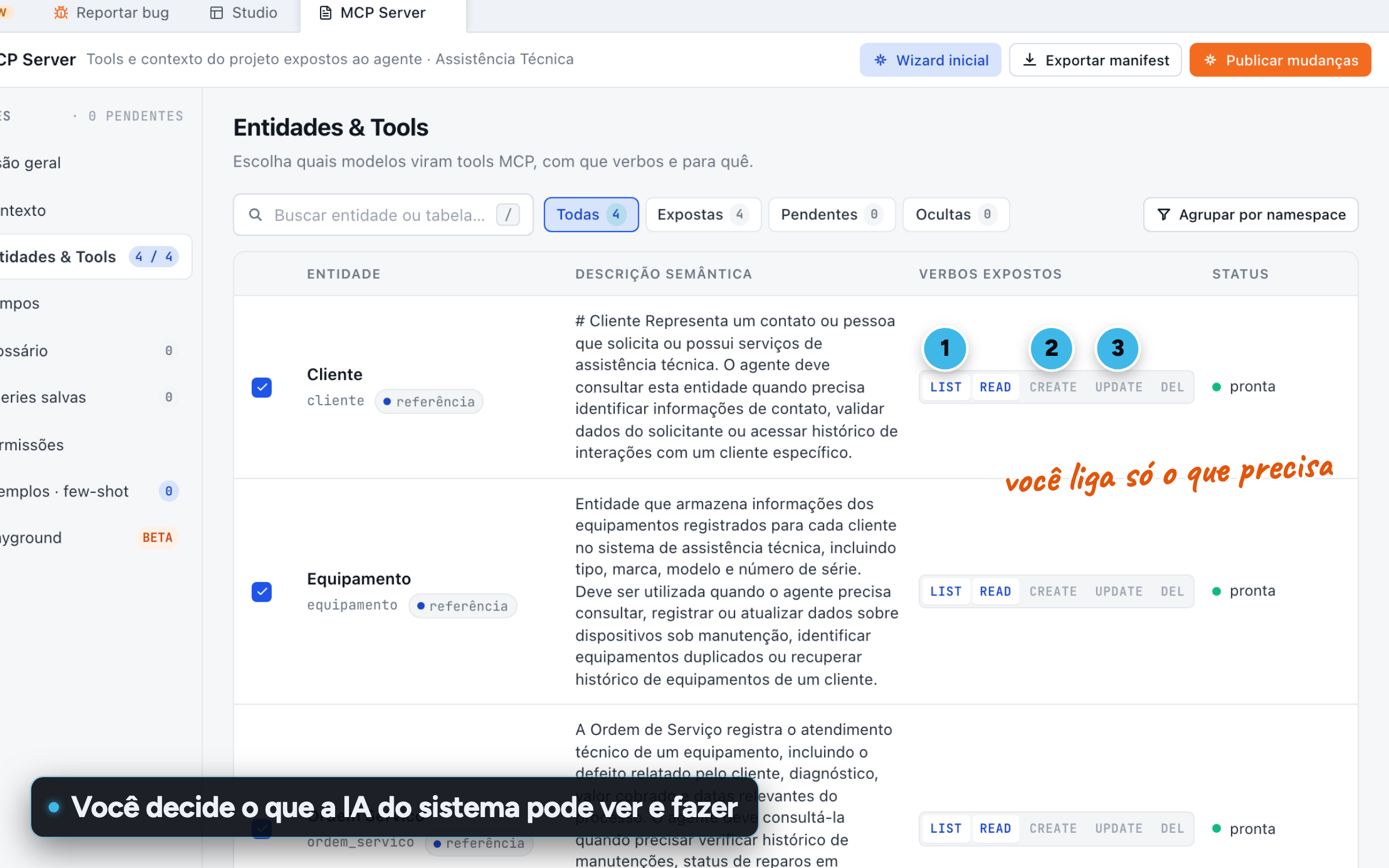
AI agent and MCP Your app's MCP server Pro AI or Coding Plan Decide what your system's Copilot and external agents can read and do, protect personal data field by field and set permissions per role. For:CTODevManager and CEO
-
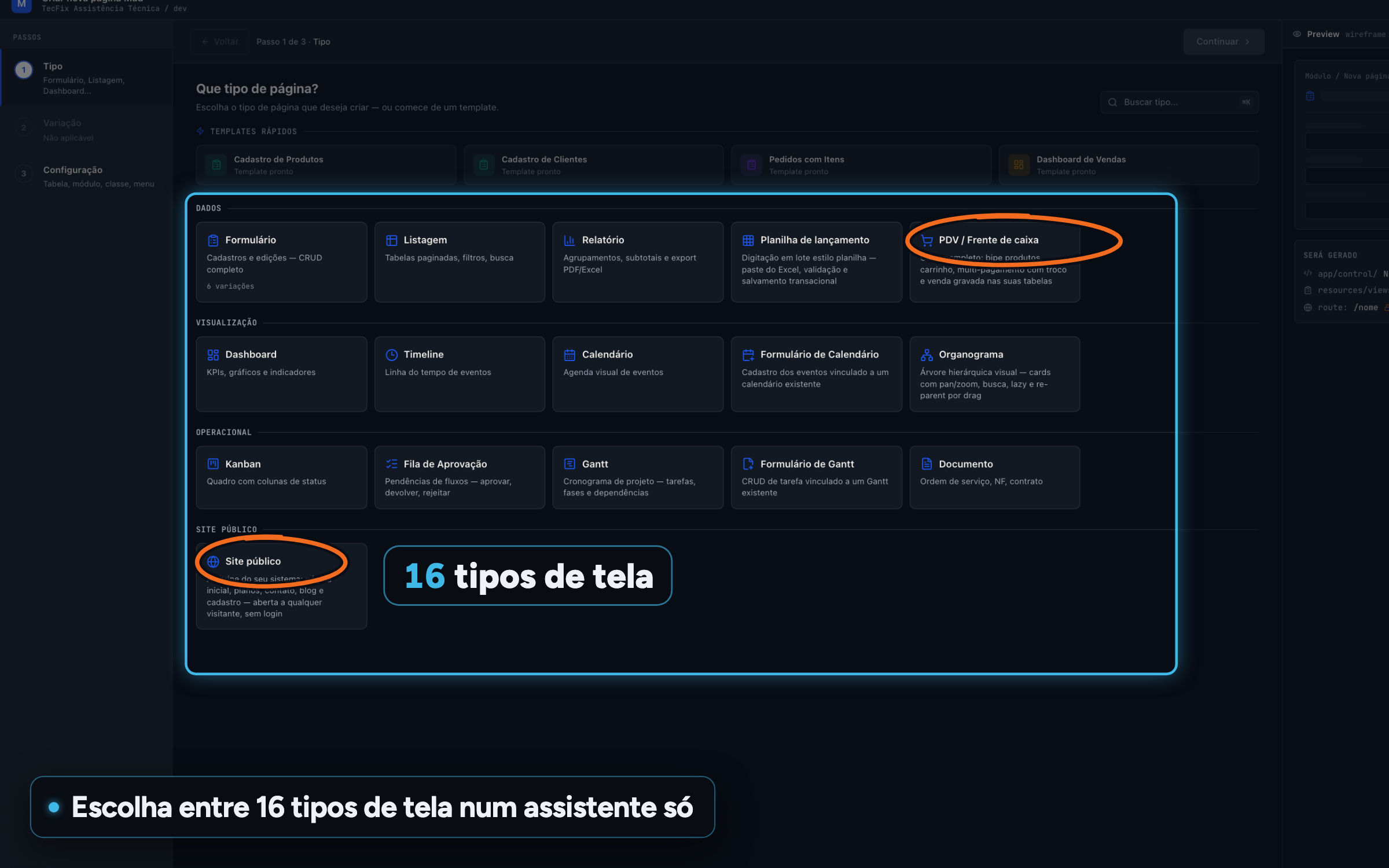
Visual editor 16 screen types Form, list view, report, spreadsheet, POS, dashboard, calendar, kanban, Gantt, document, website and more, in a single wizard. For:No codingManager and CEODev
-
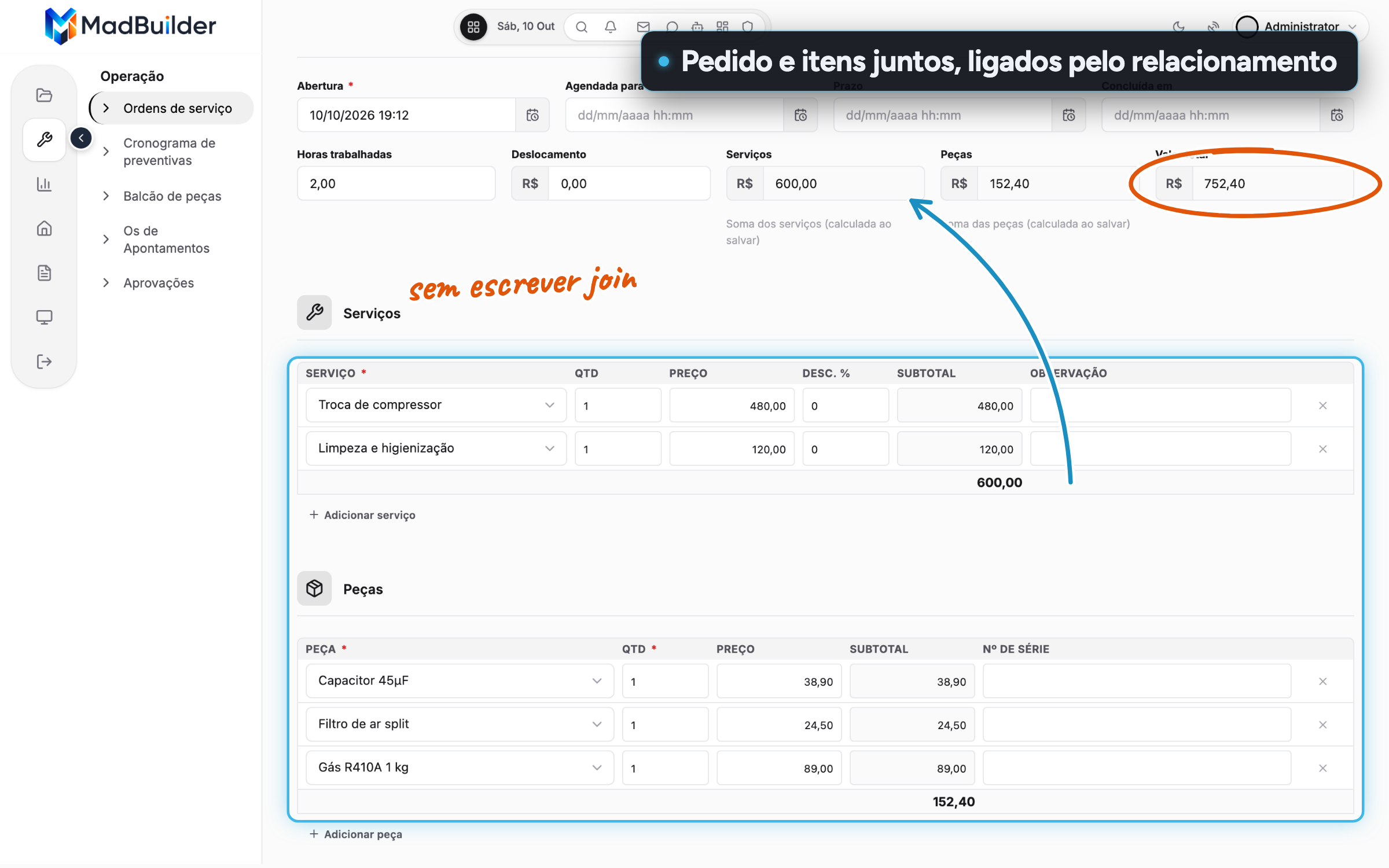
Visual editor Order and line items on the same screen Build master-detail without writing a join: the link comes from the relationship between the tables and you only pick the items table. For:DevManager and CEO
-
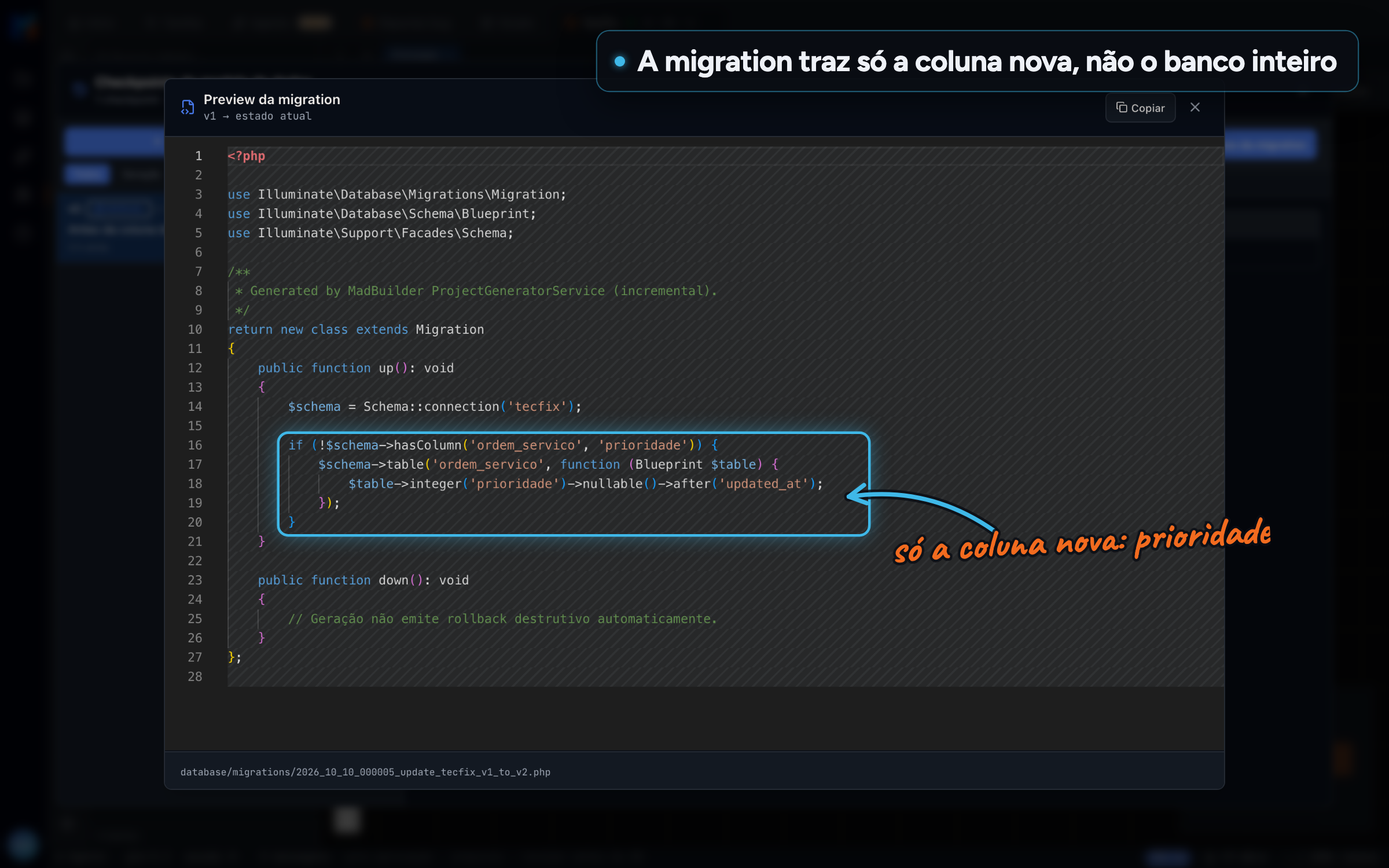
Database and data modeling Migrations for only what changed Each checkpoint compares the model with the previous one and generates only the migration for the difference. You see it first, and any change that deletes data asks for confirmation. For:DevCTO
-
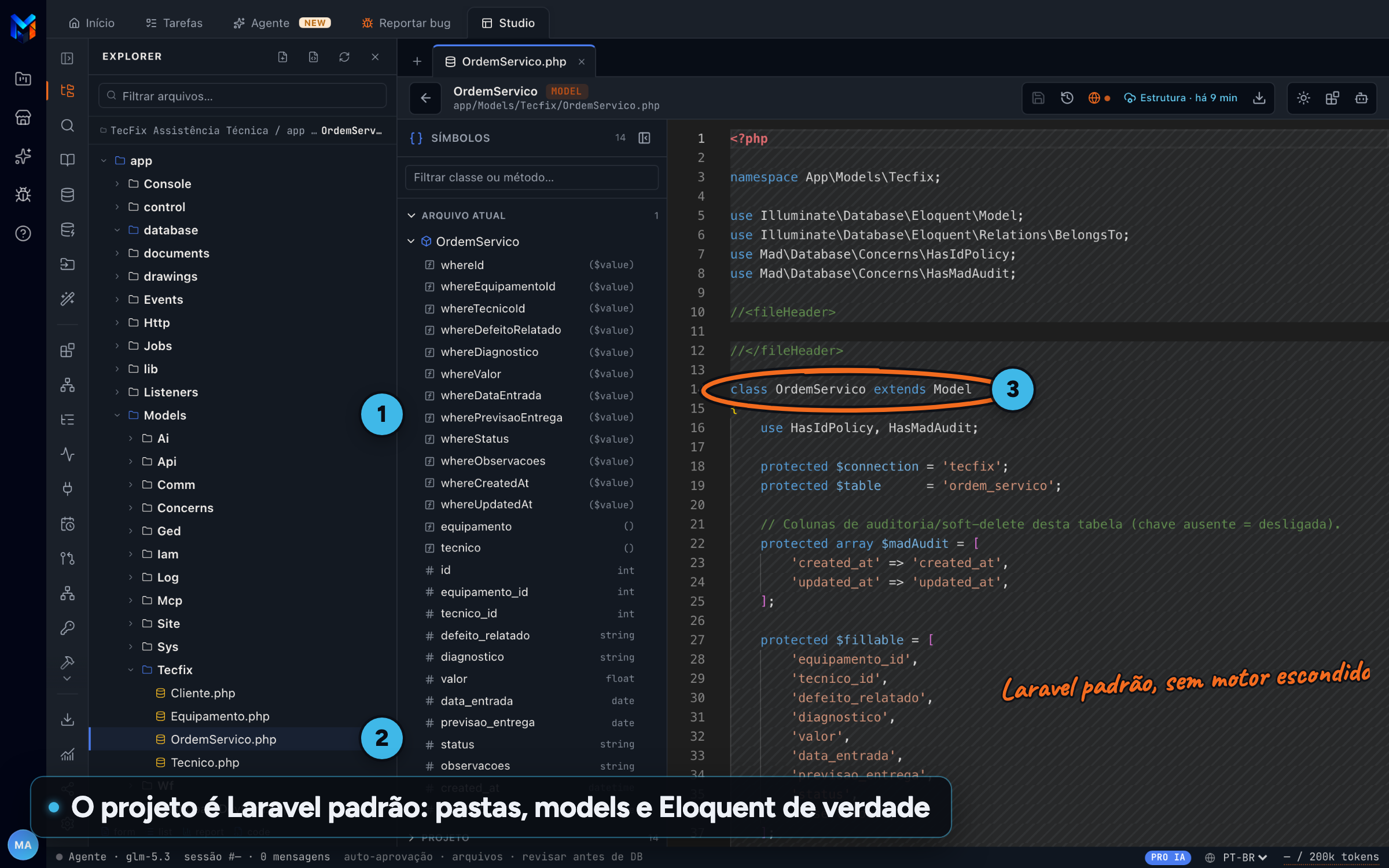
Laravel code that is yours A real Laravel project Models, migrations, Blade screens, menu, seeders, routes, scheduler and .env in a standard Laravel project that runs on 6 databases. For:DevCTO
-
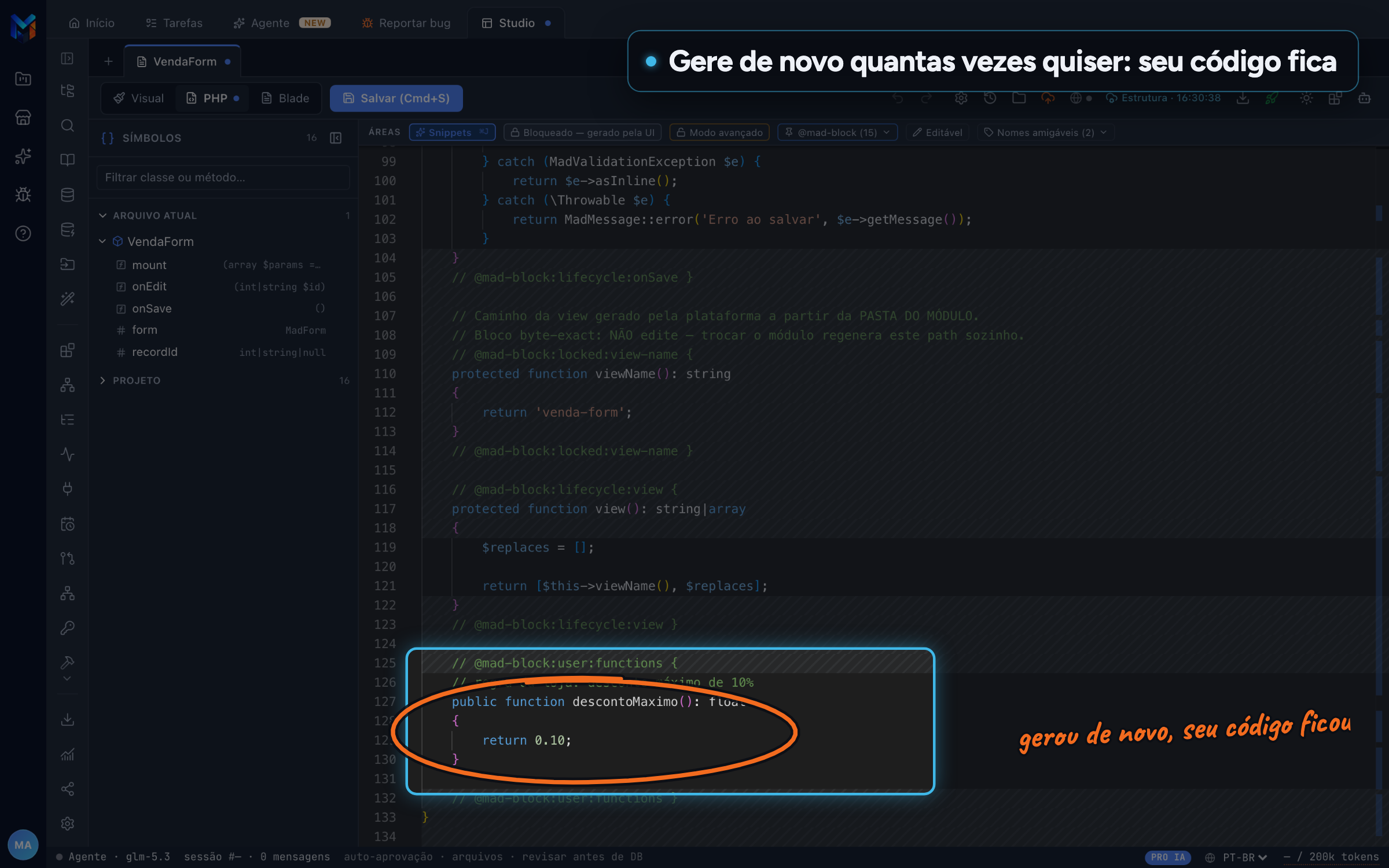
Laravel code that is yours Your code survives The code you write lives in @mad-block blocks. When the screen changes and the file is regenerated, whatever is inside them stays as it was. For:DevCTO
-
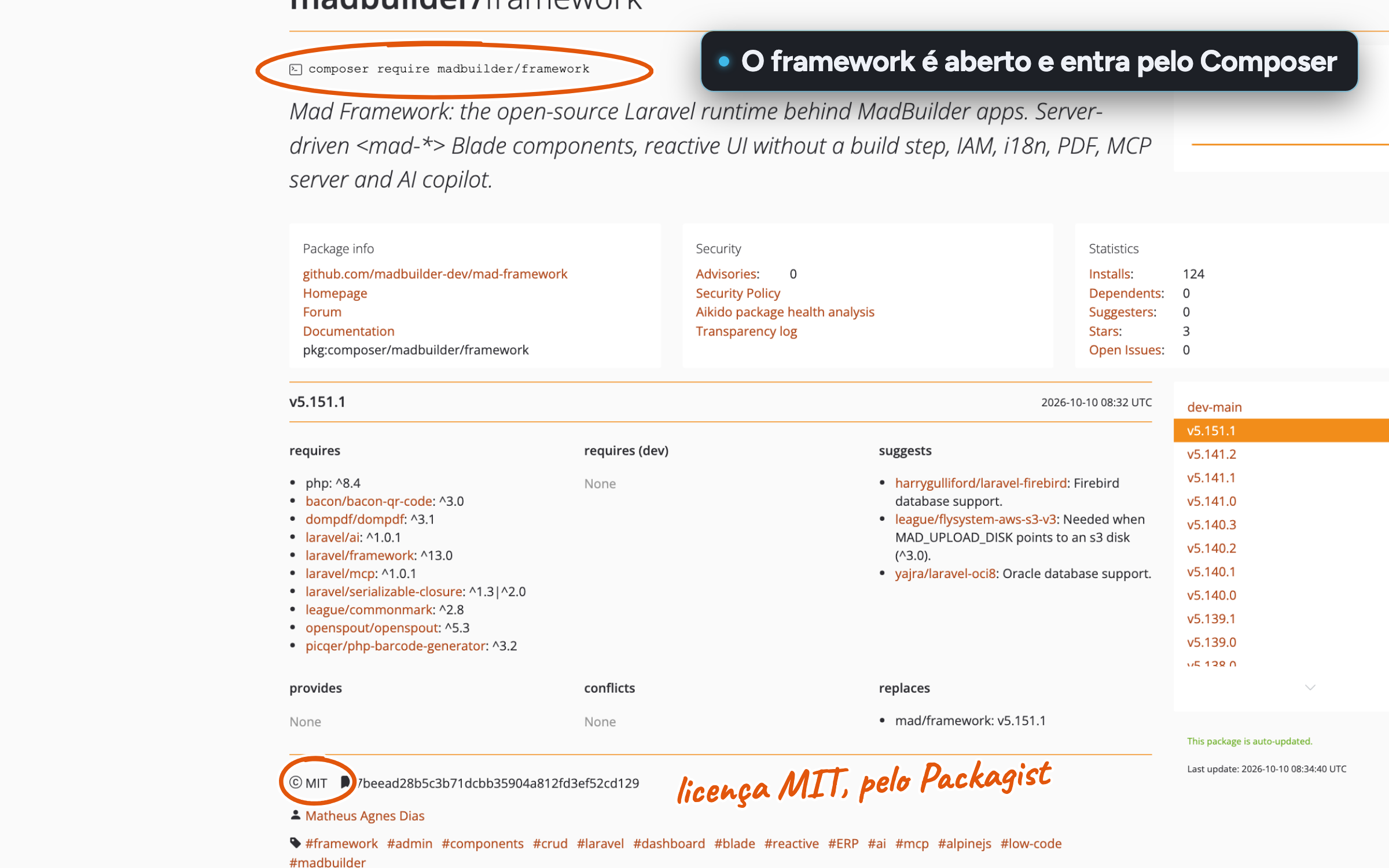
Laravel code that is yours Open-source framework The framework that runs the system is open source under the MIT license and comes in through Composer, like any PHP package. No hidden dependency. For:CTODev
-
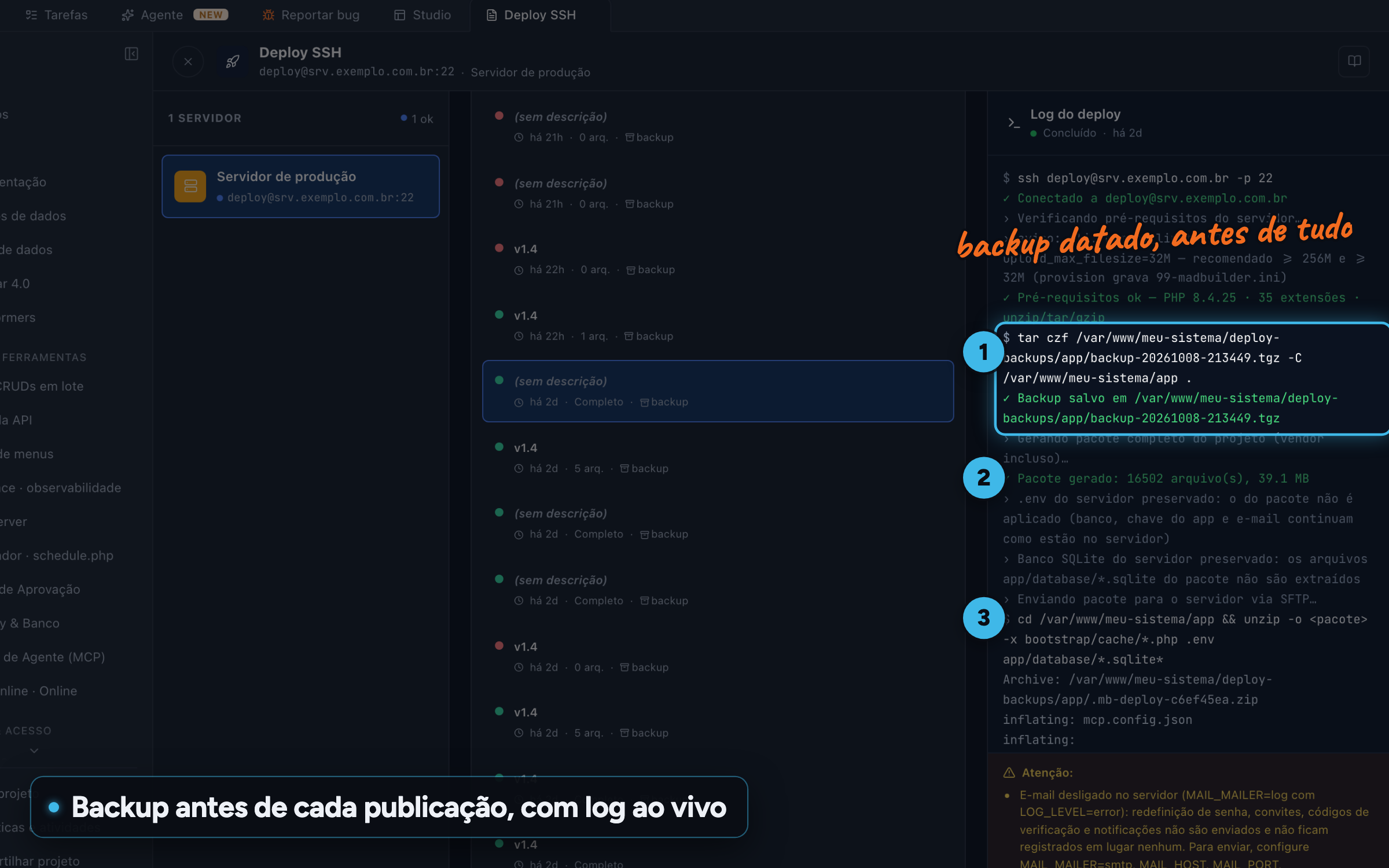
Test, publish and operate SSH deploy with backup Publish to your own server. Each release takes a dated backup first and keeps the last 5, with a live log. For:DevCTO
-
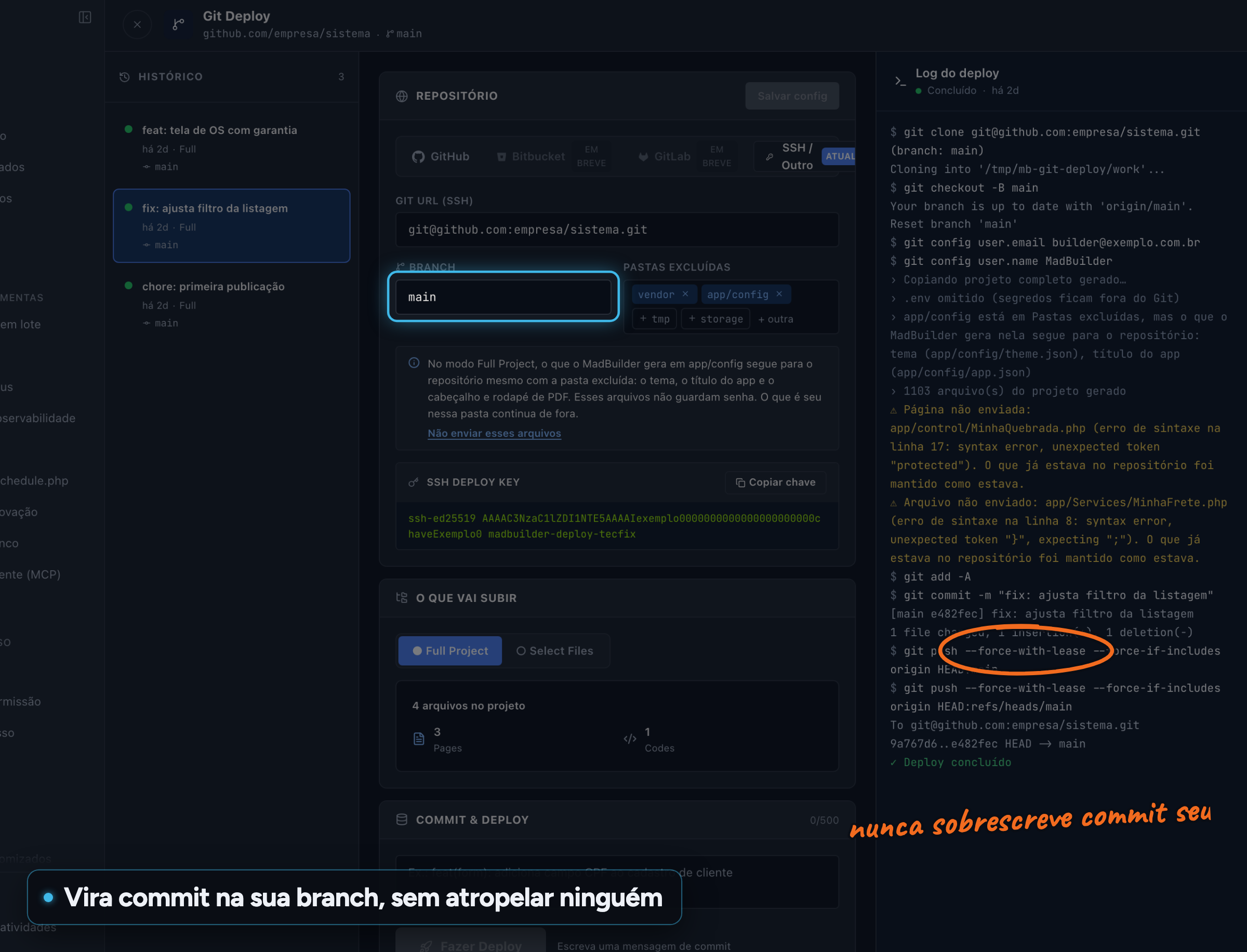
Test, publish and operate Deploy through your Git Publish to GitHub, GitLab or Bitbucket as a commit on the branch. The push never overwrites commits you haven't seen yet. For:DevCTO
-
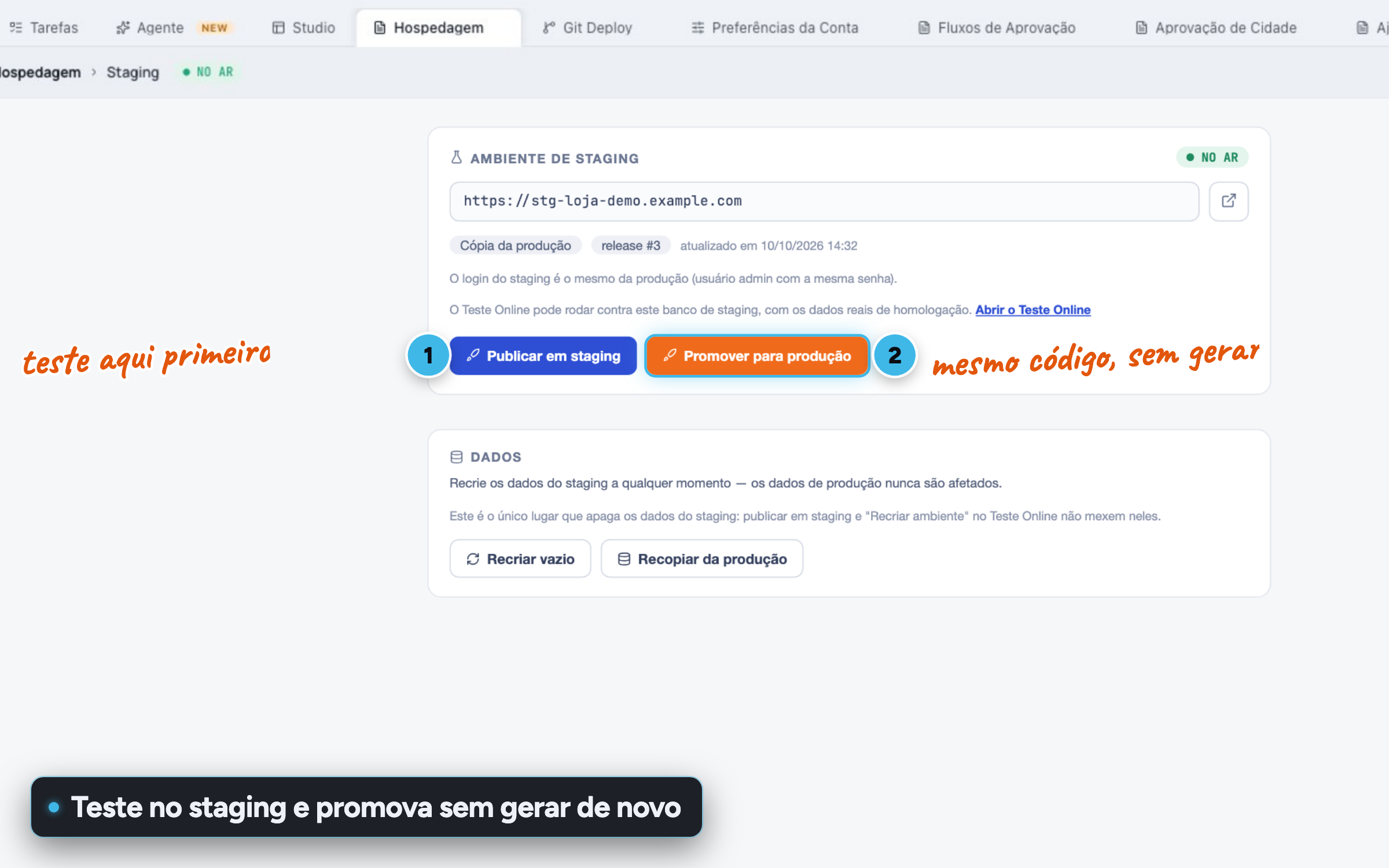
Test, publish and operate MadCloud with staging Host on MadCloud with a domain and HTTPS. Create a staging environment with its own database, test it and promote to production when it looks right. For:CTOManager and CEO
-
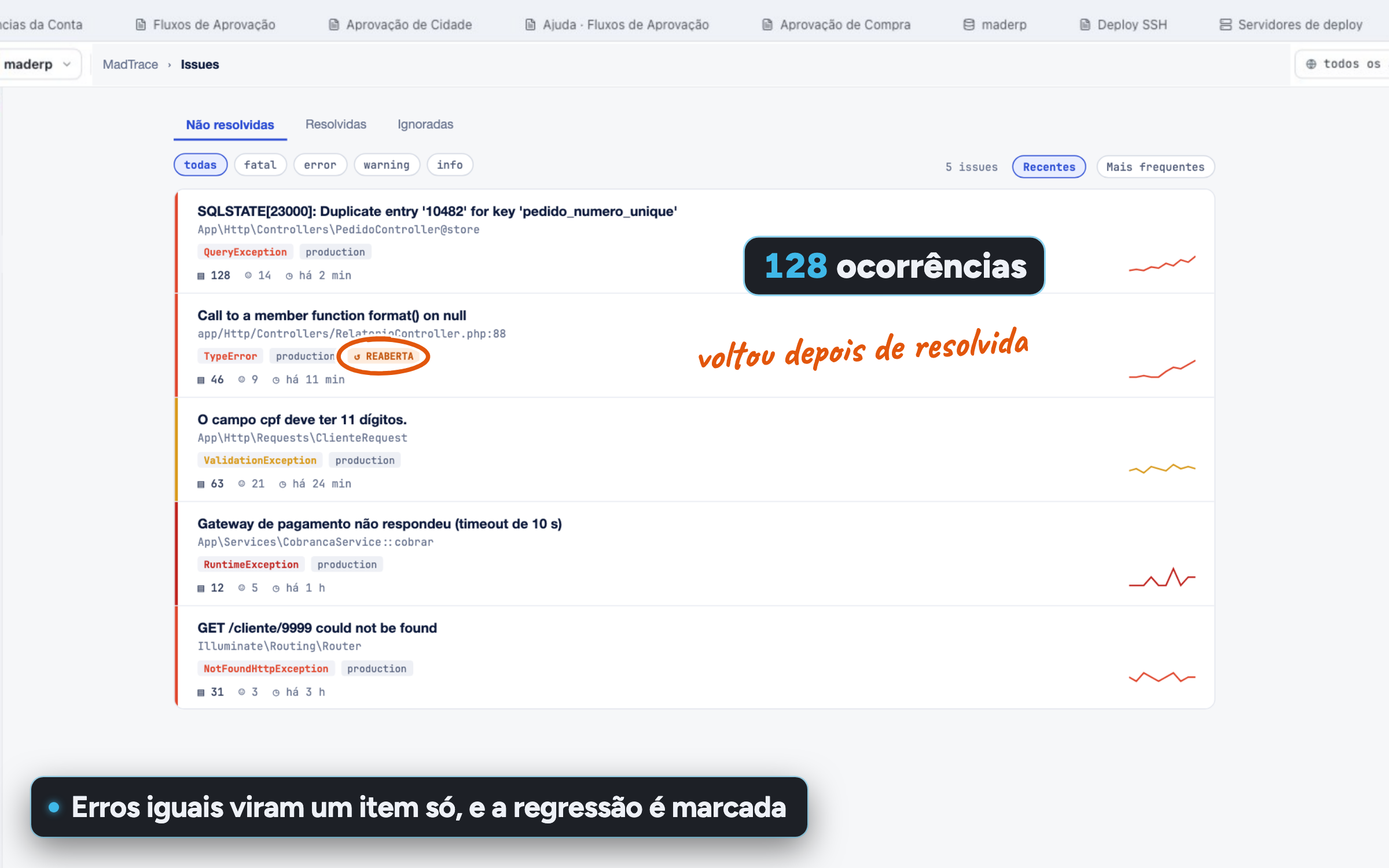
Test, publish and operate Errors and performance in MadTrace Identical errors collapse into one item, with the stack trace and affected users, and a resolved error that comes back is flagged as a regression. Performance is broken down into database, PHP and view. For:CTODev
- AI agent and MCP Screens built by chat Describe the screen in plain English and the agent creates the page, writes the PHP and Blade, and uses the tables that actually exist in your project. For:DevCTOManager and CEONo coding
- AI agent and MCP Database built by chat Ask "create the warranty table linked to the work order" and the agent creates the tables, columns and foreign keys before building the screens. For:No codingManager and CEODev
- AI agent and MCP An agent that tests its own work The agent opens the app in the Online Test, fills in forms, saves and checks values and messages. You get which criteria passed and what to fix. For:CTODev
- Visual editor Visual, PHP and Blade together The same screen in three tabs. Change one and the others follow, and the selection stays on the same component. For:DevCTO
- Visual editor Drag and edit in place The component lands where you dropped it, the right-click menu only offers what fits there and text is edited right on the canvas. For:No codingManager and CEODev
- Database and data modeling A diagram that becomes a database Draw tables and relationships on a diagram with zoom and a minimap. Linking two tables creates the foreign key and the Eloquent relation. For:DevCTONo coding
- Database and data modeling Modeling live with your team Edit the data model together with your team: see who is online, everyone's cursor and your teammates' changes without reloading. For:CTODev
- Database and data modeling SQL from a question Write "top 10 customers with the most work orders" and get the SQL query. The AI also suggests indexes, with the command to create them. For:DevManager and CEO
- Test, publish and operate Online Test in seconds Your app spins up in a cloud environment with a public URL in seconds. On save, only what changed gets sent over, and your test data stays. For:No codingManager and CEODev
No highlights in this group for that audience.
In the system you deliver
What the generated app already ships with for your client to use day to day, with no extra coding from you.
-
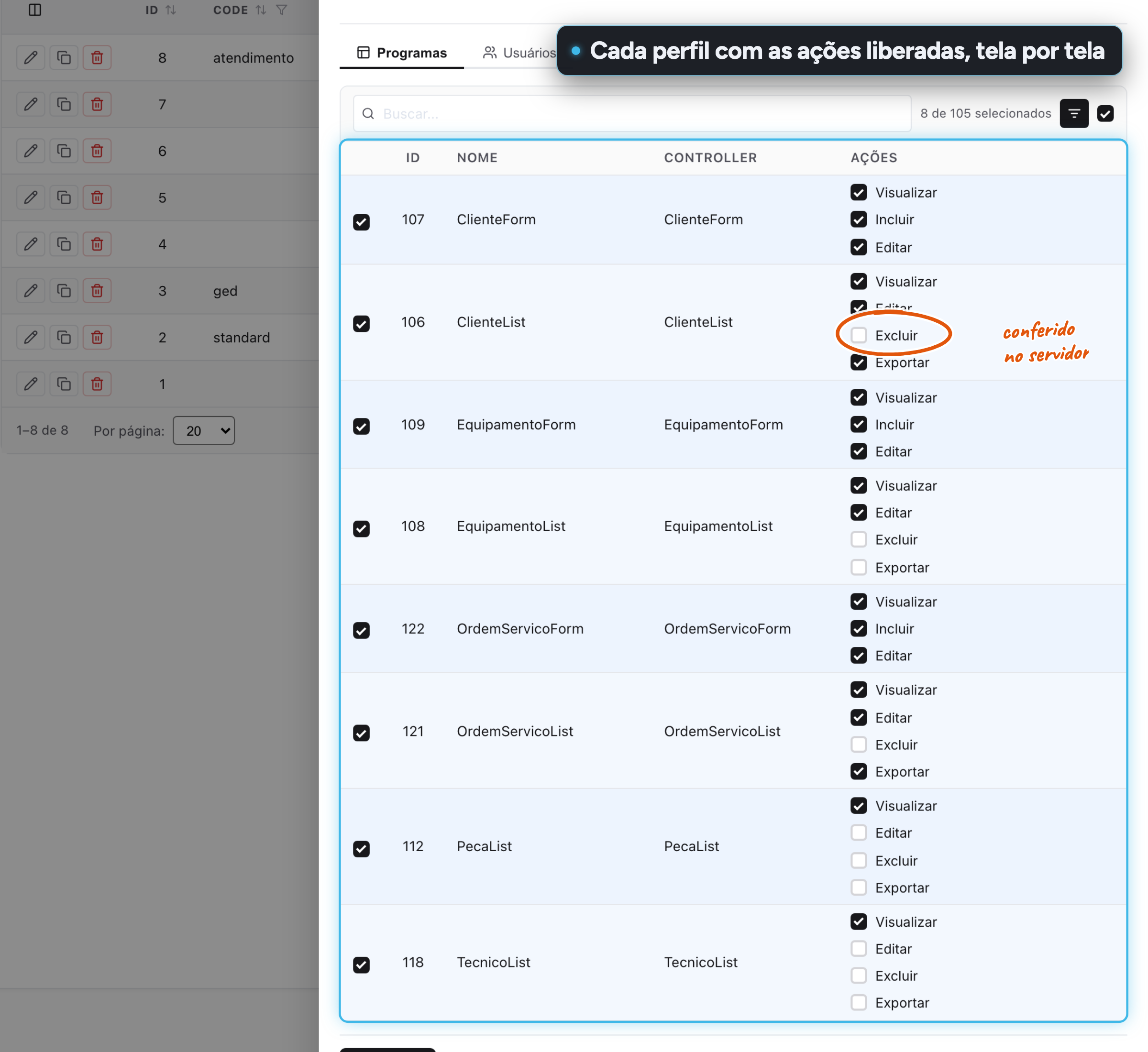
Administration and security Per-action permissions Check, screen by screen, who can view, add, edit, delete and export. The system rejects the action on the server, it doesn't just hide the button. For:CTOManager and CEO
-
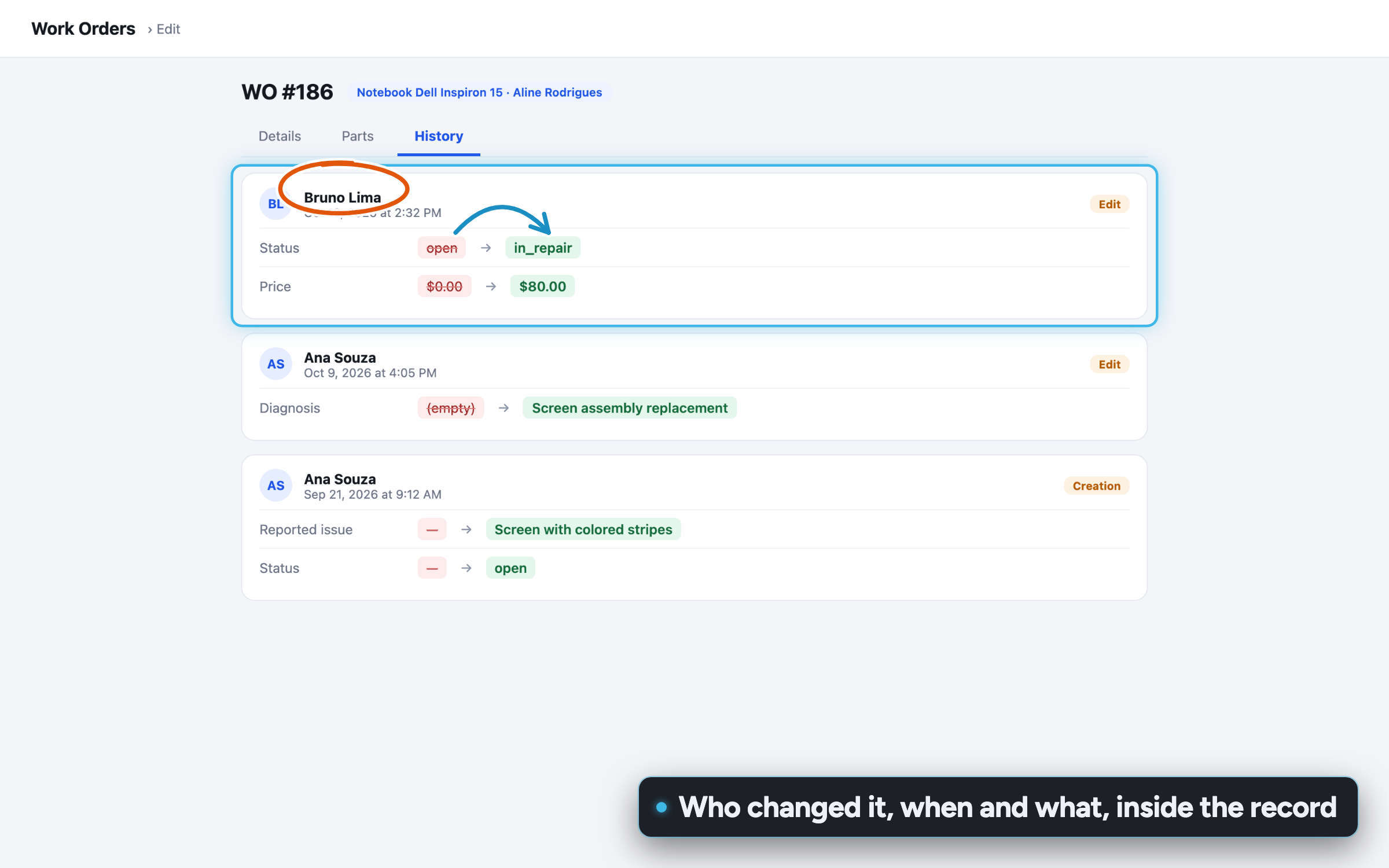
Administration and security History of every record Every save is logged with who, when and what changed. The history shows up in a tab of the form itself. For:Manager and CEOCTO
-
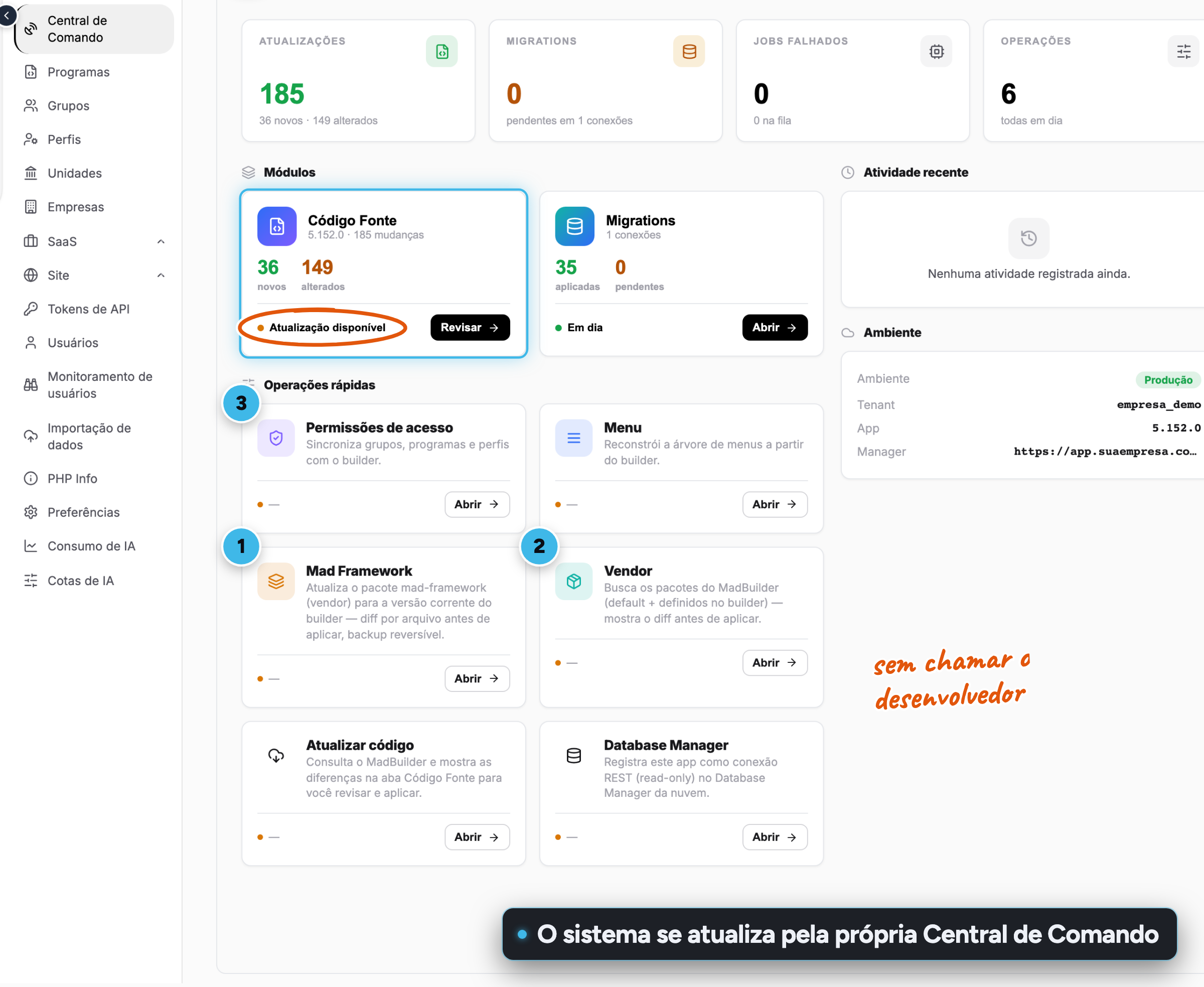
Administration and security Command Center The administrator keeps the system up to date from the published app itself: updating the framework, applying menus and permissions and running pending migrations. For:CTOManager and CEO
-
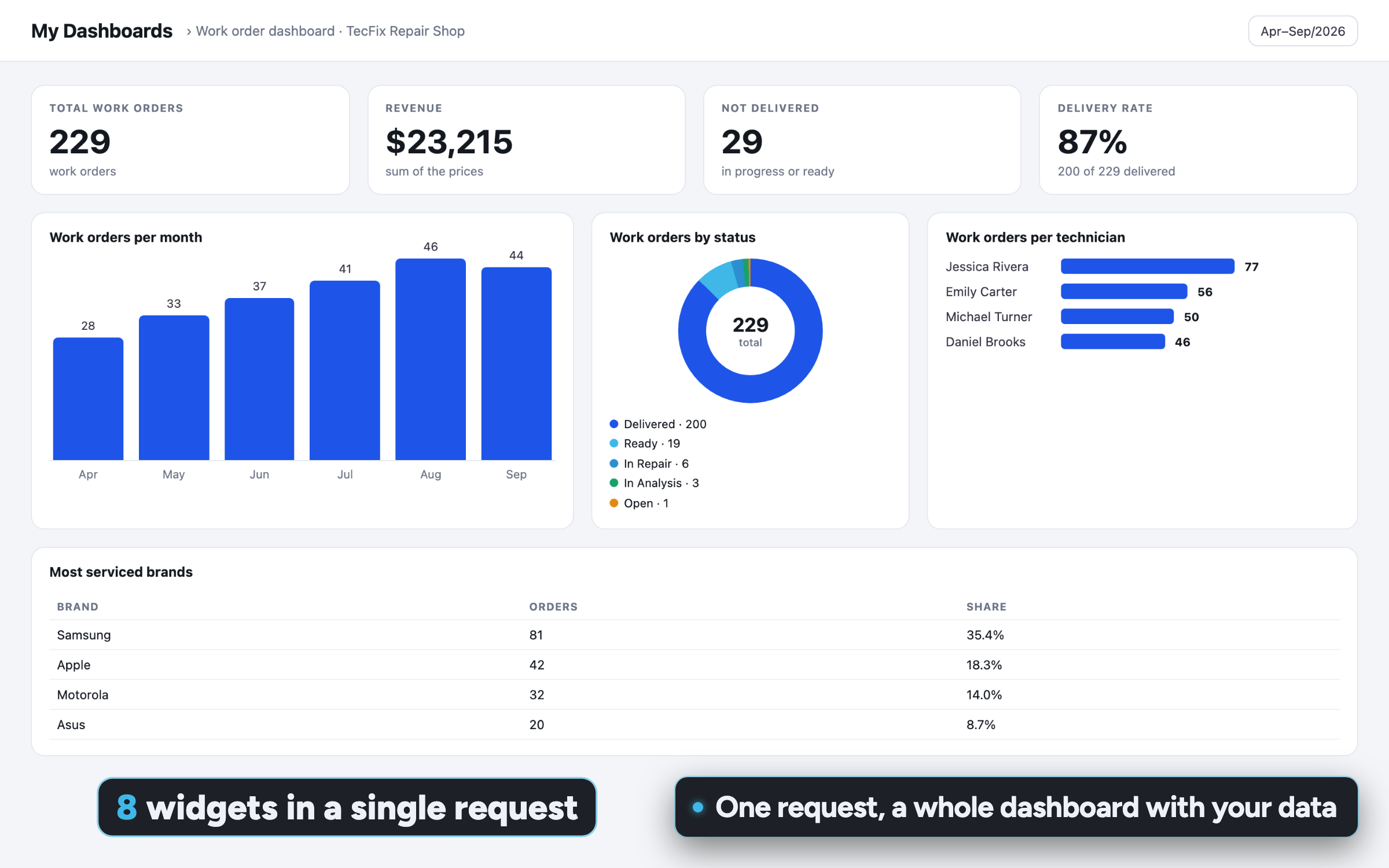
Copilot and dashboards A full dashboard in one request Ask for a "complete dashboard" and the AI generates at least 8 varied widgets, crossing dimensions, with titles that state the breakdown. For:Manager and CEONo coding
-
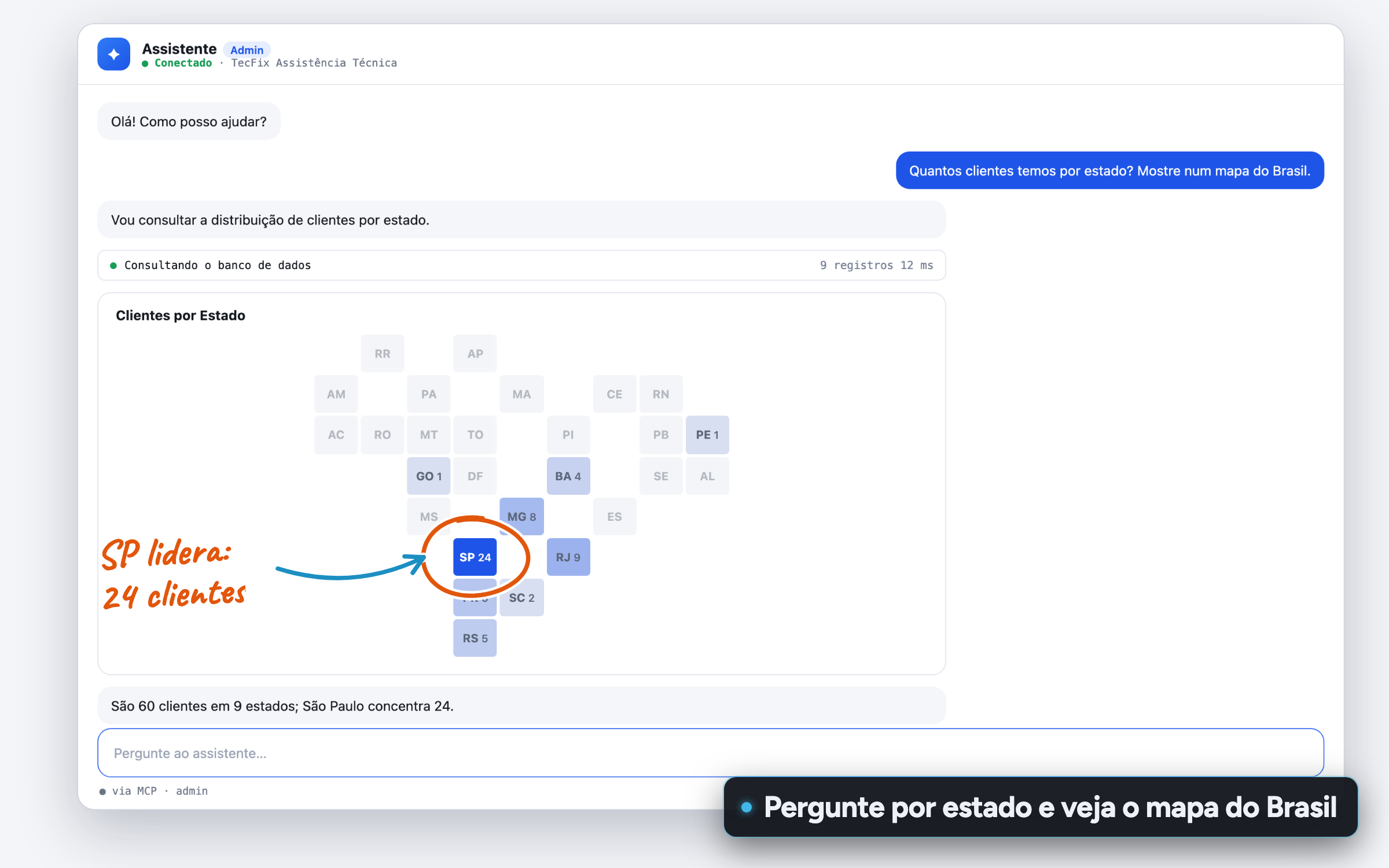
Copilot and dashboards Map of Brazil by state Ask for a breakdown by state and the Copilot answers with a map of Brazil colored by state, right in the chat. For:Manager and CEONo coding
-
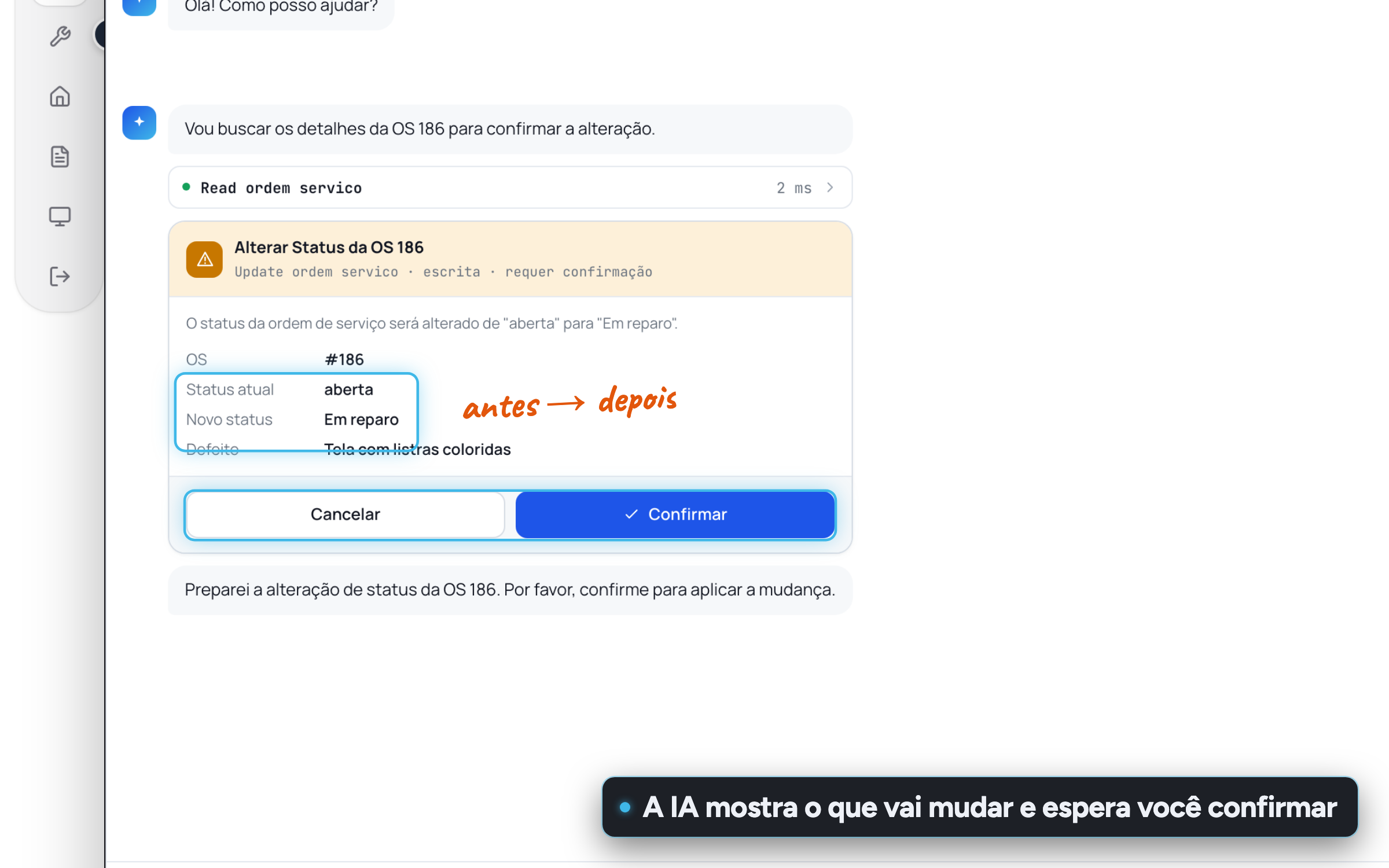
Copilot and dashboards Confirms before saving Before changing any data, the Copilot shows the fields that will change and warns when the action is dangerous. It only saves after confirmation, with permissions checked again. For:CTOManager and CEO
-
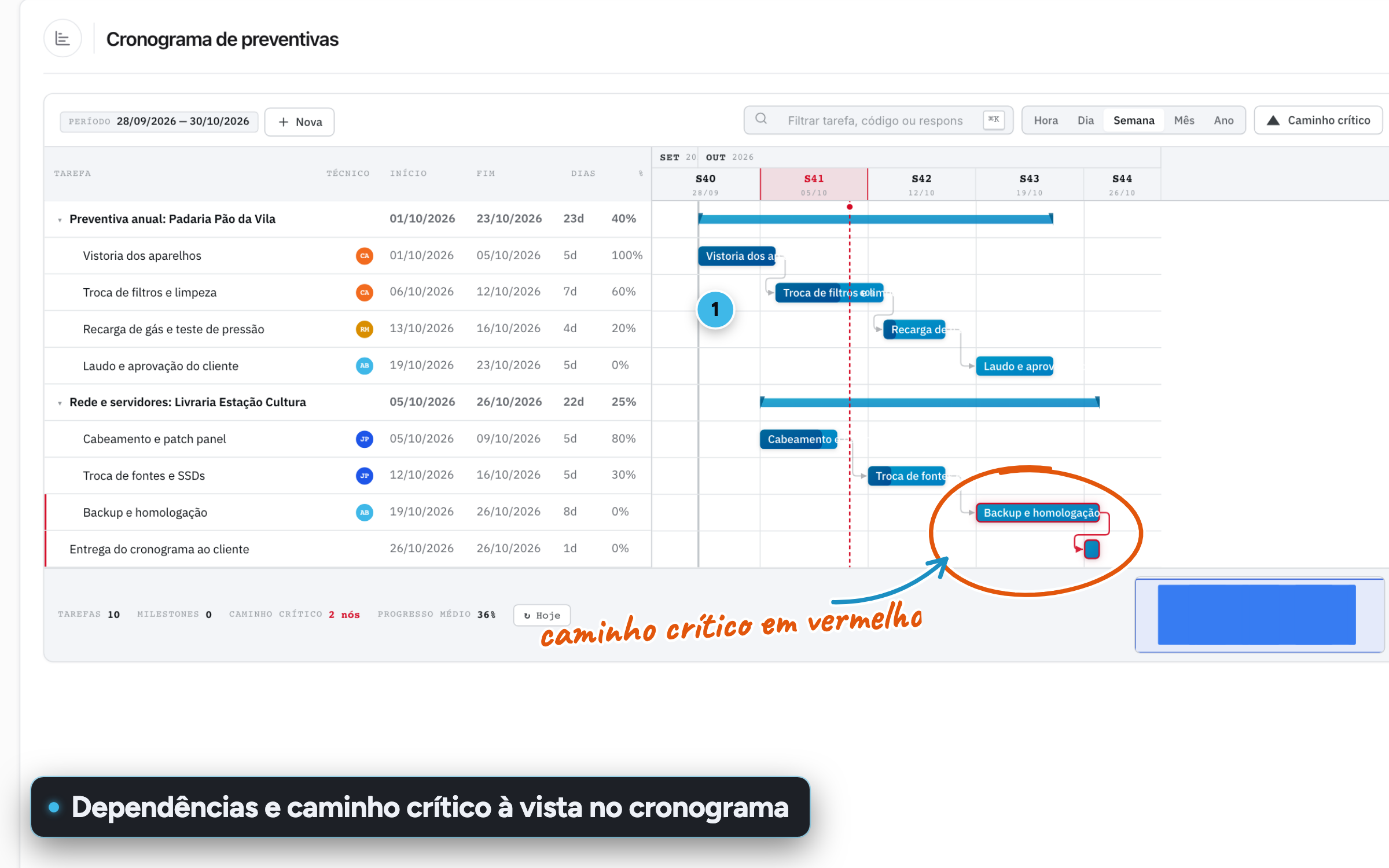
Ready-made screens Gantt with critical path Plan with hierarchical tasks, milestones and dependencies. The critical path is highlighted, and dragging a bar saves the new date. For:Manager and CEOCTO
-
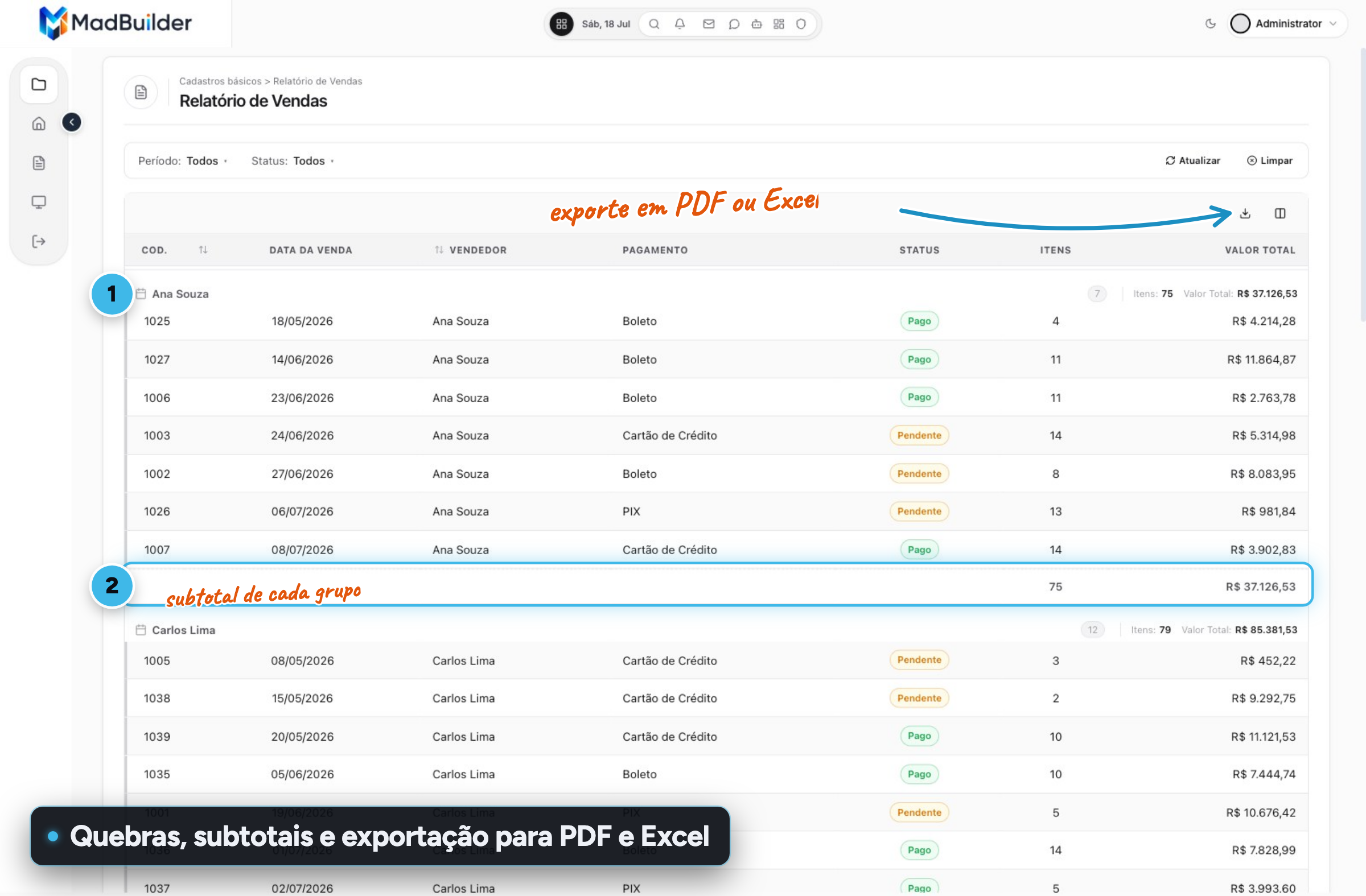
Ready-made screens Report with subtotals Group by one or more fields with a sum, average or count per group and a grand total, on screen, in PDF, in Excel and in CSV. For:Manager and CEO
-
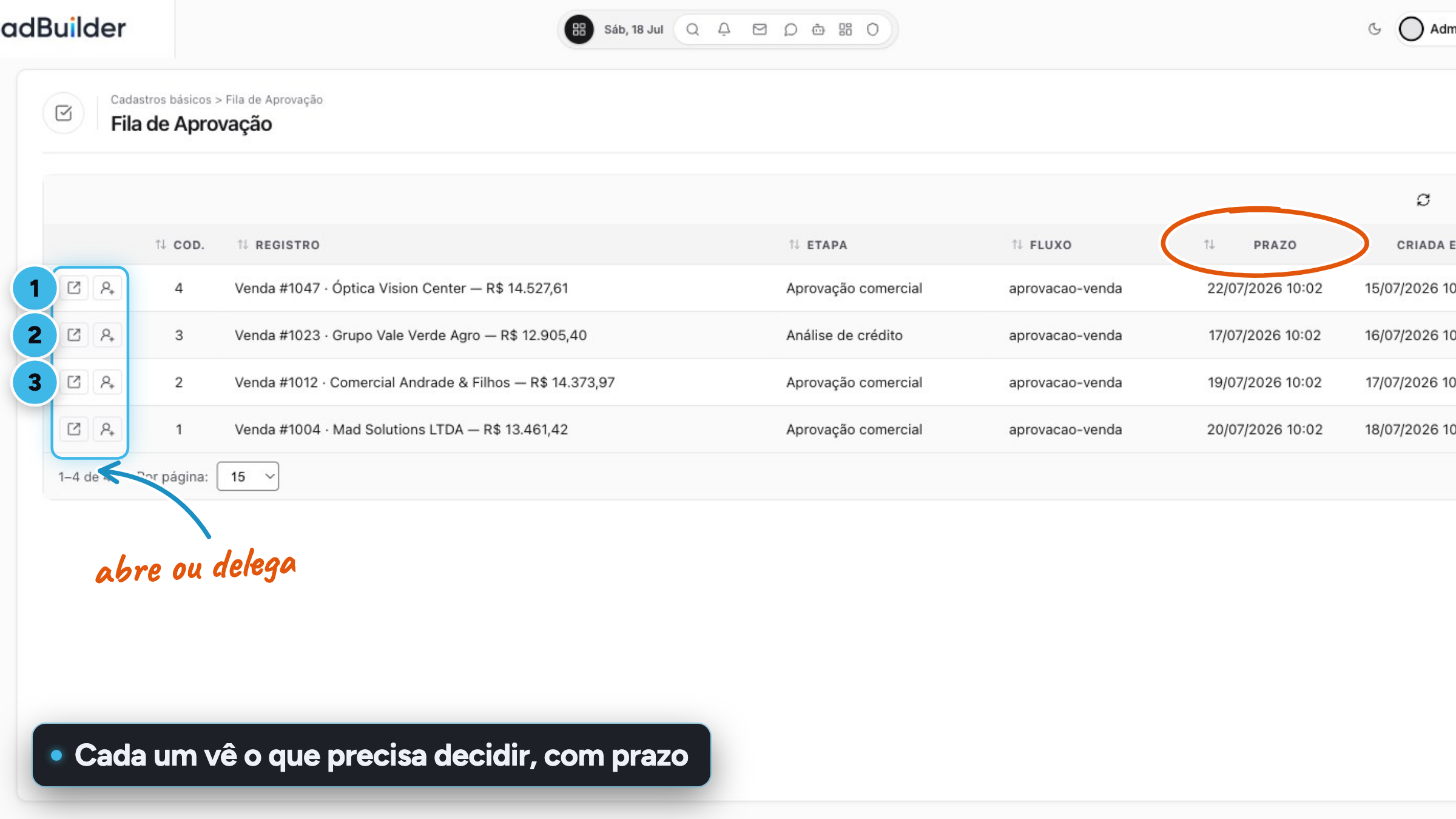
Ready-made screens Approval queue Approvers see only their own pending items and can open, decide or delegate them. The flow has deadlines, reminders and escalation. For:Manager and CEOCTO
-
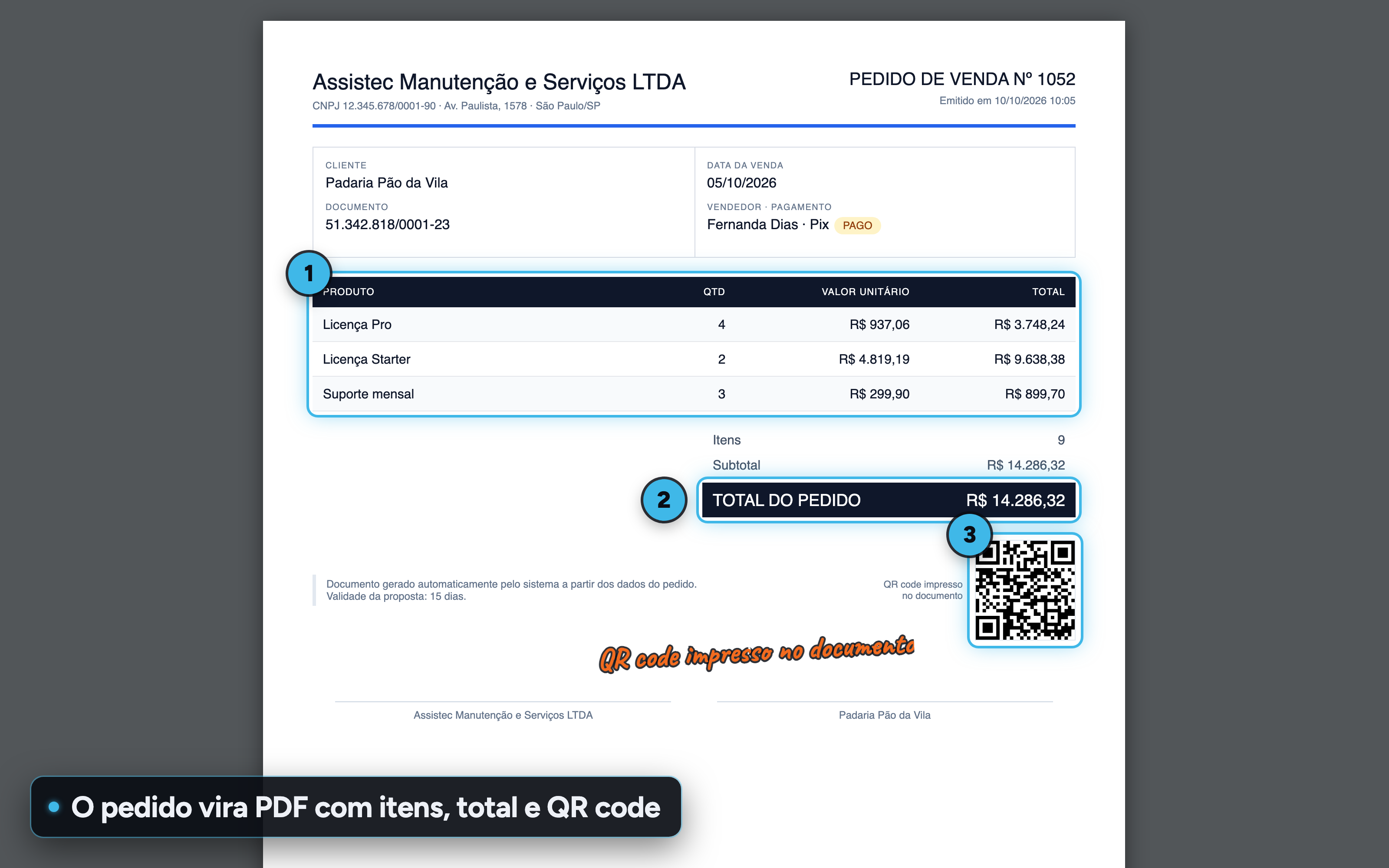
POS, documents and finance PDF document with a link The record becomes a PDF with line items, totals, a QR code and a signature line. Each document has its own link, with the same access control as the screens. For:Manager and CEONo codingDev
-
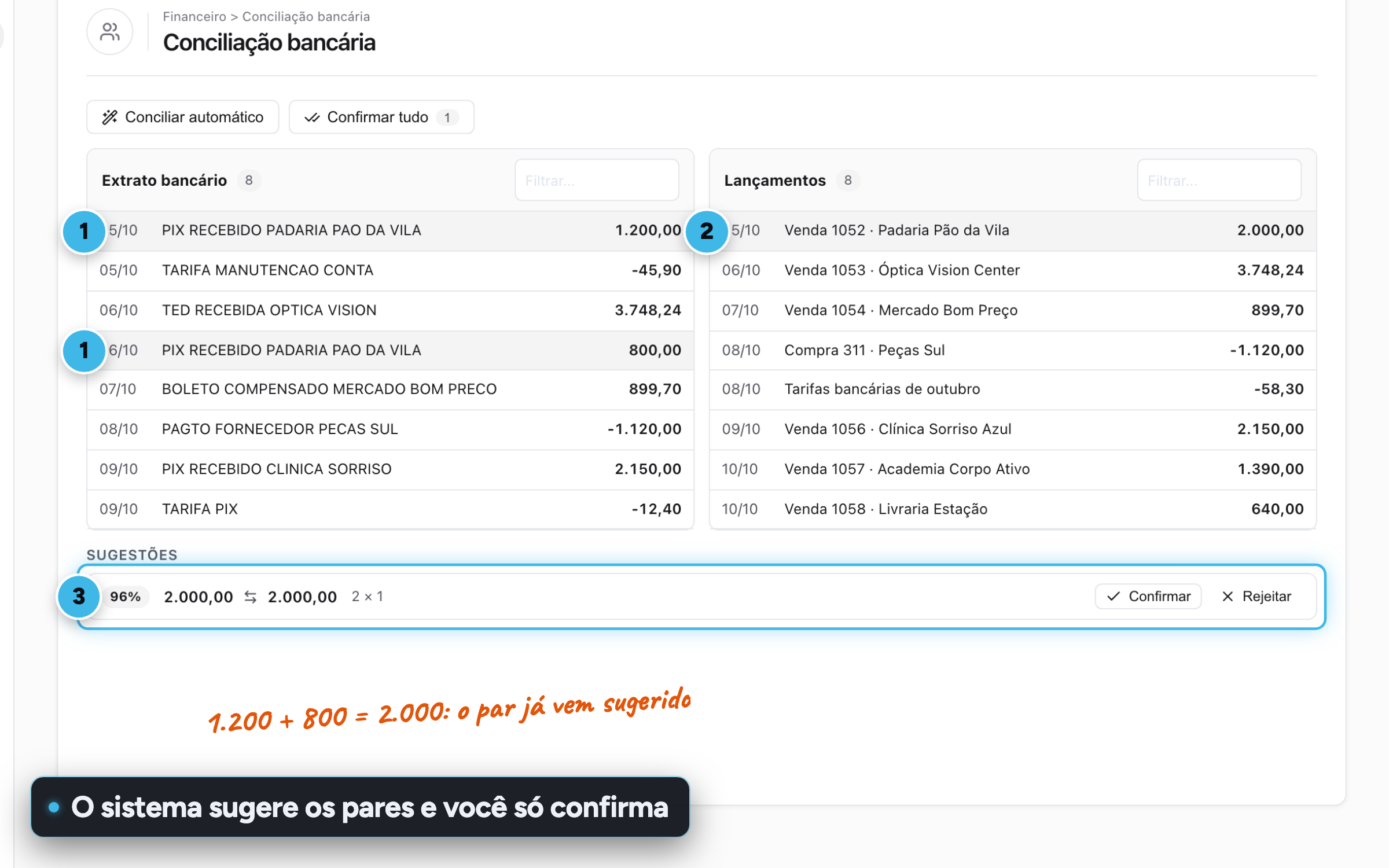
POS, documents and finance Bank reconciliation Match the bank statement and ledger entries side by side. The system suggests the pairs, including several lines that add up to one entry, and you can undo whenever you want. For:Manager and CEO
-
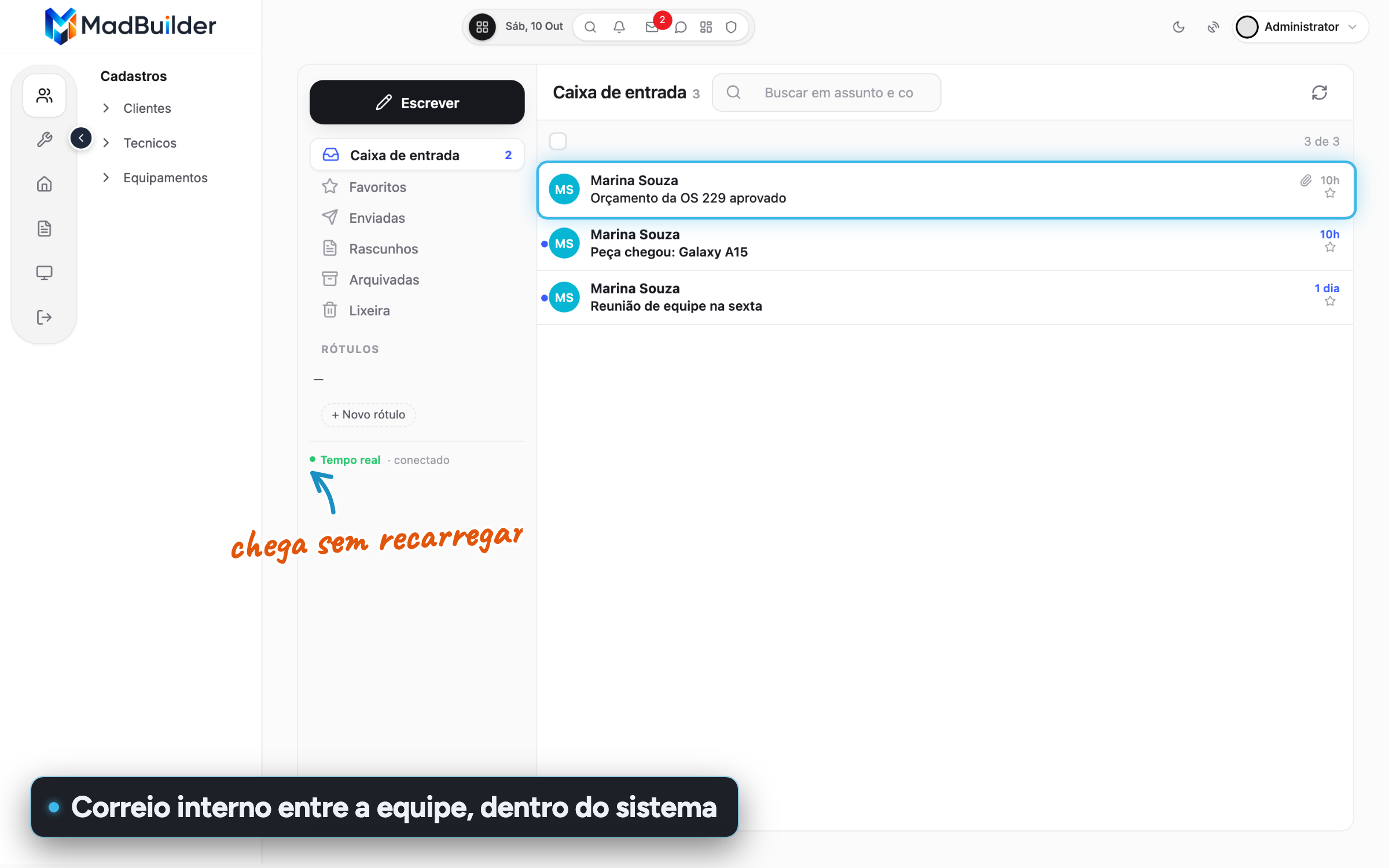
POS, documents and finance Internal mail Gmail-style mail between the system's users, with mailboxes, labels, attachments and messages that arrive without reloading. For:Manager and CEONo coding
-
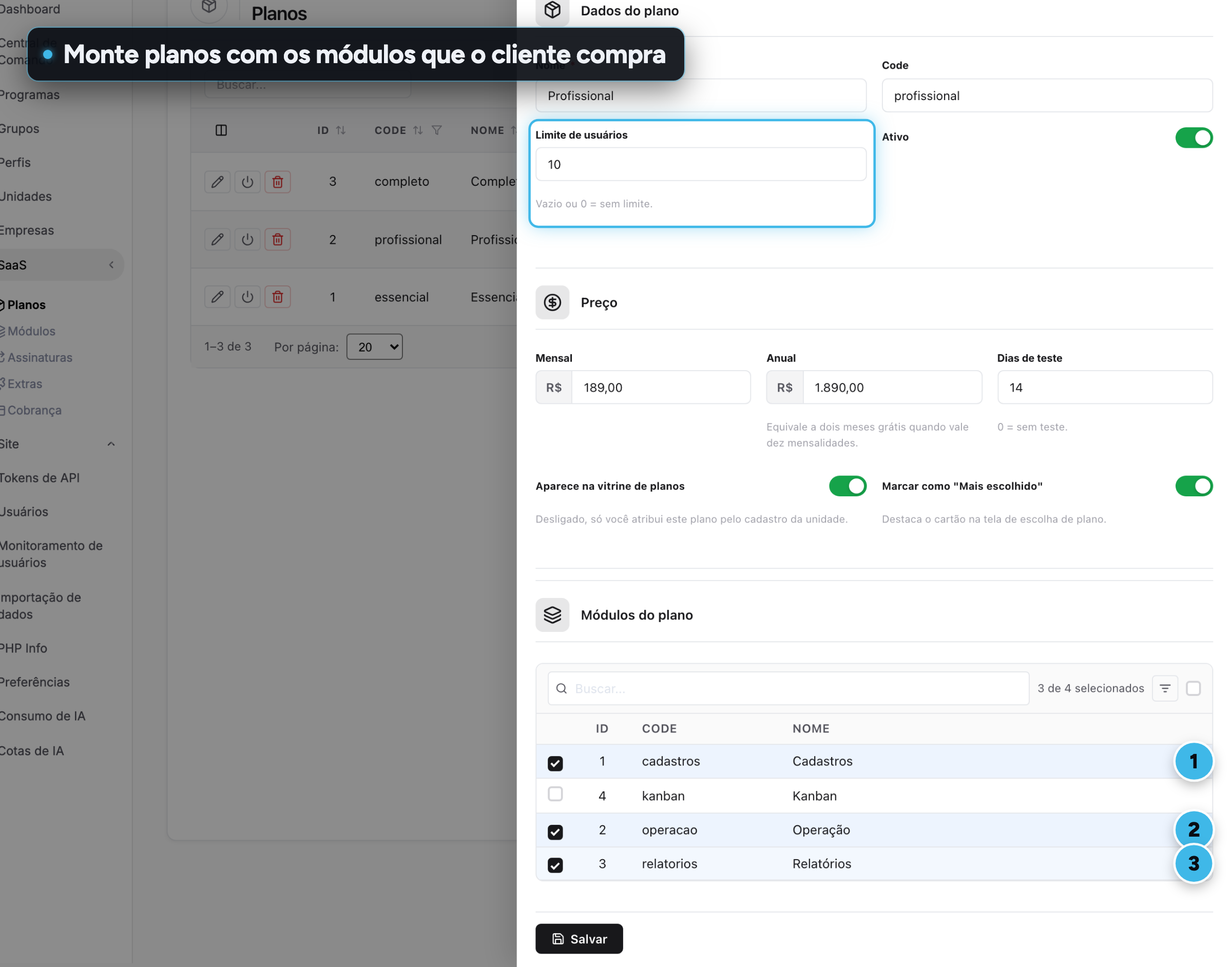
SaaS and multi-tenancy Plans by module Your system's modules are detected automatically and a plan is a bundle of them with a user limit. When a customer upgrades, the new modules show up instantly. For:Manager and CEOCTO
-
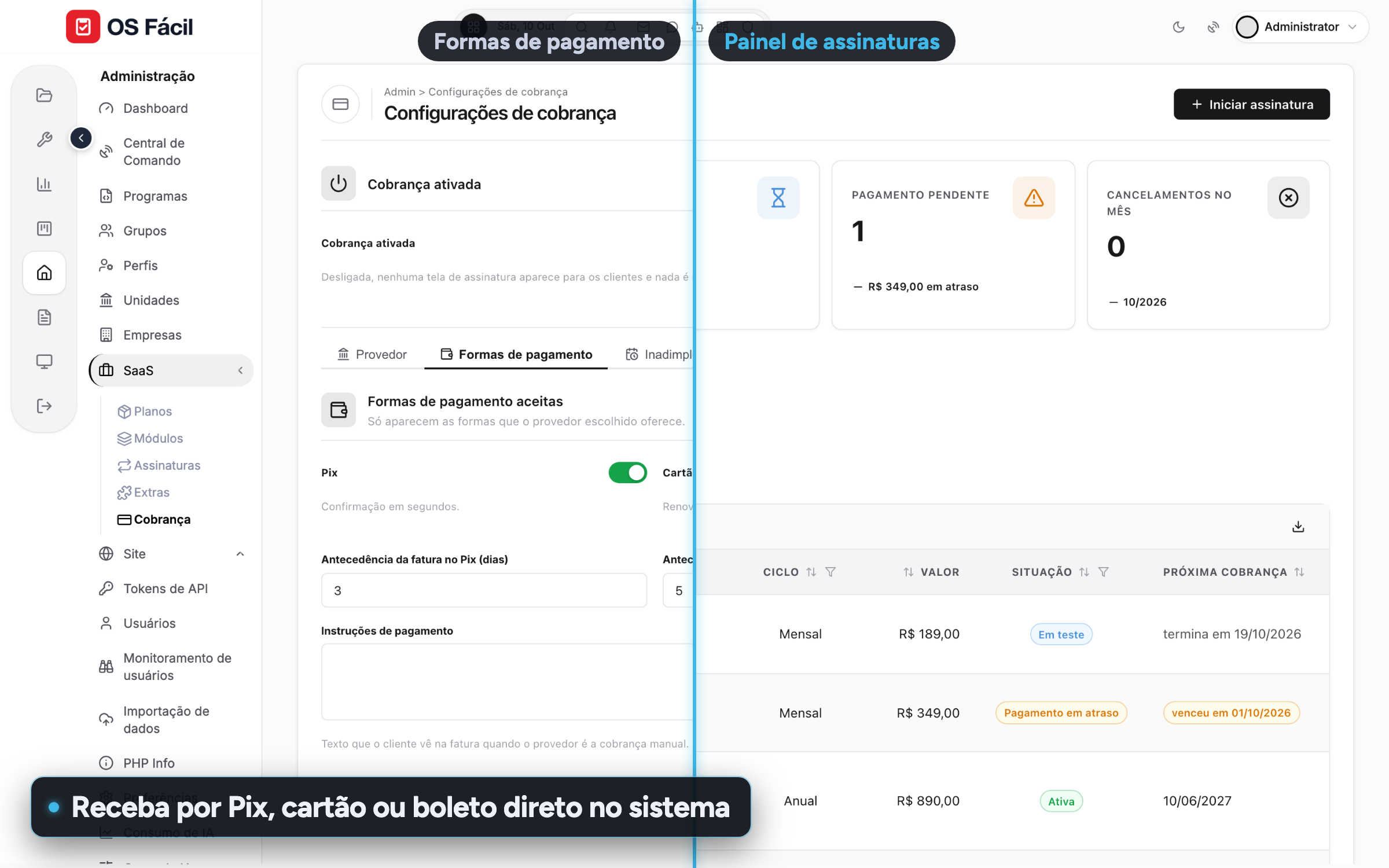
SaaS and multi-tenancy Pix, card and boleto Charge the monthly fee through Mercado Pago, Banco Inter or Stripe, with a dunning schedule for late payments and a subscriptions dashboard. For:Manager and CEO
-
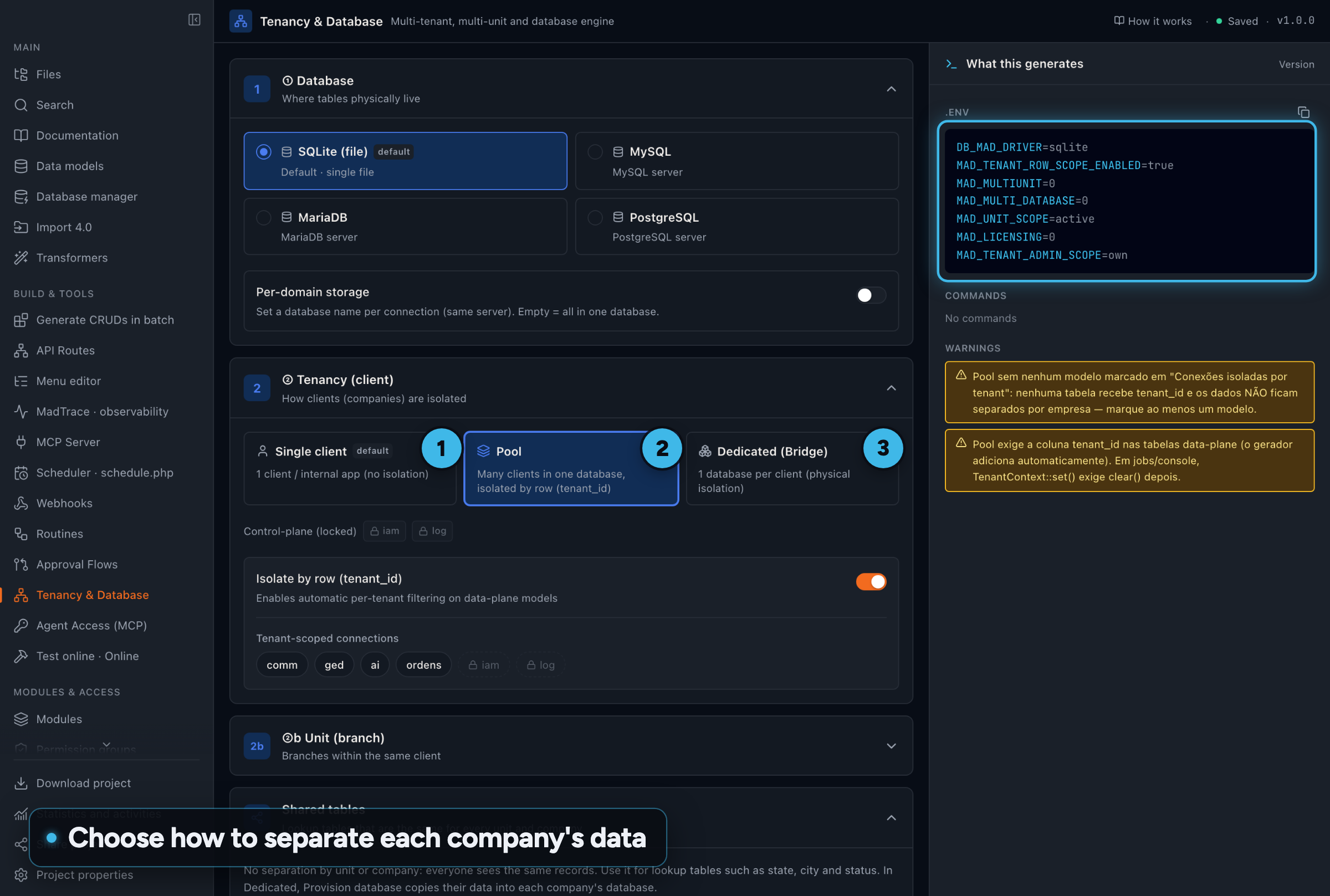
SaaS and multi-tenancy One base, many companies Separate data per company in the same database or in one database per company, and per branch when you need to. Queries filter on their own. For:CTODev
- Administration and security Two-factor login Each user turns on the second factor with an authenticator app, by scanning a QR code, or with a code sent by email. You choose which methods the system accepts. For:CTOManager and CEO
- Copilot and dashboards Ask your system Your customer asks "Which work orders are overdue?" and the Copilot queries the system's own database to answer, without anyone mentioning a table. For:Manager and CEONo codingCTO
- Copilot and dashboards Widget built by chatting Describe the metric, see a preview with real data in the chat and approve it. The widget is saved and refreshes without using any AI. For:Manager and CEOCTO
- Ready-made screens Drag-and-drop kanban Drag a card between stages and the change is saved instantly, with a count and total per stage. For:No codingManager and CEO
- Ready-made screens Calendar in four views Appointments by month, week, day or list, with working hours and events you create, drag and stretch with the mouse. For:No codingManager and CEO
- Ready-made screens CEP lookup that fills in the address Requires an active plan Type the CEP (Brazilian postal code) and street, neighborhood, city and state arrive filled in. The CNPJ (Brazilian company ID) does the same for the company record. For:No codingManager and CEO
- POS, documents and finance Point of sale in the browser Non-fiscal receipt A complete checkout screen: barcodes, cart, split payments with change and a 58 mm or 80 mm receipt. Each sale deducts from inventory. For:Manager and CEONo coding
- SaaS and multi-tenancy Customers sign themselves up The visitor picks a plan on the website, creates an account and logs in as the administrator of their own unit, already on the free trial. For:Manager and CEONo coding
- SaaS and multi-tenancy Public website in the same system Home, plans, blog, contact and sign-up at the root of the URL, no login, with SEO, sitemap and contacts that become leads. For:No codingManager and CEO
- SaaS and multi-tenancy Four languages out of the box The system comes in Brazilian Portuguese, European Portuguese, English and Spanish, and the AI bulk-translates your own texts. For:Manager and CEOCTO
No highlights in this group for that audience.
Create an account, build a screen, download the project.
No scheduled demo, no discovery call. If the Laravel that comes out doesn’t pass your team’s review, you lost an afternoon.
- Create an accountOpen beta, no credit card.
- Build a screenVisually, in code, or by asking the AI.
- Download the .zipA Laravel project that runs wherever you want.